
Eboulement - Minecraft Skins & Skin History
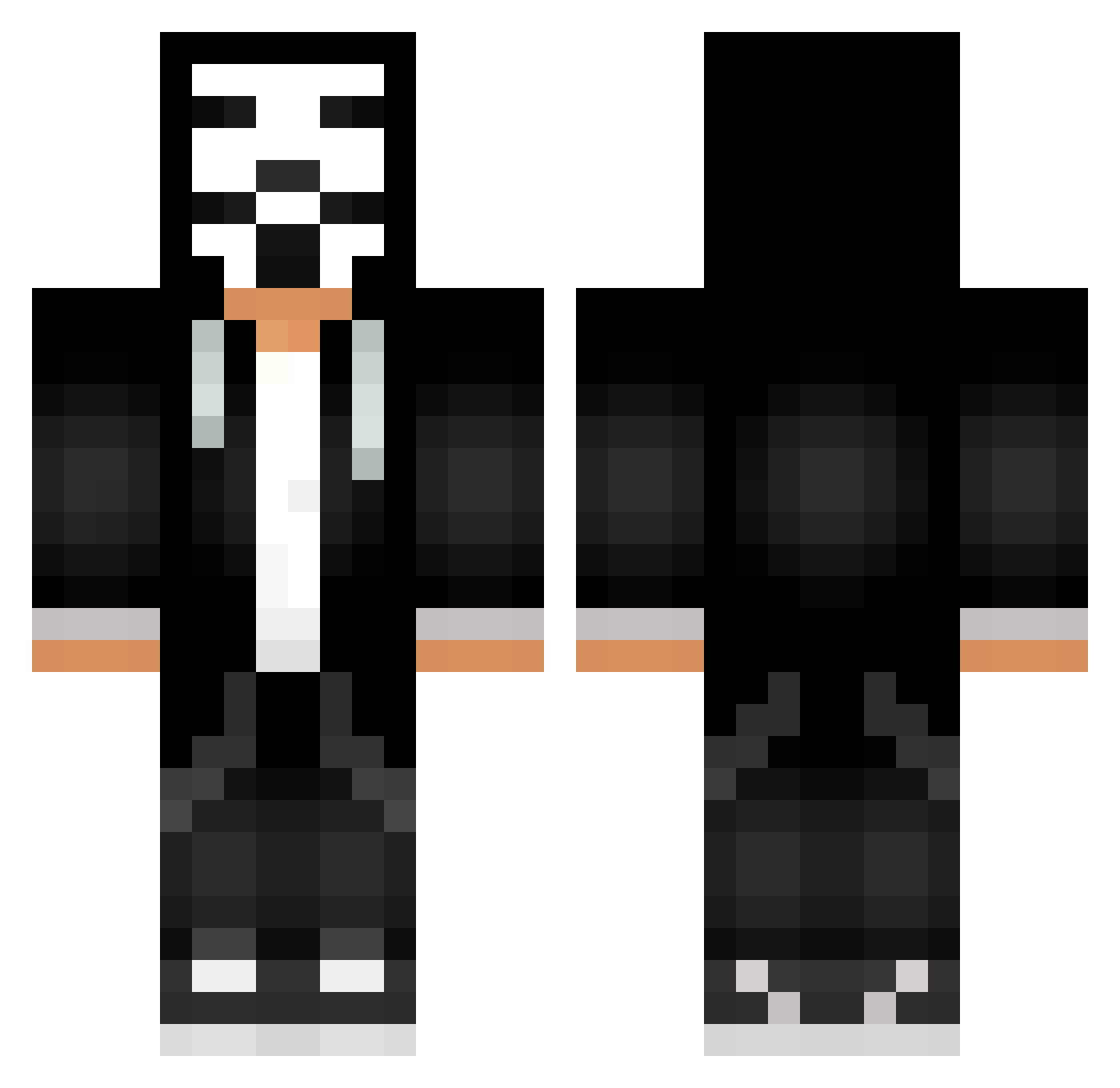
Current Minecraft skin of the player Eboulement, loaded from the official Mojang API. Rotate the 3D model with your mouse or finger, then download the skin as a PNG file and use it in Minecraft: Bedrock Edition or Java Edition for free. When Eboulement changes their skin, this page updates automatically and the old skin stays in the history below.
Other players with this skin (544)
Eboulement was the 32nd player we have seen with this skin, first spotted on 31.07.2026. The same skin was seen on these players. Open a nickname to see their current skin and skin history.
 HacksNotSkiIIs Kernboom VadikPutik yLukinhas329 Lucas94 Gummy_Bear05 SZAUTRON Asterix785 HealSynn Schrankenheber Day_Fit GioLuciano23 SpeedD4vidALT2 Mr_jab_Ez ULX415 Futuristus Vrs536 HatexBRASIL 4kau tucosadi ZeroVassil _gamer_2208_ AntiMark Koko201302 Logi_Epsilon Frame_12 enzoradical07 TheMagicalGuy Dat_cool_guy ettoreb123 Kk83131121 hacks2445 chihiro_micra capinadordl glizzygladbaba 0Jqck_ Matus747 yyigrik antoinepanzani2 kakubaku Aydayyy AVscorpion Kill_Saibot BeckBeck97 EM11NNN The_Apecrayfish Unwichtig08I5 bffq0908 archimaru DAv53lol Florian111107 BryanIWL dayhawke78 McProsuTR Arek1233 EmreX55 NOVATO02 Angelpro220 xTim15_ GERARDOVELEZ
More Anonymous Minecraft skins
How to install the Eboulement skin
- Press the Download button above to save the skin as a PNG file.
- Minecraft: Bedrock Edition (PE): open the Dressing Room from the main menu (or tap your character → Edit Character), go to Classic Skins → Owned, press the + (new skin) button, choose the downloaded PNG and pick the Classic (Steve) model. Works on PC and mobile; consoles cannot import custom skins.
- Minecraft: Java Edition: open the Minecraft Launcher, go to the Skins tab, click New Skin, load the PNG, pick the Classic (Steve) model and press Save & Use. You can also upload it at minecraft.net → Profile → Change Skin.
The skin does not show up after import - what should I do?
Restart Minecraft and open the Dressing Room again - imported skins sometimes appear only after a restart. Also make sure you selected the imported skin and picked the Classic (Steve) model.
Which model should I choose, Classic or Slim?
This skin is designed for the Classic (Steve) model. If you pick the wrong model, the arms of the skin will look stretched or squeezed.
Is the skin of Eboulement free to download?
Yes. Press Download, save the PNG file and use it in Minecraft: Bedrock Edition or Java Edition - no payment or registration needed. The skin also works on multiplayer servers and Realms.
More skins
Looking for more? Go back to all Minecraft skins and check the top skins of the week, month and all time, or find any player's skin by nickname.