
Ebonterror - Minecraft Skins & Skin History
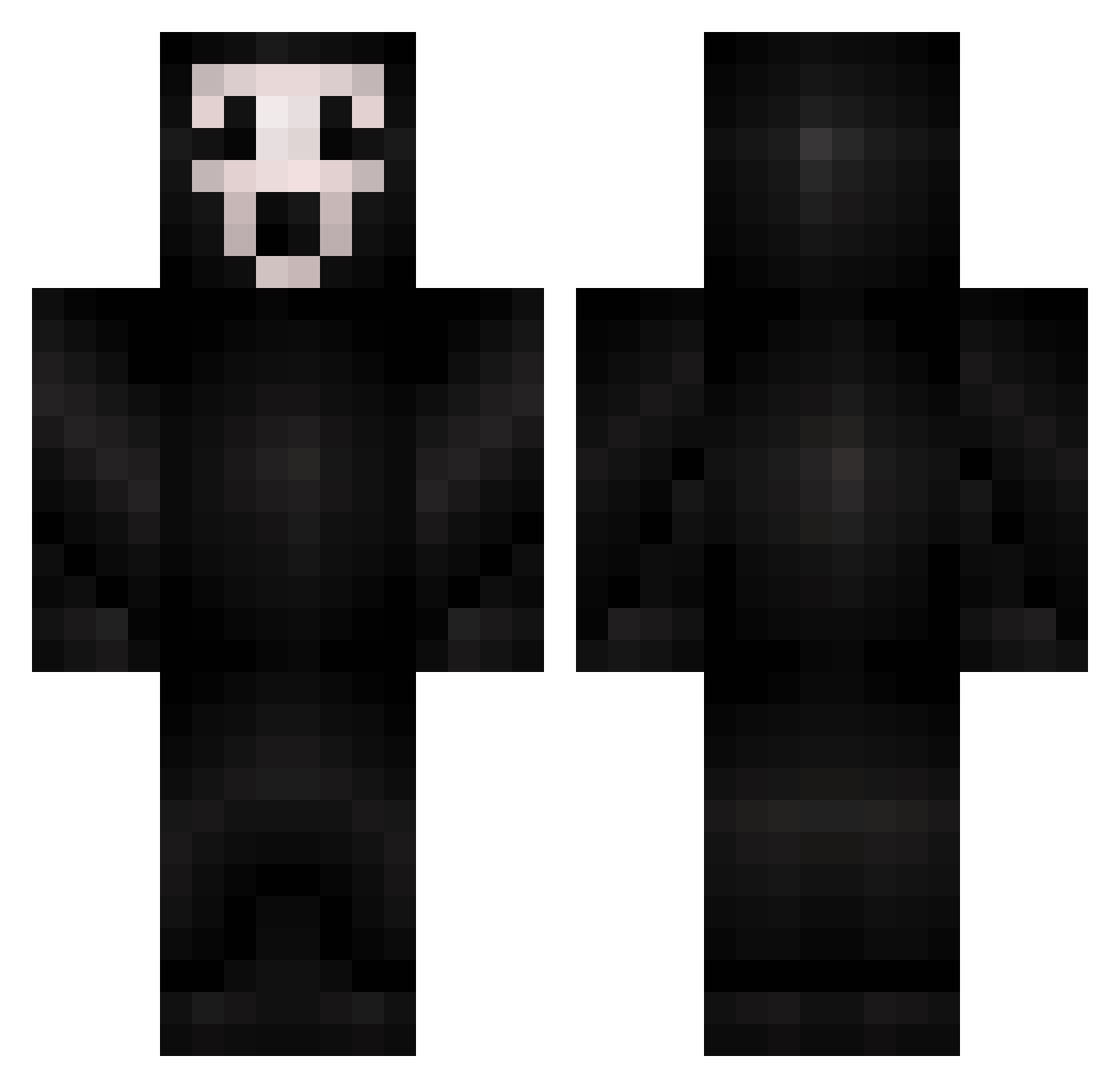
Current Minecraft skin of the player Ebonterror, loaded from the official Mojang API. Rotate the 3D model with your mouse or finger, then download the skin as a PNG file and use it in Minecraft: Bedrock Edition or Java Edition for free. When Ebonterror changes their skin, this page updates automatically and the old skin stays in the history below.
Other players with this skin (506)
Ebonterror was the 479th player we have seen with this skin, first spotted on 14.11.2026. The same skin was seen on these players. Open a nickname to see their current skin and skin history.
 Zuhron Rickster999 emerald_chant AlmightyD NietAchraf wenboandozi Schmidty1623 cougar2147 duh_dude langman17 TropicalFlavour Katishka ManoSalem13 redweasel13 Antiwolf12 paddzo77 Begs 2muchskill99 NickVivid oscartornado Pickle_Going_Ham jhonatan177 RSGinger Kubicki95 ja_par kodrabeast42 SuperRR Asgaarden1 GRIMREAPER222 Locotaturo goodfella134 milleninja sugarandsalt0526 mike957 TheEndVW MartinPLucas Terribal CALLOFDEATH KingMinecraft91 Rimmed GhostGaming3125 tdad08 Bobudub alfiemilo 34blakep xSMITHYYx Yoojingles SilentIPain Gotchua PhantomFart ZombiHugar wizardocoz RyanCarltonCraft FlorentK Shakraij killerbee925 Eterius_Vervus nakajta Darkdragon6 AXIDNT26
More Ghostface Minecraft skins
How to install the Ebonterror skin
- Press the Download button above to save the skin as a PNG file.
- Minecraft: Bedrock Edition (PE): open the Dressing Room from the main menu (or tap your character → Edit Character), go to Classic Skins → Owned, press the + (new skin) button, choose the downloaded PNG and pick the Classic (Steve) model. Works on PC and mobile; consoles cannot import custom skins.
- Minecraft: Java Edition: open the Minecraft Launcher, go to the Skins tab, click New Skin, load the PNG, pick the Classic (Steve) model and press Save & Use. You can also upload it at minecraft.net → Profile → Change Skin.
The skin does not show up after import - what should I do?
Restart Minecraft and open the Dressing Room again - imported skins sometimes appear only after a restart. Also make sure you selected the imported skin and picked the Classic (Steve) model.
Which model should I choose, Classic or Slim?
This skin is designed for the Classic (Steve) model. If you pick the wrong model, the arms of the skin will look stretched or squeezed.
Is the skin of Ebonterror free to download?
Yes. Press Download, save the PNG file and use it in Minecraft: Bedrock Edition or Java Edition - no payment or registration needed. The skin also works on multiplayer servers and Realms.
More skins
Looking for more? Go back to all Minecraft skins and check the top skins of the week, month and all time, or find any player's skin by nickname.