
EaterOfFromage - Minecraft Skins & Skin History
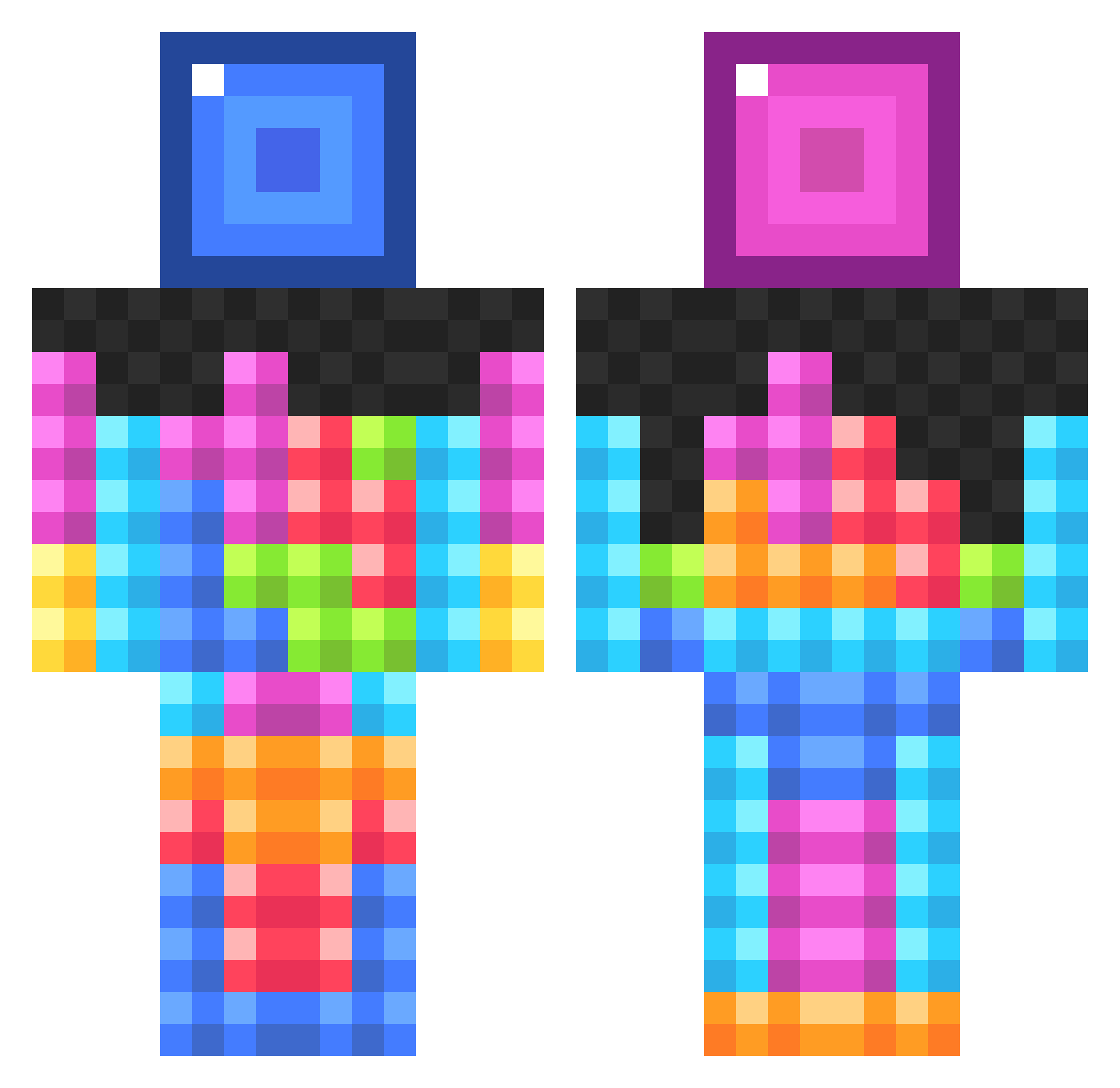
Current Minecraft skin of the player EaterOfFromage, loaded from the official Mojang API. Rotate the 3D model with your mouse or finger, then download the skin as a PNG file and use it in Minecraft: Bedrock Edition or Java Edition for free. When EaterOfFromage changes their skin, this page updates automatically and the old skin stays in the history below.
Other players with this skin (834)
EaterOfFromage was the 94th player we have seen with this skin, first spotted on 03.08.2026. The same skin was seen on these players. Open a nickname to see their current skin and skin history.
 Sanicdadoofus tanakatanaka TTV_RyanInfamous Dumbo28 boy0909 diggerAlly EELITE888 Tinks135 Saviior95 SmashedDonut AngryFarmer212 Villeboy62 tpja22 benisabeast23 Timster23 Dontay3000 Mainlinelaxer okbet farmerfarley Fnuller1703 elmedir freddie4112 SecreT_VOLTz Tht_Kid21 muddypants No_solution KennethTheBoss jhazell DJX324 CheckYourWallsM3 gypsilarraine Pelle_e Warrior1616 zatsugaii YeeeHonk rueribes Tentrens Impulsive88 Rik2004 pep0666 Mine_Arianna Tysaber SnugglesCuddles matthew688 richop16 Verisign PuffyCloud247 dwalder01 rileylolly Schleudereule69 Lobosch98 Chum_Chum_ mmarcus1 wharfish Trogler98 Malenkig AMADEO50 dark_miner77 Baseball_Maniac Socks1327
More Tetris Minecraft skins
How to install the EaterOfFromage skin
- Press the Download button above to save the skin as a PNG file.
- Minecraft: Bedrock Edition (PE): open the Dressing Room from the main menu (or tap your character → Edit Character), go to Classic Skins → Owned, press the + (new skin) button, choose the downloaded PNG and pick the Classic (Steve) model. Works on PC and mobile; consoles cannot import custom skins.
- Minecraft: Java Edition: open the Minecraft Launcher, go to the Skins tab, click New Skin, load the PNG, pick the Classic (Steve) model and press Save & Use. You can also upload it at minecraft.net → Profile → Change Skin.
The skin does not show up after import - what should I do?
Restart Minecraft and open the Dressing Room again - imported skins sometimes appear only after a restart. Also make sure you selected the imported skin and picked the Classic (Steve) model.
Which model should I choose, Classic or Slim?
This skin is designed for the Classic (Steve) model. If you pick the wrong model, the arms of the skin will look stretched or squeezed.
Is the skin of EaterOfFromage free to download?
Yes. Press Download, save the PNG file and use it in Minecraft: Bedrock Edition or Java Edition - no payment or registration needed. The skin also works on multiplayer servers and Realms.
More skins
Looking for more? Go back to all Minecraft skins and check the top skins of the week, month and all time, or find any player's skin by nickname.