
EarlofUnderwool - Minecraft Skins & Skin History
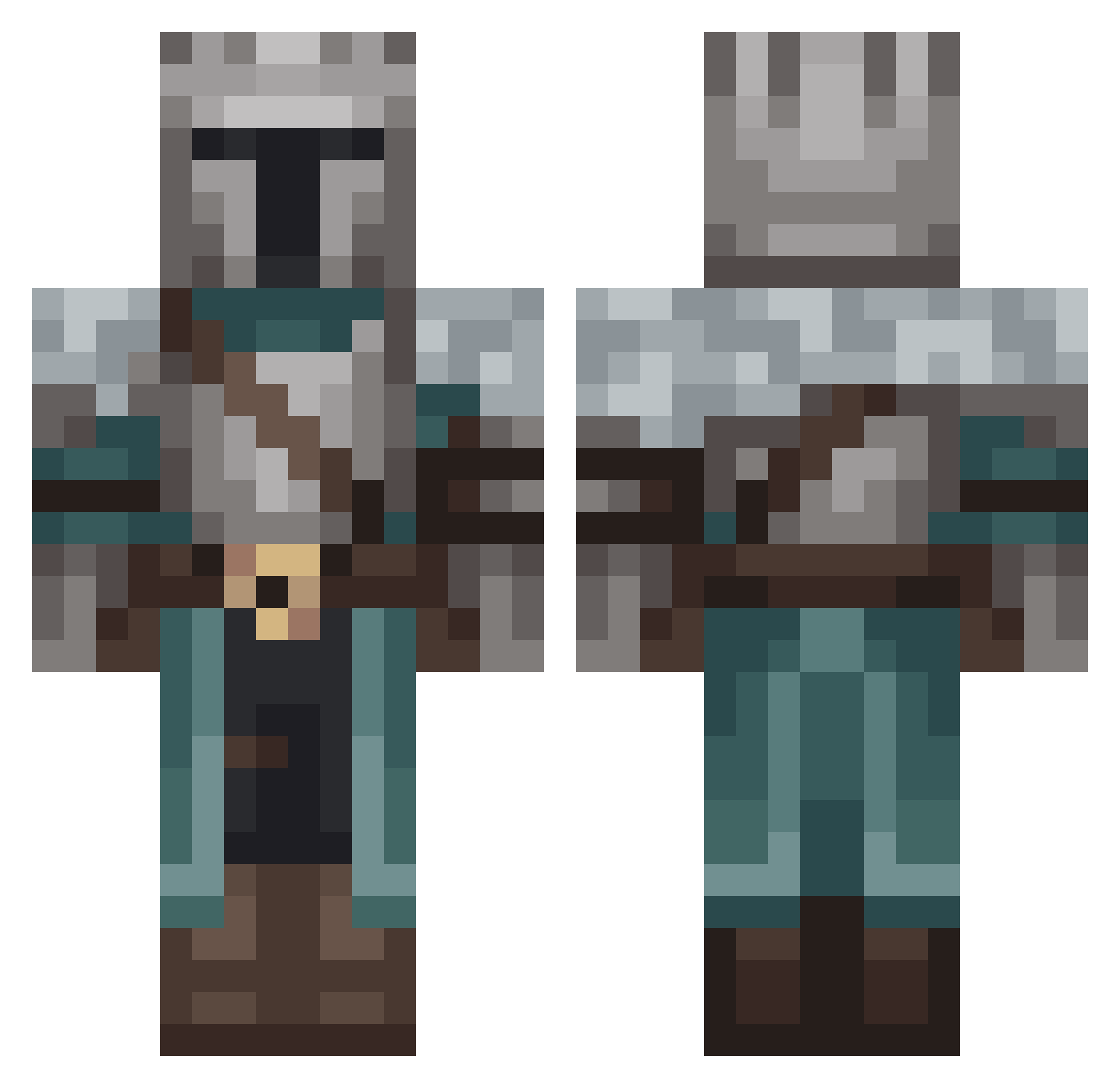
Current Minecraft skin of the player EarlofUnderwool, loaded from the official Mojang API. Rotate the 3D model with your mouse or finger, then download the skin as a PNG file and use it in Minecraft: Bedrock Edition or Java Edition for free. When EarlofUnderwool changes their skin, this page updates automatically and the old skin stays in the history below.
Other players with this skin (141)
EarlofUnderwool was the 112th player we have seen with this skin, first spotted on 18.10.2026. The same skin was seen on these players. Open a nickname to see their current skin and skin history.
 herosbbx Vampihunter Son_Black WithinLimbo QTip1212 SnatchyPancakes Smuss JulikoP Jazon89 General_Cor legendarksider21 zerexxxxxx GigaAggelos Shiawase0105 Askepot74 mangokeczup1161 lewek2137 codogaz Jackiiiiiie jungmin2ne TheBookOfJudas EfecanX Exfa Providencz bgch VG9iaQ keqqing hamsterlot McPuzzle ThermalTaco GarinPVP Fissher Vonzeur MikaOfVinheim Tylp Godpotato69420 DxrkWinterX Ethylic leonidos_28 BobFromBigW Zlitchy No_Signal_0304 Alpheratz206 Sapyev T3starossa Kamikaze2k11 Artuee Witheri Beesechurger3 coconutcaptain MattO7579 MiiCoS SINON5487 foxohub Bondy1088 oCqRROT_ Cumakazi IlySteve zonizebi Anthonychopper
More Medieval Minecraft skins
How to install the EarlofUnderwool skin
- Press the Download button above to save the skin as a PNG file.
- Minecraft: Bedrock Edition (PE): open the Dressing Room from the main menu (or tap your character → Edit Character), go to Classic Skins → Owned, press the + (new skin) button, choose the downloaded PNG and pick the Classic (Steve) model. Works on PC and mobile; consoles cannot import custom skins.
- Minecraft: Java Edition: open the Minecraft Launcher, go to the Skins tab, click New Skin, load the PNG, pick the Classic (Steve) model and press Save & Use. You can also upload it at minecraft.net → Profile → Change Skin.
The skin does not show up after import - what should I do?
Restart Minecraft and open the Dressing Room again - imported skins sometimes appear only after a restart. Also make sure you selected the imported skin and picked the Classic (Steve) model.
Which model should I choose, Classic or Slim?
This skin is designed for the Classic (Steve) model. If you pick the wrong model, the arms of the skin will look stretched or squeezed.
Is the skin of EarlofUnderwool free to download?
Yes. Press Download, save the PNG file and use it in Minecraft: Bedrock Edition or Java Edition - no payment or registration needed. The skin also works on multiplayer servers and Realms.
More skins
Looking for more? Go back to all Minecraft skins and check the top skins of the week, month and all time, or find any player's skin by nickname.