
Eaos1_ - Minecraft Skins & Skin History
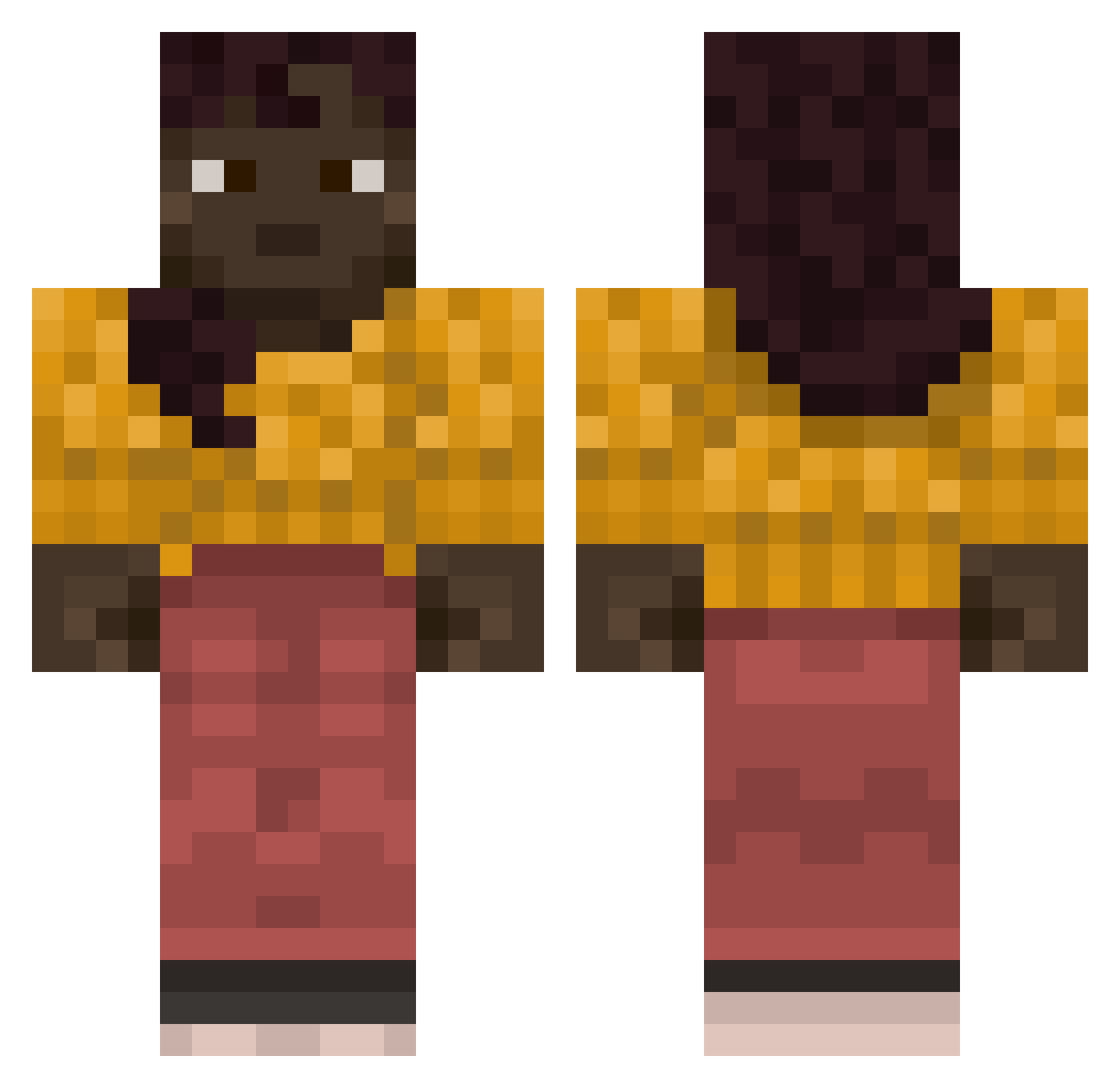
Current Minecraft skin of the player Eaos1_, loaded from the official Mojang API. Rotate the 3D model with your mouse or finger, then download the skin as a PNG file and use it in Minecraft: Bedrock Edition or Java Edition for free. When Eaos1_ changes their skin, this page updates automatically and the old skin stays in the history below.
Other players with this skin (921)
Eaos1_ was the 861st player we have seen with this skin, first spotted on 06.11.2026. The same skin was seen on these players. Open a nickname to see their current skin and skin history.
 TheBosten Melbura Elias2009L Reckoned Grapevines Ragouts rogelio_garcia Plasticbooty AquaJynx23 Milan_Louis leromayaMDM Danubian Powerek2k Shoemake unproved GangstaStreet DaKaKa69 Lakshmi Deltoideus xTechnopepex monadnock grace_tayl Certyn COAT_sang Zillionths dallaass xylo2x entireties MICOROSA eutexia bb1155833 Limestones BigFella615 Yakman Barato betterskeppy bagoogle unhusk platonist slobbers Zayler Municipalities matru42 TheRealBravo hsi Uatuxi Aluminous RuFFs CaptainThjumas Heterozygosity Emanated Omnifarious Woodybun Ldg Kqsai KiloBlock tatewuzhere deepwokenfan possumwood Cainite
More Girl Minecraft skins
How to install the Eaos1_ skin
- Press the Download button above to save the skin as a PNG file.
- Minecraft: Bedrock Edition (PE): open the Dressing Room from the main menu (or tap your character → Edit Character), go to Classic Skins → Owned, press the + (new skin) button, choose the downloaded PNG and pick the Classic (Steve) model. Works on PC and mobile; consoles cannot import custom skins.
- Minecraft: Java Edition: open the Minecraft Launcher, go to the Skins tab, click New Skin, load the PNG, pick the Classic (Steve) model and press Save & Use. You can also upload it at minecraft.net → Profile → Change Skin.
The skin does not show up after import - what should I do?
Restart Minecraft and open the Dressing Room again - imported skins sometimes appear only after a restart. Also make sure you selected the imported skin and picked the Classic (Steve) model.
Which model should I choose, Classic or Slim?
This skin is designed for the Classic (Steve) model. If you pick the wrong model, the arms of the skin will look stretched or squeezed.
Is the skin of Eaos1_ free to download?
Yes. Press Download, save the PNG file and use it in Minecraft: Bedrock Edition or Java Edition - no payment or registration needed. The skin also works on multiplayer servers and Realms.
More skins
Looking for more? Go back to all Minecraft skins and check the top skins of the week, month and all time, or find any player's skin by nickname.