
EZ_Plasma - Minecraft Skins & Skin History
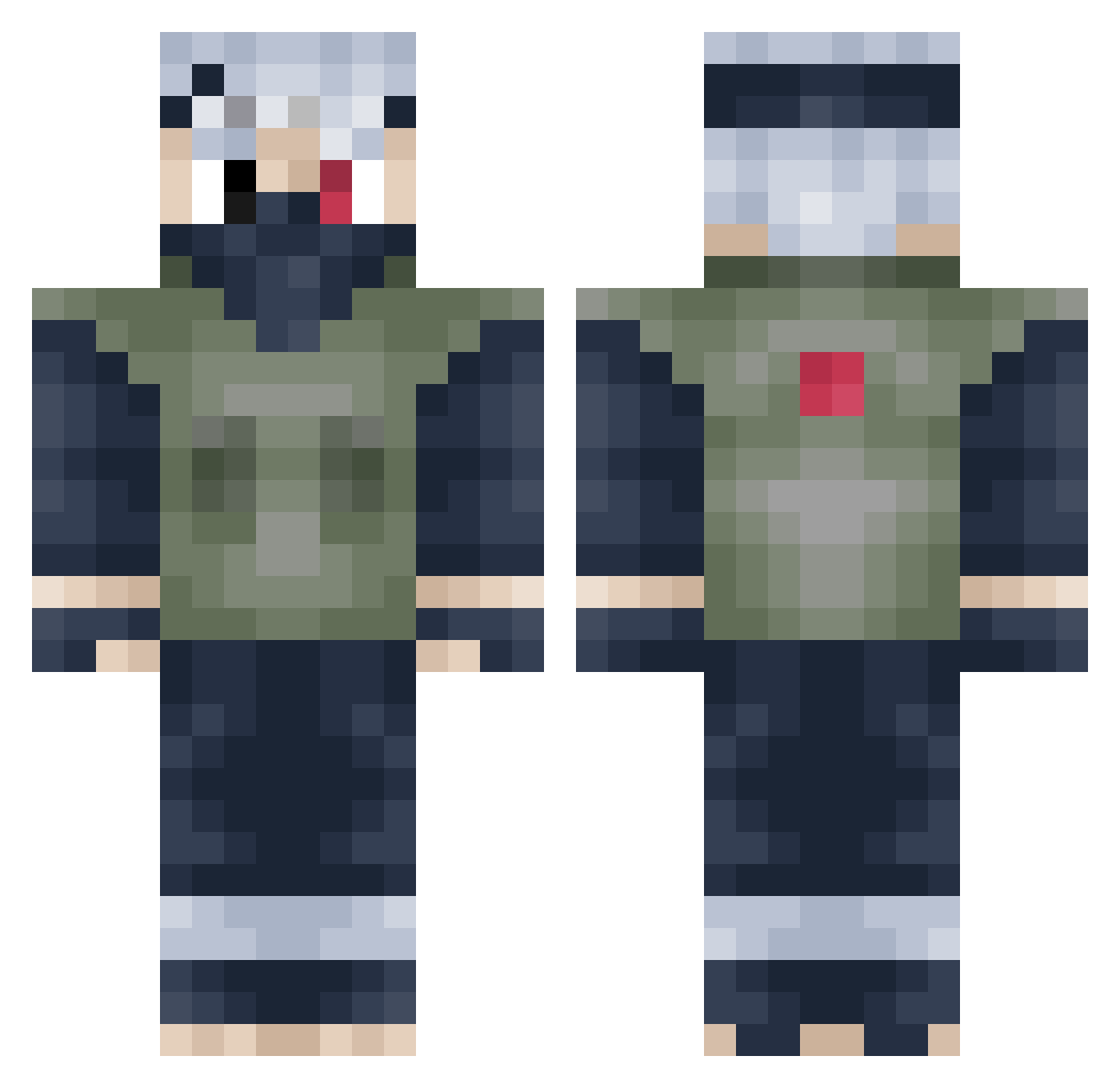
Current Minecraft skin of the player EZ_Plasma, loaded from the official Mojang API. Rotate the 3D model with your mouse or finger, then download the skin as a PNG file and use it in Minecraft: Bedrock Edition or Java Edition for free. When EZ_Plasma changes their skin, this page updates automatically and the old skin stays in the history below.
Other players with this skin (398)
EZ_Plasma was the 203rd player we have seen with this skin, first spotted on 18.09.2026. The same skin was seen on these players. Open a nickname to see their current skin and skin history.
 Wh1tty_ FxzhF Graphiceloc iiTeB0ne Runt231 MacleanTwitch Fxnley Anakni m2jb SenseiSwagg BigWanz TM_Sauce Shiny_Mudkip Sion4thWin1030 Spoleeee str8killz420 Sicknez Prophet_Penrose LordAaron1145 JeffreyHood Jloadin lazertronks RafaMaster10 Somniac217 hakikibulut H_WeixI jmhendrix225 mason_naruto _kaiyuu Mlopez18 CrimsonNekoNinja soulecist Daybreak137 juicylemons999 De4lth Sapient_za PantherWolf Falvuz Mystolax WJSRBGUS DaJuul Charmose schultzeey Taquero_ JoklMine SlinkyV4 Darwinizm24 JollySquash ZukoPlz Mojojojo6661 Matrocks5 DRXixi Largo94 jan_te RastaWarrior1312 jaymantogood turkey1328 BigGunta vElastics Die_Gekose_Een
More Kakashi Hatake Minecraft skins
See all 468 Kakashi Hatake skins
How to install the EZ_Plasma skin
- Press the Download button above to save the skin as a PNG file.
- Minecraft: Bedrock Edition (PE): open the Dressing Room from the main menu (or tap your character → Edit Character), go to Classic Skins → Owned, press the + (new skin) button, choose the downloaded PNG and pick the Classic (Steve) model. Works on PC and mobile; consoles cannot import custom skins.
- Minecraft: Java Edition: open the Minecraft Launcher, go to the Skins tab, click New Skin, load the PNG, pick the Classic (Steve) model and press Save & Use. You can also upload it at minecraft.net → Profile → Change Skin.
The skin does not show up after import - what should I do?
Restart Minecraft and open the Dressing Room again - imported skins sometimes appear only after a restart. Also make sure you selected the imported skin and picked the Classic (Steve) model.
Which model should I choose, Classic or Slim?
This skin is designed for the Classic (Steve) model. If you pick the wrong model, the arms of the skin will look stretched or squeezed.
Is the skin of EZ_Plasma free to download?
Yes. Press Download, save the PNG file and use it in Minecraft: Bedrock Edition or Java Edition - no payment or registration needed. The skin also works on multiplayer servers and Realms.
More skins
Looking for more? Go back to all Minecraft skins and check the top skins of the week, month and all time, or find any player's skin by nickname.