
ESEPIKIS - Minecraft Skins & Skin History
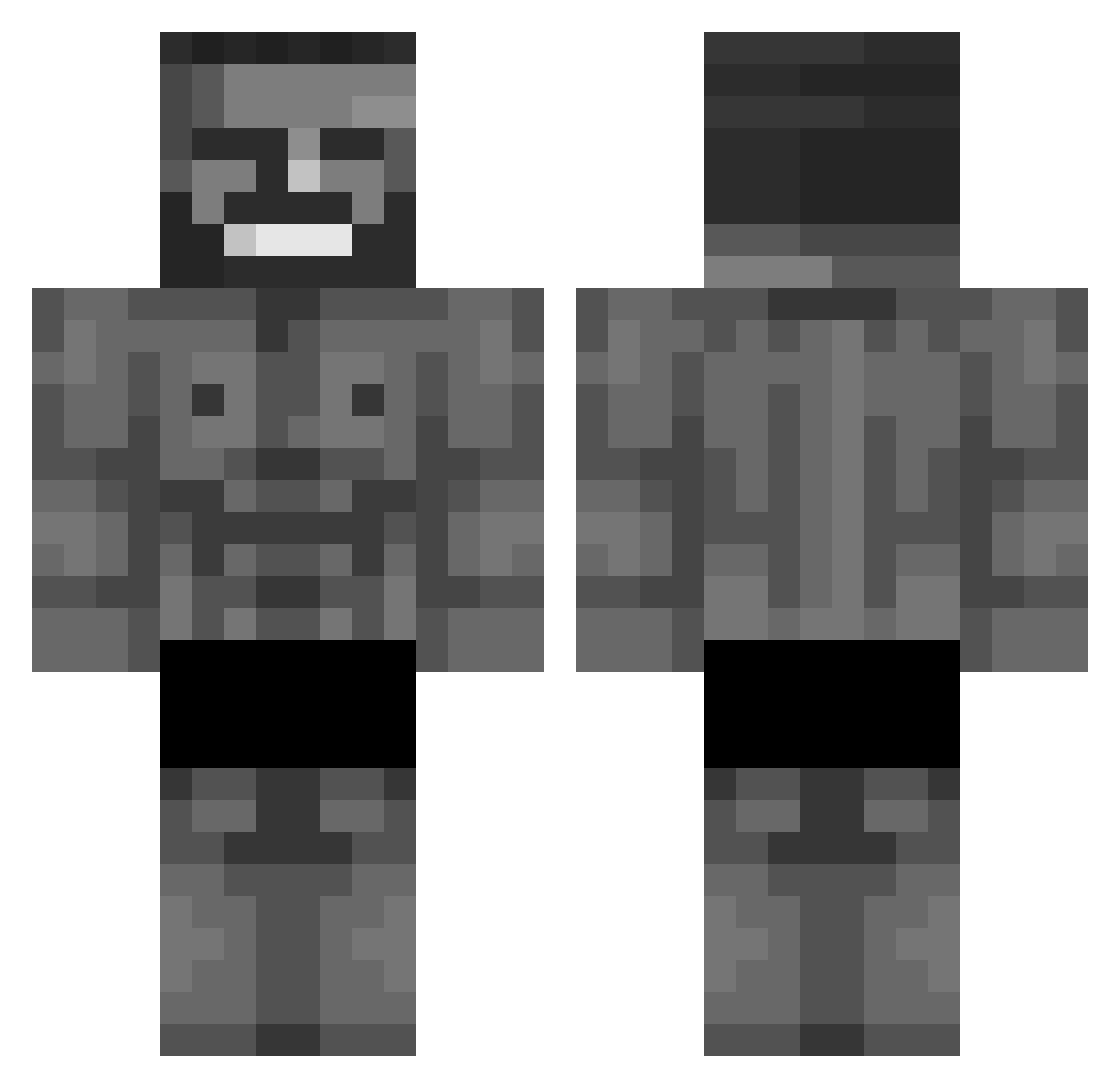
Current Minecraft skin of the player ESEPIKIS, loaded from the official Mojang API. Rotate the 3D model with your mouse or finger, then download the skin as a PNG file and use it in Minecraft: Bedrock Edition or Java Edition for free. When ESEPIKIS changes their skin, this page updates automatically and the old skin stays in the history below.
Other players with this skin (333)
ESEPIKIS was the 263rd player we have seen with this skin, first spotted on 04.10.2026. The same skin was seen on these players. Open a nickname to see their current skin and skin history.
 ElixThor Sine465 fakhouri tmorgg Spalacio filgyy Landy_B0y Jurttix DETLAFF31 Buud_Tek TotalllyAccurate nnnbbvh GIGACHAD3MK BELANOTCHI kreciksztynks EvLaMotte ZaiNawid H4k4kA TheTRUMPSTER_16 Jalft WilderNoah Sokucubaba3131 06inor V4l3ns SilasgamerV2 DZ3D OmegAlpha_005 ChillShark11 Edup27 Salzi13 Brandao1162 Freg22 skillissue_d __Quentinn__ Suprotoide YvesLaint Tatarin_v_tanke M_Maxime s0chii L3WSPAZ papacasso Lamamord Ryan645_5 EpicArcade1712 Deadshot9669 MarceleQ03 UnnamedPlayerXD KR_sniper7849 LeoIllidan Gxb74 APer0nY0uKn0w Art3mis_kun ComradConnor yaqup44 Udjin ValakiHUN728 Philemon1 He11Angel HassanC Mupoc
More Gigachad Minecraft skins
How to install the ESEPIKIS skin
- Press the Download button above to save the skin as a PNG file.
- Minecraft: Bedrock Edition (PE): open the Dressing Room from the main menu (or tap your character → Edit Character), go to Classic Skins → Owned, press the + (new skin) button, choose the downloaded PNG and pick the Classic (Steve) model. Works on PC and mobile; consoles cannot import custom skins.
- Minecraft: Java Edition: open the Minecraft Launcher, go to the Skins tab, click New Skin, load the PNG, pick the Classic (Steve) model and press Save & Use. You can also upload it at minecraft.net → Profile → Change Skin.
The skin does not show up after import - what should I do?
Restart Minecraft and open the Dressing Room again - imported skins sometimes appear only after a restart. Also make sure you selected the imported skin and picked the Classic (Steve) model.
Which model should I choose, Classic or Slim?
This skin is designed for the Classic (Steve) model. If you pick the wrong model, the arms of the skin will look stretched or squeezed.
Is the skin of ESEPIKIS free to download?
Yes. Press Download, save the PNG file and use it in Minecraft: Bedrock Edition or Java Edition - no payment or registration needed. The skin also works on multiplayer servers and Realms.
More skins
Looking for more? Go back to all Minecraft skins and check the top skins of the week, month and all time, or find any player's skin by nickname.