
EMIMINE2011 - Minecraft Skins & Skin History
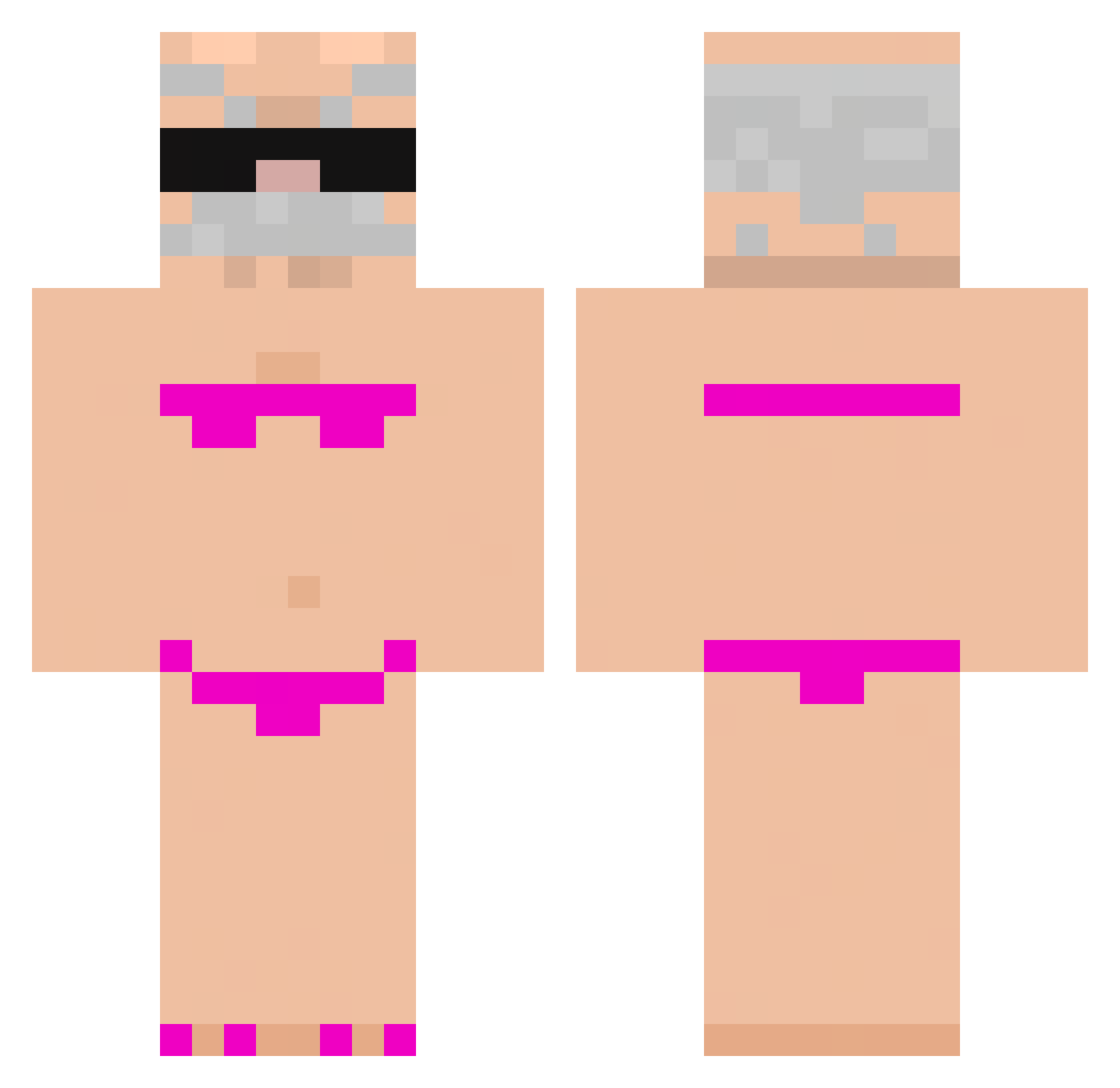
Current Minecraft skin of the player EMIMINE2011, loaded from the official Mojang API. Rotate the 3D model with your mouse or finger, then download the skin as a PNG file and use it in Minecraft: Bedrock Edition or Java Edition for free. When EMIMINE2011 changes their skin, this page updates automatically and the old skin stays in the history below.
Other players with this skin (793)
EMIMINE2011 was the 519th player we have seen with this skin, first spotted on 27.09.2026. The same skin was seen on these players. Open a nickname to see their current skin and skin history.
 MattyBraps__ Pixelpl_PX jmoran2404 GeorgeCooper123 chris69booty Miojoman Jackapple1 MartyMcfly313 hdnrmz gryphon3311 DXX41 ErenDikyologlu Ppotae _Zupka_Chinska_ farluvsjesus kowaiyooooow MayoDuckling Godpp213 XCs72 Nickblack06 jonatan1367 lorranOg Cangunes01 d0oz b2014 ALEXIKS15 RexPandi12 nicname003 cat6667 zyrandol david_us cudeporco Mr_Tepec 32hits WaynKing qaxataqx MUSGOCONPUNTERIA Viper_Dash xBxD2 xNmlh DongXu66 SagazBw gRegis1 sebaCZek JanikaPooh lele_rumma FartKnocker4400 VortiAbi Poki112 Chim568 sondressr yay23 Cat_Manfr Gikam Yinoos IS4BEL27_ BrotherNuT88 ScoobyDoo6014 ivannnn0 Gelos142
More Karl Marx Minecraft skins
How to install the EMIMINE2011 skin
- Press the Download button above to save the skin as a PNG file.
- Minecraft: Bedrock Edition (PE): open the Dressing Room from the main menu (or tap your character → Edit Character), go to Classic Skins → Owned, press the + (new skin) button, choose the downloaded PNG and pick the Classic (Steve) model. Works on PC and mobile; consoles cannot import custom skins.
- Minecraft: Java Edition: open the Minecraft Launcher, go to the Skins tab, click New Skin, load the PNG, pick the Classic (Steve) model and press Save & Use. You can also upload it at minecraft.net → Profile → Change Skin.
The skin does not show up after import - what should I do?
Restart Minecraft and open the Dressing Room again - imported skins sometimes appear only after a restart. Also make sure you selected the imported skin and picked the Classic (Steve) model.
Which model should I choose, Classic or Slim?
This skin is designed for the Classic (Steve) model. If you pick the wrong model, the arms of the skin will look stretched or squeezed.
Is the skin of EMIMINE2011 free to download?
Yes. Press Download, save the PNG file and use it in Minecraft: Bedrock Edition or Java Edition - no payment or registration needed. The skin also works on multiplayer servers and Realms.
More skins
Looking for more? Go back to all Minecraft skins and check the top skins of the week, month and all time, or find any player's skin by nickname.