
ELKKIBOY - Minecraft Skins & Skin History
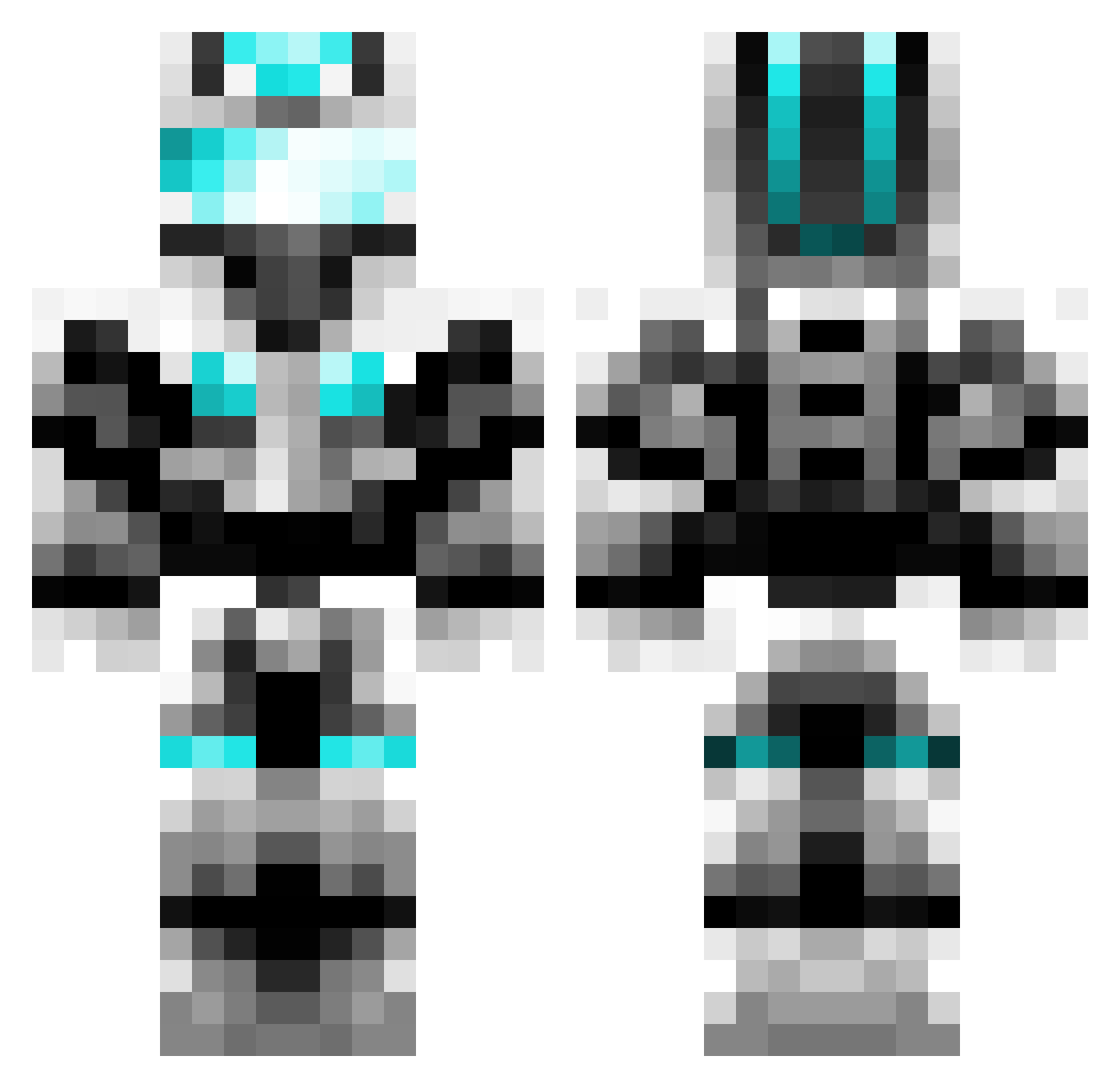
Current Minecraft skin of the player ELKKIBOY, loaded from the official Mojang API. Rotate the 3D model with your mouse or finger, then download the skin as a PNG file and use it in Minecraft: Bedrock Edition or Java Edition for free. When ELKKIBOY changes their skin, this page updates automatically and the old skin stays in the history below.
Other players with this skin (777)
ELKKIBOY was the 735th player we have seen with this skin, first spotted on 07.11.2026. The same skin was seen on these players. Open a nickname to see their current skin and skin history.
 ljt807 Tobias940 madvt jrk99 aks_ZiaAP_03_04 NigellaMC Batman149369 Fhall2002 PowerTHEBEST384 NanMaisJor Jukiller99 Lavaburn5199 cw19931024 PetePaa stagefox X_Over59 amgdgg Green_Jeans Willingwall729 YaoHongYH Narrsicle nicolej87 goupkook killmall001 SacredBlu __squidkid__ hz_Memati Jightning Heavy501 RapidOsprey408 majixkai Qysero Neal_Liu shadowNo_1 ManOfBergen Deadpool_2_1 CBye bearp100 suezeus BanjanBelgium WeylandsWings gusremy jvdabeast420 niku18 Back2battle kts2x kimh91 HVFille DonoAce noobking101 jhund Sly12436 SattooSmile CricketGround crusherpython KsaksaKluth ZodiacSnipe Holtzyfly Bat4627 GCC_Ayaya
More Cyber Soldier Minecraft skins
See all 50 Cyber Soldier skins
How to install the ELKKIBOY skin
- Press the Download button above to save the skin as a PNG file.
- Minecraft: Bedrock Edition (PE): open the Dressing Room from the main menu (or tap your character → Edit Character), go to Classic Skins → Owned, press the + (new skin) button, choose the downloaded PNG and pick the Classic (Steve) model. Works on PC and mobile; consoles cannot import custom skins.
- Minecraft: Java Edition: open the Minecraft Launcher, go to the Skins tab, click New Skin, load the PNG, pick the Classic (Steve) model and press Save & Use. You can also upload it at minecraft.net → Profile → Change Skin.
The skin does not show up after import - what should I do?
Restart Minecraft and open the Dressing Room again - imported skins sometimes appear only after a restart. Also make sure you selected the imported skin and picked the Classic (Steve) model.
Which model should I choose, Classic or Slim?
This skin is designed for the Classic (Steve) model. If you pick the wrong model, the arms of the skin will look stretched or squeezed.
Is the skin of ELKKIBOY free to download?
Yes. Press Download, save the PNG file and use it in Minecraft: Bedrock Edition or Java Edition - no payment or registration needed. The skin also works on multiplayer servers and Realms.
More skins
Looking for more? Go back to all Minecraft skins and check the top skins of the week, month and all time, or find any player's skin by nickname.