
EJKJunior - Minecraft Skins & Skin History
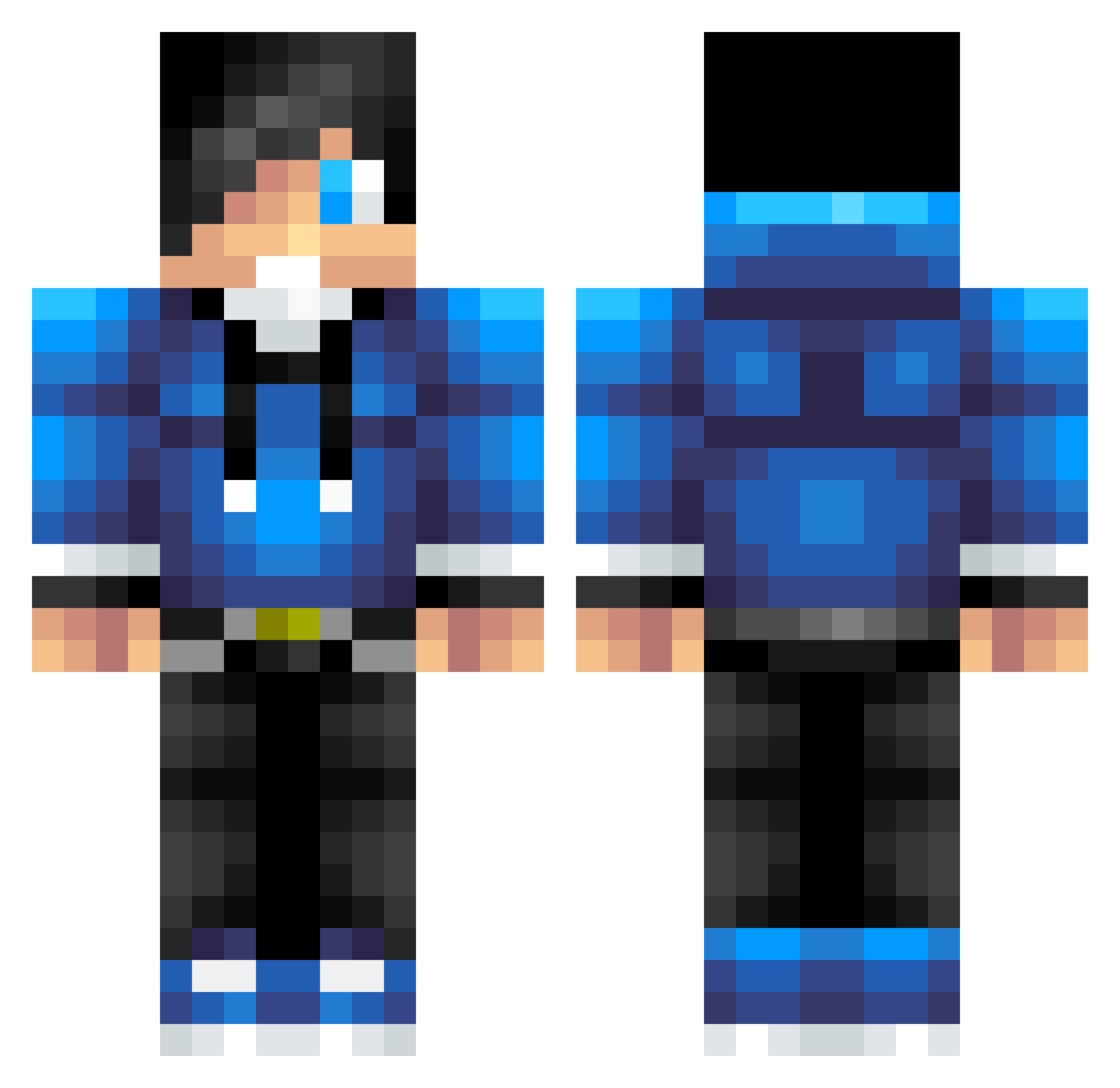
Current Minecraft skin of the player EJKJunior, loaded from the official Mojang API. Rotate the 3D model with your mouse or finger, then download the skin as a PNG file and use it in Minecraft: Bedrock Edition or Java Edition for free. When EJKJunior changes their skin, this page updates automatically and the old skin stays in the history below.
Other players with this skin (623)
EJKJunior was the 599th player we have seen with this skin, first spotted on 20.10.2026. The same skin was seen on these players. Open a nickname to see their current skin and skin history.
 MCfinest_HAM Hydro15 lilpunk75 kakan5o5 fizzbom jtour3 xInvidiousx Mottinator100 heisonych robynheros chanceshane SmileyRaptor14 Kailee1 AccelDream Borkkuu Gian_71 callumrhysevans LmaRn Johnnybombs26 Grumpycat6 JoKingPro Mutant5222 RecklessBu1lder MohawkNoah11 Aria12345 stevenplaysmc420 CrazyChikenChoas DevonMan6 BOMB9981 willtom2004 MightyAtom13 rudolfxx02 jackmburdett StiffCheddar JackTMosey Kirbycraft121 gloriadavid Hapcio LivingLarry RobertH19961 jakehicks31 madphoenix2000 bbjs cargo1234 riptidesworld nathj2000 Shifty_Elephant DareMo69 PVP_Shane BanixPvP IanRuark thatgamerboy14 SkechyPlayer13 GatSmoke kdizzle02 Kohanson ammoe123 __Skull_Bob__ siegen2000 CaptainCallum2
How to install the EJKJunior skin
- Press the Download button above to save the skin as a PNG file.
- Minecraft: Bedrock Edition (PE): open the Dressing Room from the main menu (or tap your character → Edit Character), go to Classic Skins → Owned, press the + (new skin) button, choose the downloaded PNG and pick the Classic (Steve) model. Works on PC and mobile; consoles cannot import custom skins.
- Minecraft: Java Edition: open the Minecraft Launcher, go to the Skins tab, click New Skin, load the PNG, pick the Classic (Steve) model and press Save & Use. You can also upload it at minecraft.net → Profile → Change Skin.
The skin does not show up after import - what should I do?
Restart Minecraft and open the Dressing Room again - imported skins sometimes appear only after a restart. Also make sure you selected the imported skin and picked the Classic (Steve) model.
Which model should I choose, Classic or Slim?
This skin is designed for the Classic (Steve) model. If you pick the wrong model, the arms of the skin will look stretched or squeezed.
Is the skin of EJKJunior free to download?
Yes. Press Download, save the PNG file and use it in Minecraft: Bedrock Edition or Java Edition - no payment or registration needed. The skin also works on multiplayer servers and Realms.
More skins
Looking for more? Go back to all Minecraft skins and check the top skins of the week, month and all time, or find any player's skin by nickname.