
EEL1Z - Minecraft Skins & Skin History
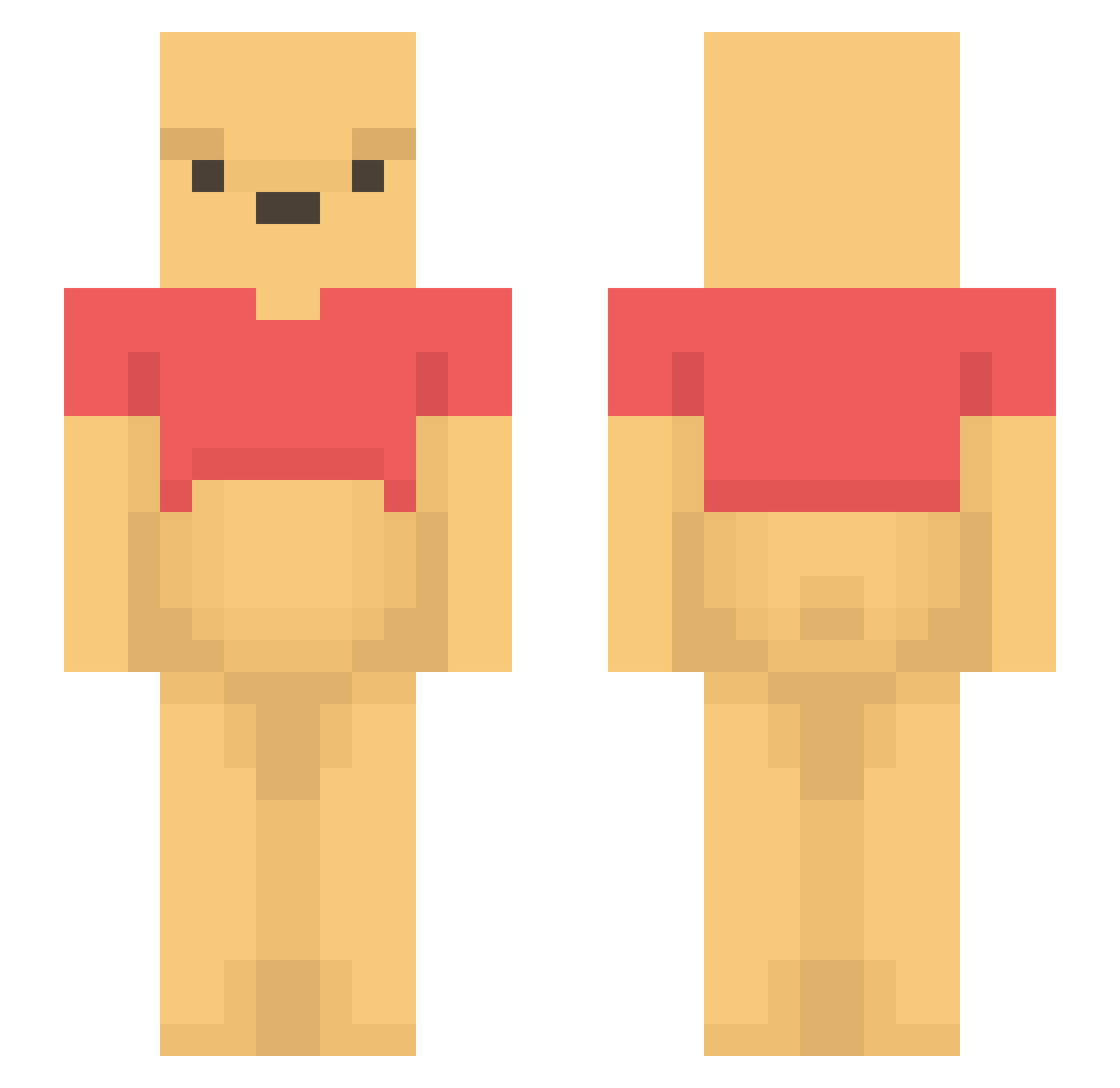
Current Minecraft skin of the player EEL1Z, loaded from the official Mojang API. Rotate the 3D model with your mouse or finger, then download the skin as a PNG file and use it in Minecraft: Bedrock Edition or Java Edition for free. When EEL1Z changes their skin, this page updates automatically and the old skin stays in the history below.
Other players with this skin (1194)
EEL1Z was the 413th player we have seen with this skin, first spotted on 27.08.2026. The same skin was seen on these players. Open a nickname to see their current skin and skin history.
 s94120 Agentsmith44 nabakun Nelisse Pandora999 Turtlezzzzz420 LordLeepLeep Instapojken Jandro110 skyshiba benis_bucker AurelGRN WinnieThePoooooh IvanCheang08 KASAPPY TaeHyung2400 MrButtt scstubbs cocacola21 TNTSHAWN aqpw7 marialolz justCREEKS Cocaboy0165 lord1501 Marvin_Kid_ Jaewon6974 akanechien cumbersor1143 Andraaaaaaaaaaa CosmoFashionista GMofLife Bixo2 Dollmeng maxofox lianpa Jaden_train MugiwaraAron Shiftorius Crocacoq laughingcat1412 Dabskier chuparlas cecethesloth CARSTEN__ Stevage045 winniethepoox Nurkan ZeatsMC ToreKxd MoonManMF Puchati Zunah wreckitjekkkkkkk Loisan02 Banolya TangYuan_1 Xxcookiemuncher Hellobekind ahchooma
More Winnie The Pooh Minecraft skins
See all 305 Winnie The Pooh skins
How to install the EEL1Z skin
- Press the Download button above to save the skin as a PNG file.
- Minecraft: Bedrock Edition (PE): open the Dressing Room from the main menu (or tap your character → Edit Character), go to Classic Skins → Owned, press the + (new skin) button, choose the downloaded PNG and pick the Slim (Alex) model. Works on PC and mobile; consoles cannot import custom skins.
- Minecraft: Java Edition: open the Minecraft Launcher, go to the Skins tab, click New Skin, load the PNG, pick the Slim (Alex) model and press Save & Use. You can also upload it at minecraft.net → Profile → Change Skin.
The skin does not show up after import - what should I do?
Restart Minecraft and open the Dressing Room again - imported skins sometimes appear only after a restart. Also make sure you selected the imported skin and picked the Slim (Alex) model.
Which model should I choose, Classic or Slim?
This skin is designed for the Slim (Alex) model. If you pick the wrong model, the arms of the skin will look stretched or squeezed.
Is the skin of EEL1Z free to download?
Yes. Press Download, save the PNG file and use it in Minecraft: Bedrock Edition or Java Edition - no payment or registration needed. The skin also works on multiplayer servers and Realms.
More skins
Looking for more? Go back to all Minecraft skins and check the top skins of the week, month and all time, or find any player's skin by nickname.