
Dysprosium - Minecraft Skins & Skin History
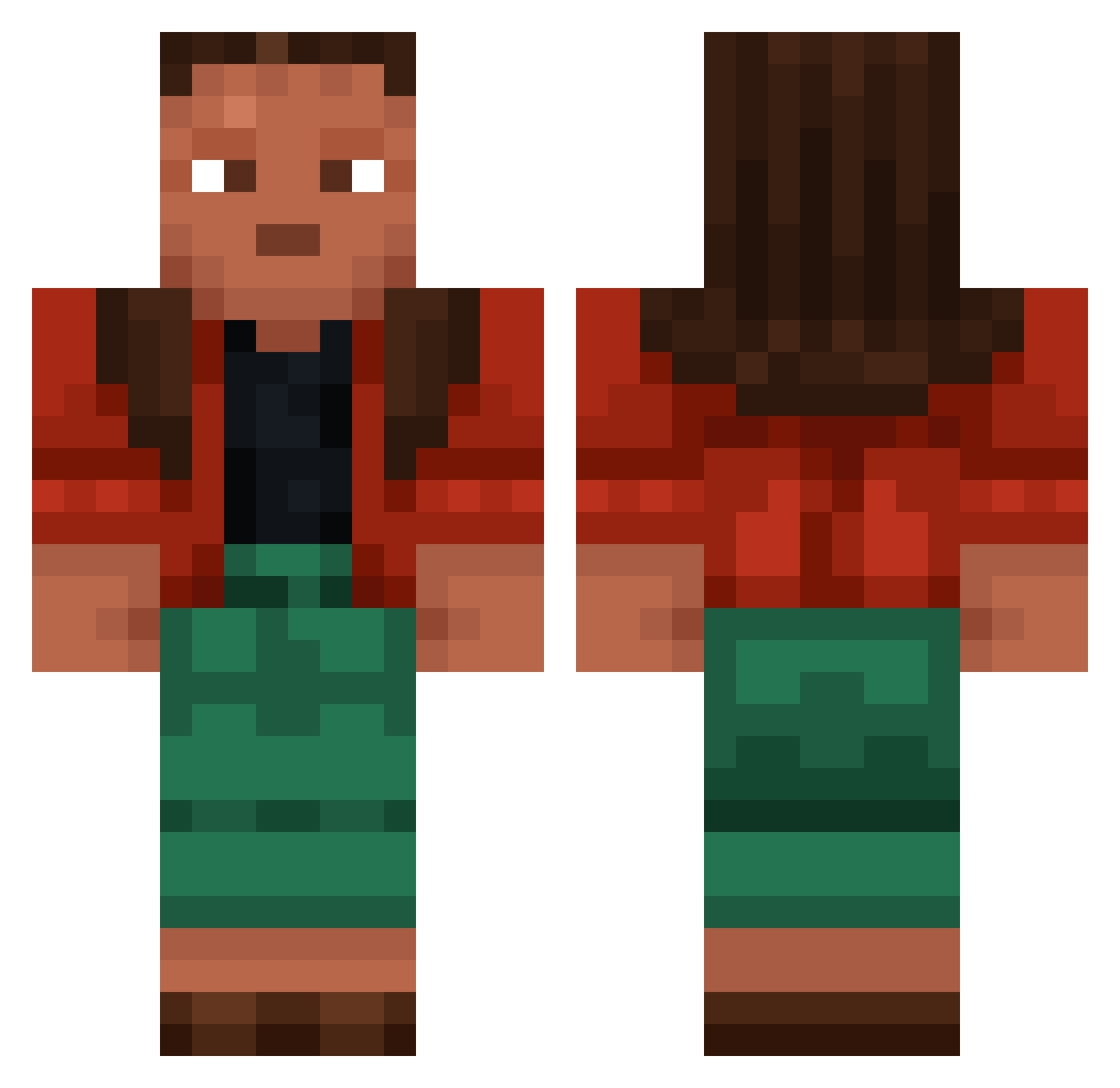
Current Minecraft skin of the player Dysprosium, loaded from the official Mojang API. Rotate the 3D model with your mouse or finger, then download the skin as a PNG file and use it in Minecraft: Bedrock Edition or Java Edition for free. When Dysprosium changes their skin, this page updates automatically and the old skin stays in the history below.
Other players with this skin (1024)
Dysprosium was the 379th player we have seen with this skin, first spotted on 10.09.2026. The same skin was seen on these players. Open a nickname to see their current skin and skin history.
 Crystallike
 Friegan_ OthaOtha subnet night3210 Darth_Nihil cathode healwound Ingemar_ dhanvi12 _Swedex Brandon55418 wafflecougar Cryptomeria999 McTableSet burntbagle198 Jujitsu keyed vHw Shopkeepers Conceptualized a7xnumberone1 dngrsdrgn Stong BlabbyRex Jackscrew Sweet_Poro wh7teImTilter nashville SUNFLOWERxPUCIO museless Acutate Cornstalks montaaa37 Groatsworth yippie Rolley Nematodes dunst Marmot Actuarial Iteq D3athBringer535 Temporisation softt666 JoeJimbo halazone Yoriichi_thereal Ashtrays 13mil Caprella BreadboxM3 gur_12 osama_binballen benlaug Udaller OrokaSempai Estrangement dreaminess Gudinbielo_Gamer
More Moana Minecraft skins
How to install the Dysprosium skin
- Press the Download button above to save the skin as a PNG file.
- Minecraft: Bedrock Edition (PE): open the Dressing Room from the main menu (or tap your character → Edit Character), go to Classic Skins → Owned, press the + (new skin) button, choose the downloaded PNG and pick the Classic (Steve) model. Works on PC and mobile; consoles cannot import custom skins.
- Minecraft: Java Edition: open the Minecraft Launcher, go to the Skins tab, click New Skin, load the PNG, pick the Classic (Steve) model and press Save & Use. You can also upload it at minecraft.net → Profile → Change Skin.
The skin does not show up after import - what should I do?
Restart Minecraft and open the Dressing Room again - imported skins sometimes appear only after a restart. Also make sure you selected the imported skin and picked the Classic (Steve) model.
Which model should I choose, Classic or Slim?
This skin is designed for the Classic (Steve) model. If you pick the wrong model, the arms of the skin will look stretched or squeezed.
Is the skin of Dysprosium free to download?
Yes. Press Download, save the PNG file and use it in Minecraft: Bedrock Edition or Java Edition - no payment or registration needed. The skin also works on multiplayer servers and Realms.
More skins
Looking for more? Go back to all Minecraft skins and check the top skins of the week, month and all time, or find any player's skin by nickname.