
DumbWithDylanYT - Minecraft Skins & Skin History
Current Minecraft skin of the player DumbWithDylanYT, loaded from the official Mojang API. Rotate the 3D model with your mouse or finger, then download the skin as a PNG file and use it in Minecraft: Bedrock Edition or Java Edition for free. When DumbWithDylanYT changes their skin, this page updates automatically and the old skin stays in the history below.
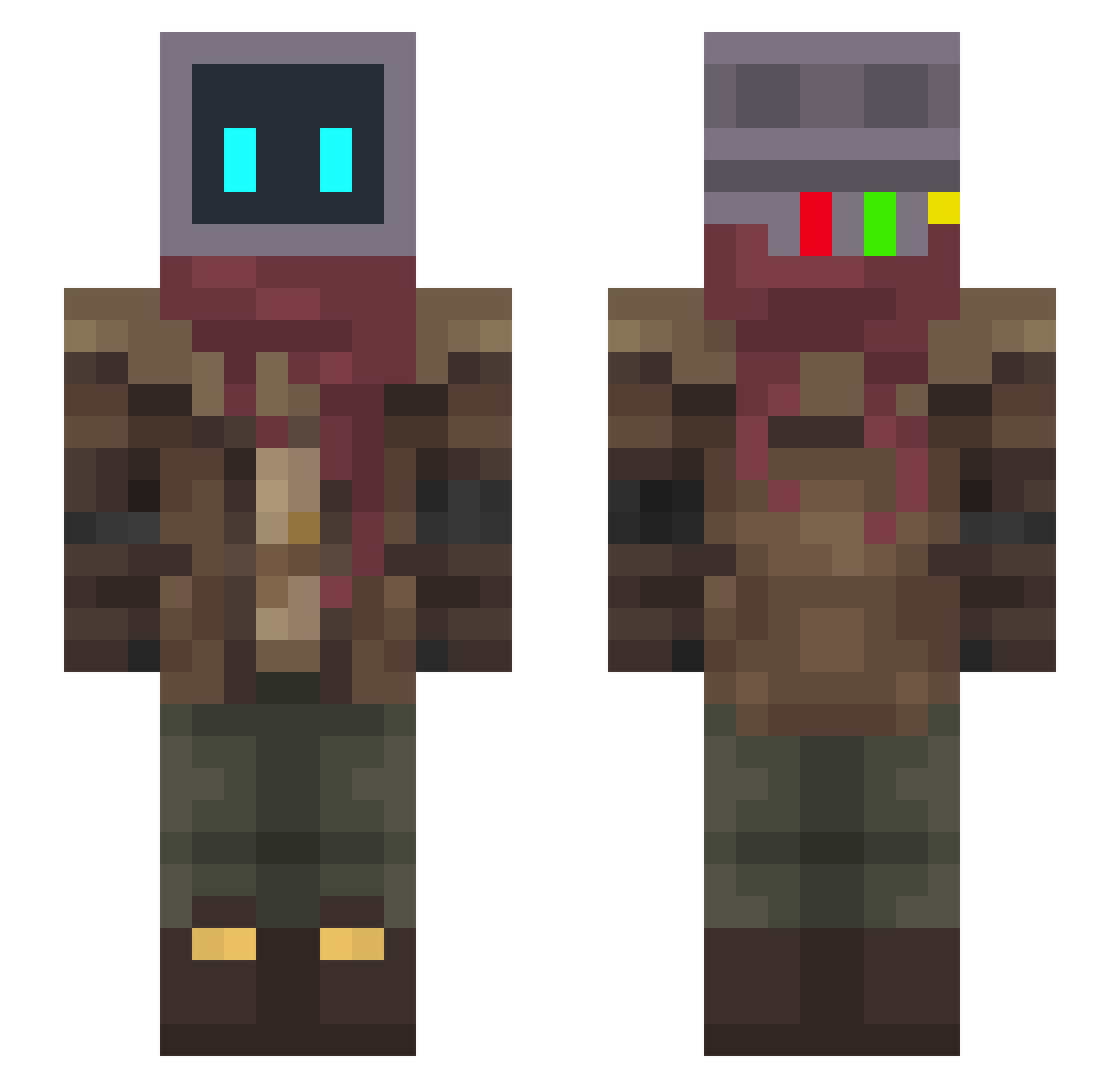
Other players with this skin (279)
DumbWithDylanYT was the 243rd player we have seen with this skin, first spotted on 12.10.2026. The same skin was seen on these players. Open a nickname to see their current skin and skin history.
 LuciferXD Valle911 tybert shellshocket Le0dia dudupros2016 lovecccp CraftyNuker GrayToast_ BaschX hi_im_helms Visiosi rain_0000 qkrtjdtlr TrueS24 pericycle starryy_abyss Hotipee Toju_ pendag Hanaroo 1Gabergandalf1 alanconacento MagmaDestroyer cashkeeper RepulsiveShrimp manager_cat01 DerRumtreiber sambiman SAMOURAIS AlexKNOS EzeMP dysept BagMage StayGoldPonyboy Bazgaron JonboTron PalliTT Tev1s DerSudom skyderante _FreshSandwich_ DrFalcon16 TutiXD Skipbwai Dyc9 DamyoMaster ZithoxD Caveman_mp4 banan_dodu S4MI3I Kephlur RDR_918 TheBoiiMelon NicoAldeco98 sleepyhazel kewell171 ScratchBeat IamCyb3r Lil_Mythic
More Post Apocalyptic Minecraft skins
See all 513 Post Apocalyptic skins
How to install the DumbWithDylanYT skin
- Press the Download button above to save the skin as a PNG file.
- Minecraft: Bedrock Edition (PE): open the Dressing Room from the main menu (or tap your character → Edit Character), go to Classic Skins → Owned, press the + (new skin) button, choose the downloaded PNG and pick the Slim (Alex) model. Works on PC and mobile; consoles cannot import custom skins.
- Minecraft: Java Edition: open the Minecraft Launcher, go to the Skins tab, click New Skin, load the PNG, pick the Slim (Alex) model and press Save & Use. You can also upload it at minecraft.net → Profile → Change Skin.
The skin does not show up after import - what should I do?
Restart Minecraft and open the Dressing Room again - imported skins sometimes appear only after a restart. Also make sure you selected the imported skin and picked the Slim (Alex) model.
Which model should I choose, Classic or Slim?
This skin is designed for the Slim (Alex) model. If you pick the wrong model, the arms of the skin will look stretched or squeezed.
Is the skin of DumbWithDylanYT free to download?
Yes. Press Download, save the PNG file and use it in Minecraft: Bedrock Edition or Java Edition - no payment or registration needed. The skin also works on multiplayer servers and Realms.
More skins
Looking for more? Go back to all Minecraft skins and check the top skins of the week, month and all time, or find any player's skin by nickname.