
DuckNot - Minecraft Skins & Skin History
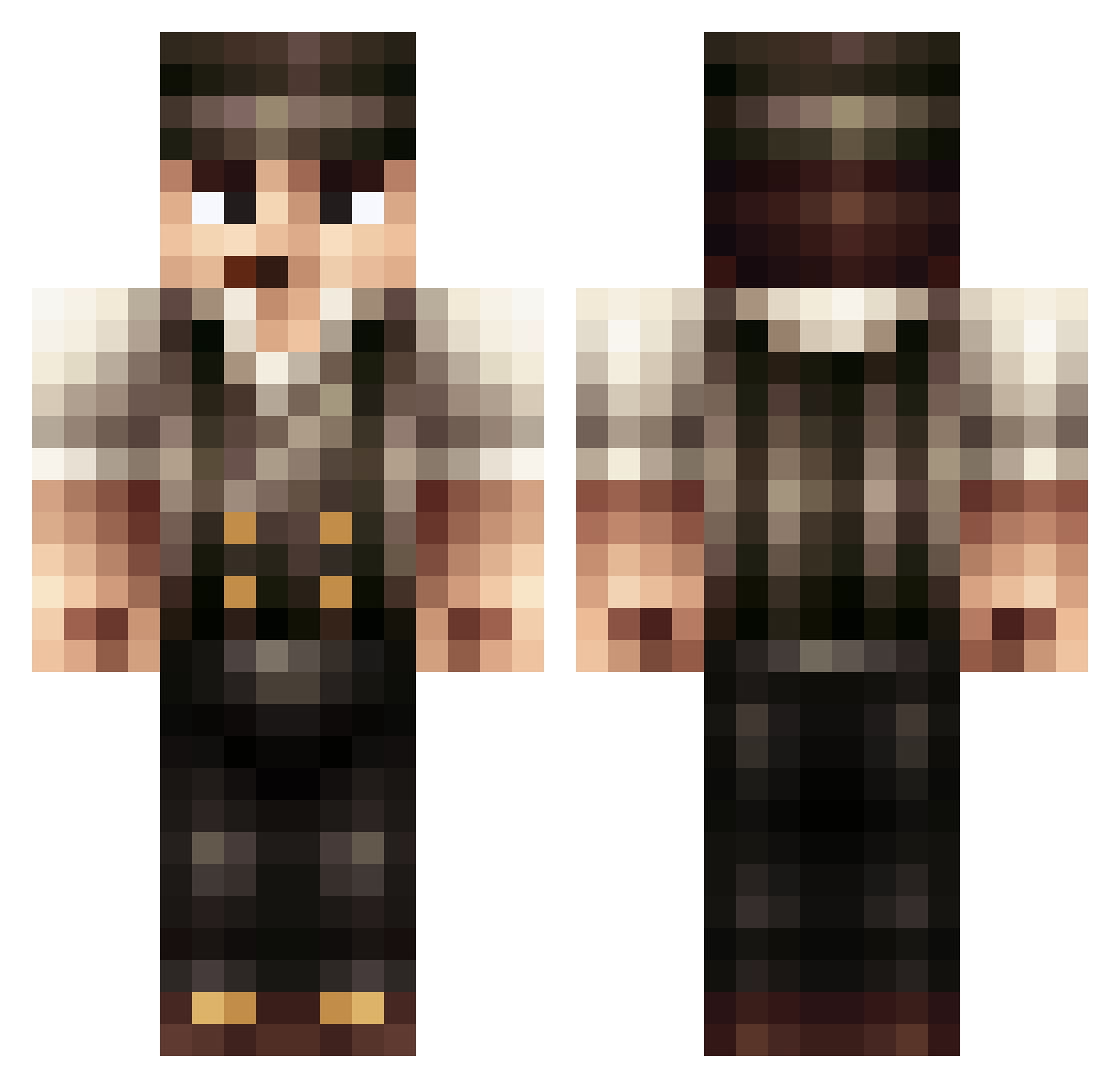
Current Minecraft skin of the player DuckNot, loaded from the official Mojang API. Rotate the 3D model with your mouse or finger, then download the skin as a PNG file and use it in Minecraft: Bedrock Edition or Java Edition for free. When DuckNot changes their skin, this page updates automatically and the old skin stays in the history below.
Other players with this skin (397)
DuckNot was the 364th player we have seen with this skin, first spotted on 15.10.2026. The same skin was seen on these players. Open a nickname to see their current skin and skin history.
 delvingfr Cofal Draulen Growmph SparkiiGTV KenpachiZaraki26 Virree Yukon_McGee Gundil myrskyae verdammt3333 CallumEdward98 PaterJones ExtremeTitan BelacMeow Cognoto Brown_Sugar Yute gluchef06 Schartner10 Shipozavr BananaSplotch114 scruffyboy124 BootyBouncer skullycrackers Darkishlake Yoynty BecksMix matiou05 zpharaoh lpdbql The_Wagatron CoDiarz aJerk Majekman30 PainedSnow48 alkapwnz FaZen99 Taeric AndreiDude chischaefer Tizzer NoHacksJustWin MaxUumen Bulgrank44 ccavanaugh Arch3nemy Sisaliker guvn0r Maffia171 SuperWhittle gamingKees kamihkamih Enndermann TheDerpCube Timothfunky xXriserXx OhSnapItsSlender darkvolf23 Garon
More Peaky Blinders Minecraft skins
See all 107 Peaky Blinders skins
How to install the DuckNot skin
- Press the Download button above to save the skin as a PNG file.
- Minecraft: Bedrock Edition (PE): open the Dressing Room from the main menu (or tap your character → Edit Character), go to Classic Skins → Owned, press the + (new skin) button, choose the downloaded PNG and pick the Classic (Steve) model. Works on PC and mobile; consoles cannot import custom skins.
- Minecraft: Java Edition: open the Minecraft Launcher, go to the Skins tab, click New Skin, load the PNG, pick the Classic (Steve) model and press Save & Use. You can also upload it at minecraft.net → Profile → Change Skin.
The skin does not show up after import - what should I do?
Restart Minecraft and open the Dressing Room again - imported skins sometimes appear only after a restart. Also make sure you selected the imported skin and picked the Classic (Steve) model.
Which model should I choose, Classic or Slim?
This skin is designed for the Classic (Steve) model. If you pick the wrong model, the arms of the skin will look stretched or squeezed.
Is the skin of DuckNot free to download?
Yes. Press Download, save the PNG file and use it in Minecraft: Bedrock Edition or Java Edition - no payment or registration needed. The skin also works on multiplayer servers and Realms.
More skins
Looking for more? Go back to all Minecraft skins and check the top skins of the week, month and all time, or find any player's skin by nickname.