
DuXiu_SB_4153 - Minecraft Skins & Skin History
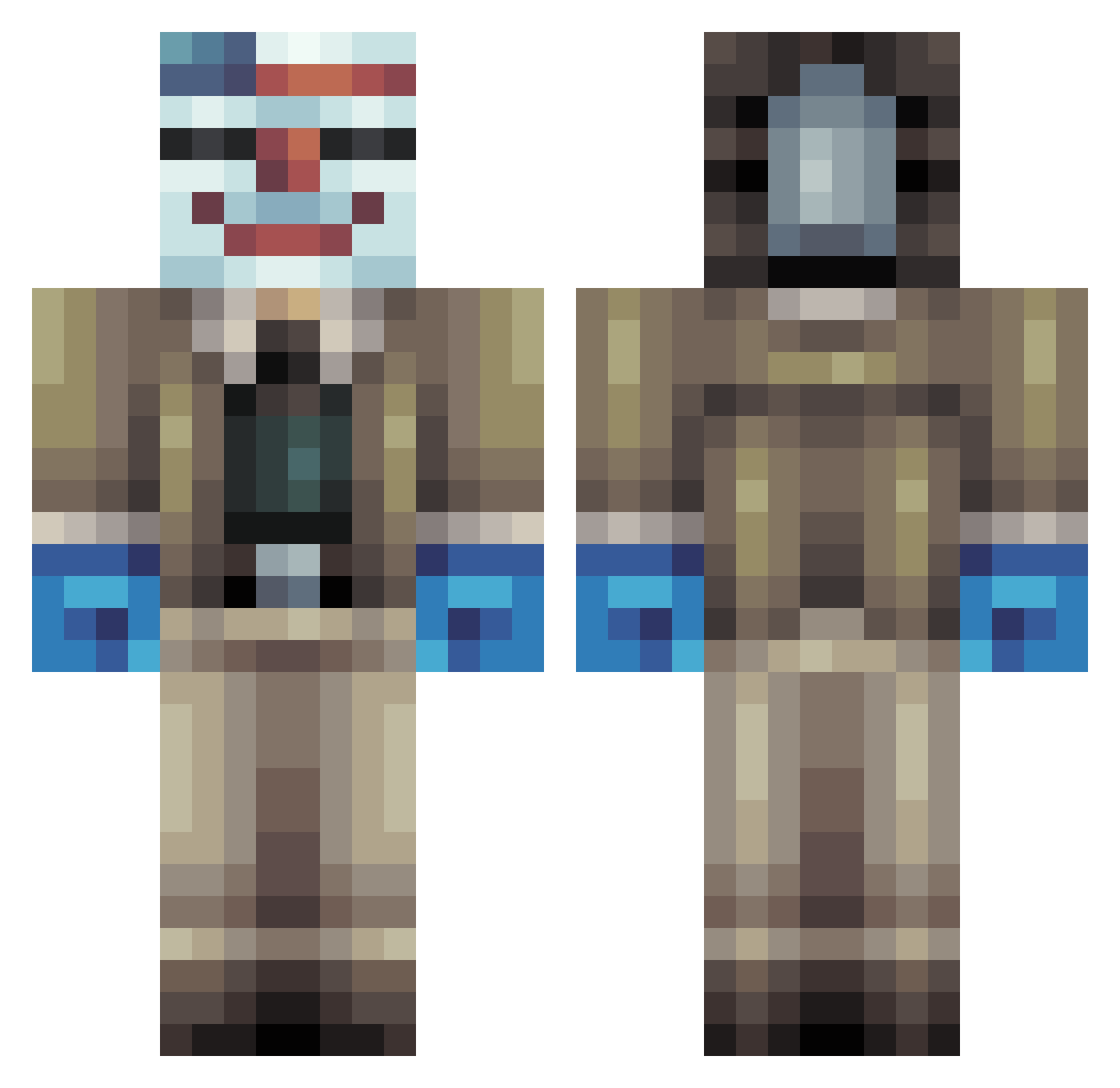
Current Minecraft skin of the player DuXiu_SB_4153, loaded from the official Mojang API. Rotate the 3D model with your mouse or finger, then download the skin as a PNG file and use it in Minecraft: Bedrock Edition or Java Edition for free. When DuXiu_SB_4153 changes their skin, this page updates automatically and the old skin stays in the history below.
Other players with this skin (89)
DuXiu_SB_4153 was the 18th player we have seen with this skin, first spotted on 17.08.2026. The same skin was seen on these players. Open a nickname to see their current skin and skin history.
 Fedorino_Gore ovvvyyy Zadoink123001 Giddy77 SpaceMan21000 huhuboto coiuy Shruxo WillyGG Snow_9225 Mercure_s Bfa426 Ruferew Six_LuL
 ReDmAsTeR927 ivcsike69 AnemicBoy0513 Myden59 Lunix216 Luisoc KrisBett Huntersu0331
 The_SCPeach sksk12352 chentianlang StivilT kokito741 Detoured kite76 GetRxkt Jack_Wailer kent_342 Shakanuga Comet_007
 The_F2P KillRati AtakanL22 sk30 Birusamay Patthama The_Dim_Reaper Shoop631 ReadAgain tae376 Gamermikkel_cral notmyclorox asjan king_of_idiots69 Baldufle RibomBii Lieuwy DemonHunter2244 marcushou Voldyre FuizeMan xhekd keldontmiss wpm2011 Leufiere Gasco_21
More Bank Robber Minecraft skins
How to install the DuXiu_SB_4153 skin
- Press the Download button above to save the skin as a PNG file.
- Minecraft: Bedrock Edition (PE): open the Dressing Room from the main menu (or tap your character → Edit Character), go to Classic Skins → Owned, press the + (new skin) button, choose the downloaded PNG and pick the Classic (Steve) model. Works on PC and mobile; consoles cannot import custom skins.
- Minecraft: Java Edition: open the Minecraft Launcher, go to the Skins tab, click New Skin, load the PNG, pick the Classic (Steve) model and press Save & Use. You can also upload it at minecraft.net → Profile → Change Skin.
The skin does not show up after import - what should I do?
Restart Minecraft and open the Dressing Room again - imported skins sometimes appear only after a restart. Also make sure you selected the imported skin and picked the Classic (Steve) model.
Which model should I choose, Classic or Slim?
This skin is designed for the Classic (Steve) model. If you pick the wrong model, the arms of the skin will look stretched or squeezed.
Is the skin of DuXiu_SB_4153 free to download?
Yes. Press Download, save the PNG file and use it in Minecraft: Bedrock Edition or Java Edition - no payment or registration needed. The skin also works on multiplayer servers and Realms.
More skins
Looking for more? Go back to all Minecraft skins and check the top skins of the week, month and all time, or find any player's skin by nickname.