
Dsor - Minecraft Skins & Skin History
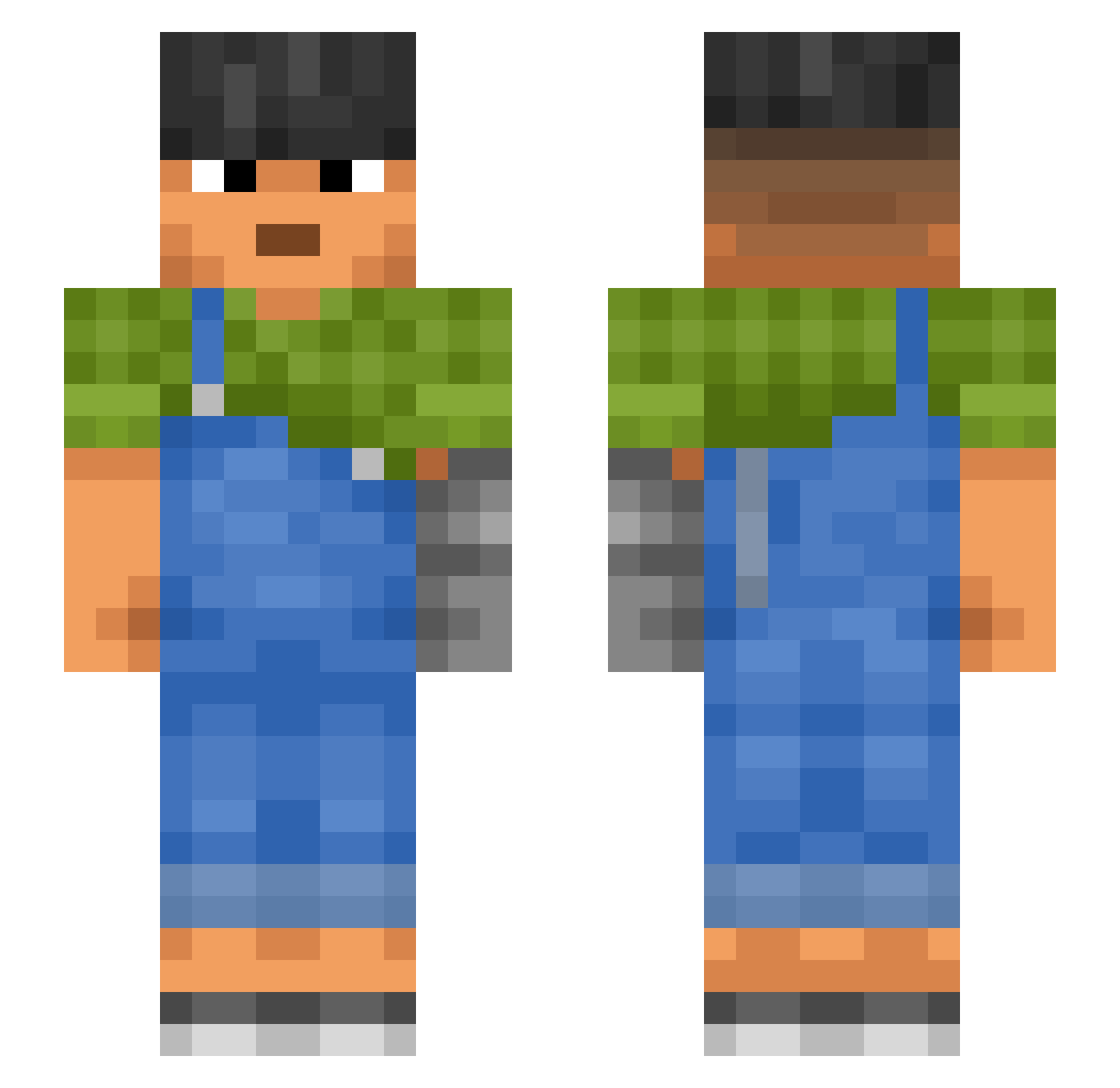
Current Minecraft skin of the player Dsor, loaded from the official Mojang API. Rotate the 3D model with your mouse or finger, then download the skin as a PNG file and use it in Minecraft: Bedrock Edition or Java Edition for free. When Dsor changes their skin, this page updates automatically and the old skin stays in the history below.
Other players with this skin (987)
Dsor was the 684th player we have seen with this skin, first spotted on 04.10.2026. The same skin was seen on these players. Open a nickname to see their current skin and skin history.
 Juelei Murinus blooken terman palila DecentSkin La_Seed halite polyphemus Setier TheCrysiss ThickestLips Taoists Turistas H3r08r1n33 sossaaaa Alexanders Melita Naoto LuckiVic curvet Ste444_ WrldIsYours Runfish wehateflowxa Bivshiy_Sovladel Silvasaauruss Josyug Tarekk_ notzoltan Bozzy2k SloppyAssJobb Schepel Kawaranga contemplative Algic Slackers subversion benames m__zhang CYPRiNE Lopushanskyy FristiFles Funs drady987 QuickDettt The1InBlack throck poupryc TARZANIK Baldicoot Mockup Anomalon Schmitz BiAnnual its_mjx destriers ThGTang mariner Teeezet
More Prosthetic Arm Minecraft skins
See all 71 Prosthetic Arm skins
How to install the Dsor skin
- Press the Download button above to save the skin as a PNG file.
- Minecraft: Bedrock Edition (PE): open the Dressing Room from the main menu (or tap your character → Edit Character), go to Classic Skins → Owned, press the + (new skin) button, choose the downloaded PNG and pick the Slim (Alex) model. Works on PC and mobile; consoles cannot import custom skins.
- Minecraft: Java Edition: open the Minecraft Launcher, go to the Skins tab, click New Skin, load the PNG, pick the Slim (Alex) model and press Save & Use. You can also upload it at minecraft.net → Profile → Change Skin.
The skin does not show up after import - what should I do?
Restart Minecraft and open the Dressing Room again - imported skins sometimes appear only after a restart. Also make sure you selected the imported skin and picked the Slim (Alex) model.
Which model should I choose, Classic or Slim?
This skin is designed for the Slim (Alex) model. If you pick the wrong model, the arms of the skin will look stretched or squeezed.
Is the skin of Dsor free to download?
Yes. Press Download, save the PNG file and use it in Minecraft: Bedrock Edition or Java Edition - no payment or registration needed. The skin also works on multiplayer servers and Realms.
More skins
Looking for more? Go back to all Minecraft skins and check the top skins of the week, month and all time, or find any player's skin by nickname.