
DrunkenKobra - Minecraft Skins & Skin History
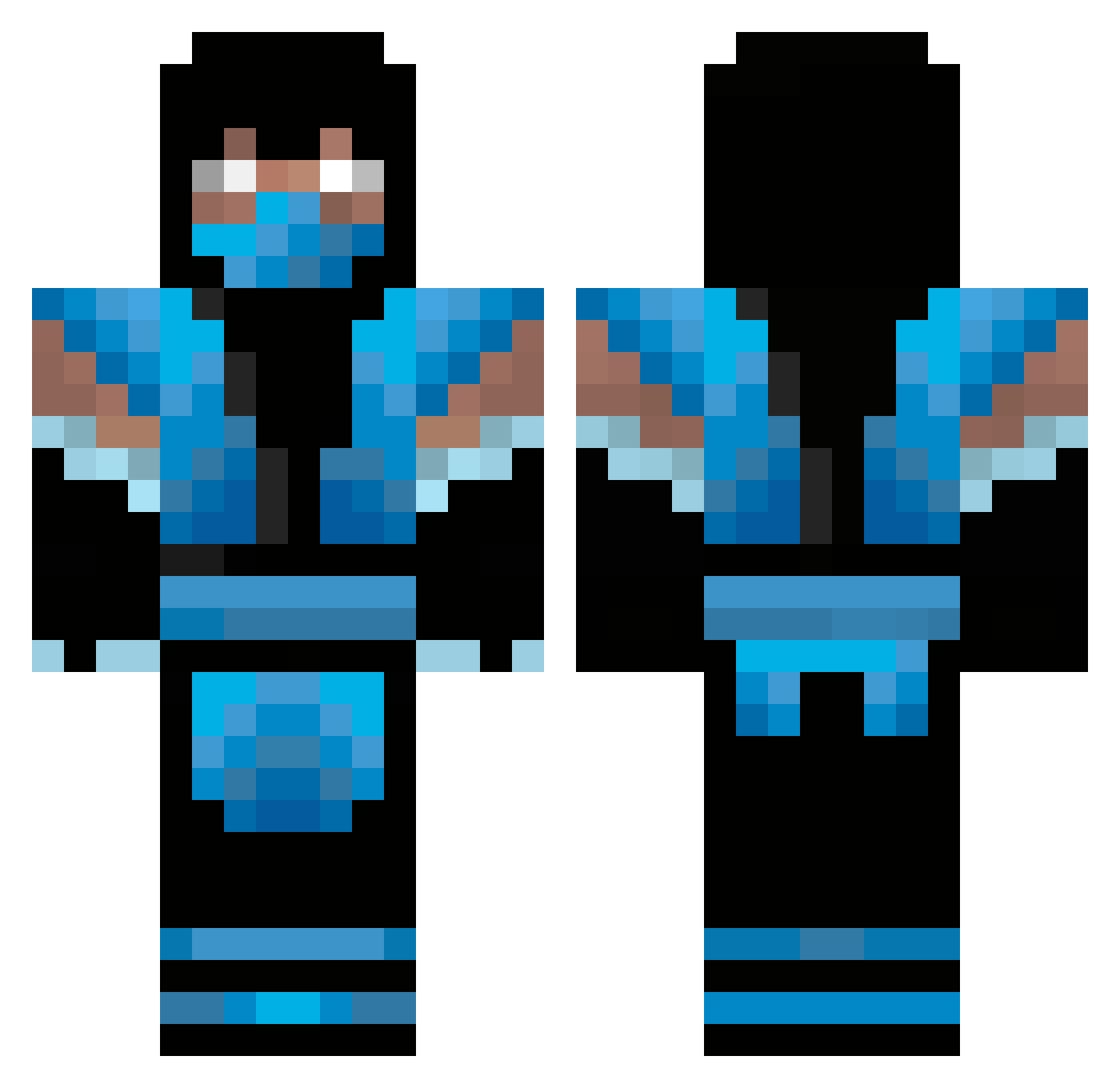
Current Minecraft skin of the player DrunkenKobra, loaded from the official Mojang API. Rotate the 3D model with your mouse or finger, then download the skin as a PNG file and use it in Minecraft: Bedrock Edition or Java Edition for free. When DrunkenKobra changes their skin, this page updates automatically and the old skin stays in the history below.
Other players with this skin (347)
DrunkenKobra was the 125th player we have seen with this skin, first spotted on 31.08.2026. The same skin was seen on these players. Open a nickname to see their current skin and skin history.
 Mansnake60 lasseveggerby ekim225 Assassin_Tempz SubZeroKLP Fearless_Gamer2 DattSikk42 KngVic Statti Stonemasonn arod091 Hitmonchampion Crazydollarz Jonathanaastrup minitripzz kideffex Connplex halo682350 Silas_UK AmirRambo Uranium_Wolf Subzero_124 cybrrsnow77 swordmaster473 jaguarf Galacticall SoccerSwagg17 cates1234 EZEV11 Chillosophy warriorlava NinjamusPrime CrankkZor GLDHRTx MesserJocke84 Heatmiser2307 AmazingAiden123 Pizzaboy42 Penrif MSherryable petbille skulmaster yenirogelio1 TienZien leief027 The_Kidd_03 0515ajones jagswolverine AceFlyin NavySoccer lautrup24 ErenDnc thomas1234560 joseg360 Mine4life55 Y_HAT FuZiiOnZUD KitWit9 Elitmore ArnoldplaysFaZe
More Sub-Zero Minecraft skins
How to install the DrunkenKobra skin
- Press the Download button above to save the skin as a PNG file.
- Minecraft: Bedrock Edition (PE): open the Dressing Room from the main menu (or tap your character → Edit Character), go to Classic Skins → Owned, press the + (new skin) button, choose the downloaded PNG and pick the Classic (Steve) model. Works on PC and mobile; consoles cannot import custom skins.
- Minecraft: Java Edition: open the Minecraft Launcher, go to the Skins tab, click New Skin, load the PNG, pick the Classic (Steve) model and press Save & Use. You can also upload it at minecraft.net → Profile → Change Skin.
The skin does not show up after import - what should I do?
Restart Minecraft and open the Dressing Room again - imported skins sometimes appear only after a restart. Also make sure you selected the imported skin and picked the Classic (Steve) model.
Which model should I choose, Classic or Slim?
This skin is designed for the Classic (Steve) model. If you pick the wrong model, the arms of the skin will look stretched or squeezed.
Is the skin of DrunkenKobra free to download?
Yes. Press Download, save the PNG file and use it in Minecraft: Bedrock Edition or Java Edition - no payment or registration needed. The skin also works on multiplayer servers and Realms.
More skins
Looking for more? Go back to all Minecraft skins and check the top skins of the week, month and all time, or find any player's skin by nickname.