
Drp69 - Minecraft Skins & Skin History
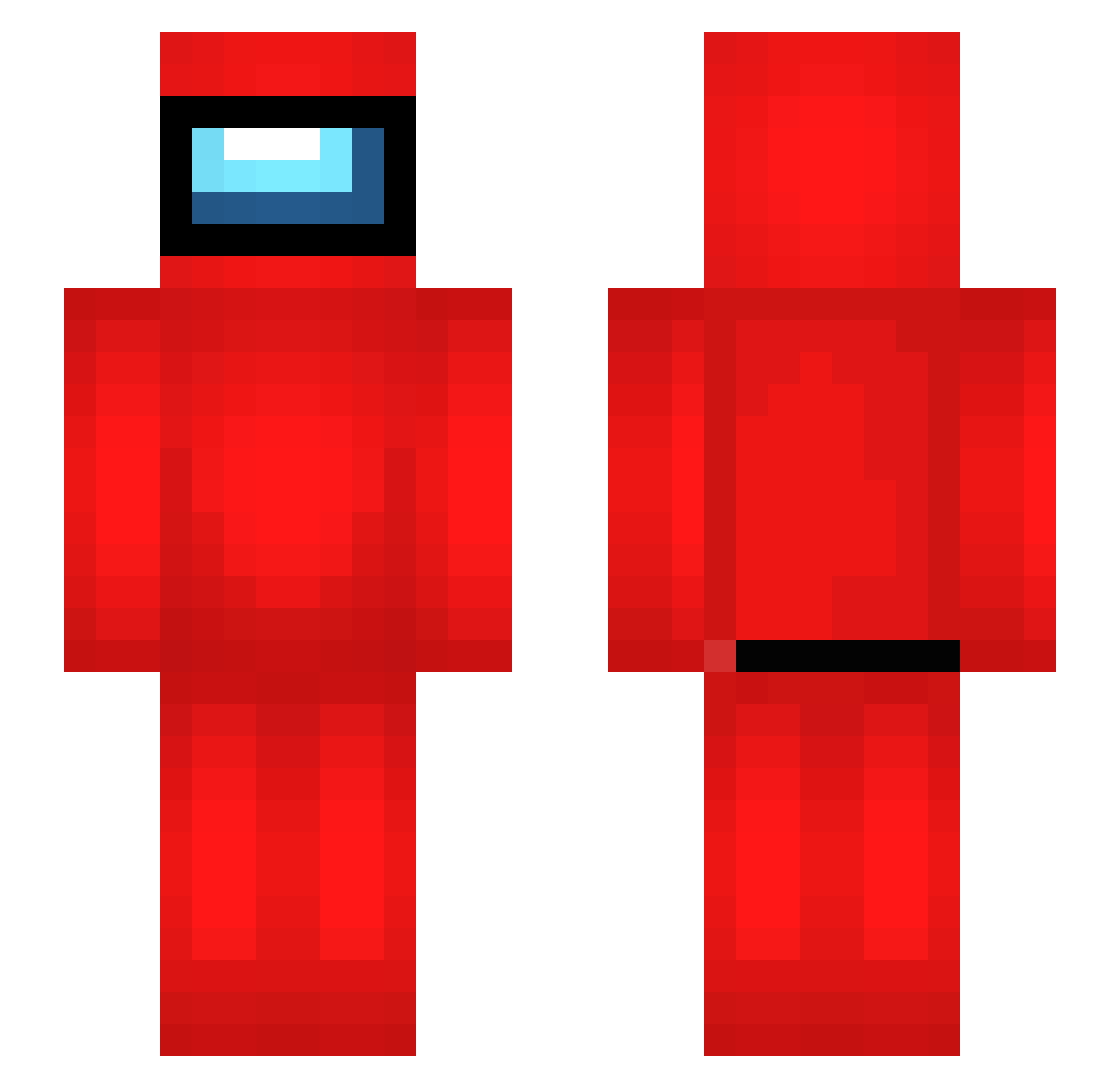
Current Minecraft skin of the player Drp69, loaded from the official Mojang API. Rotate the 3D model with your mouse or finger, then download the skin as a PNG file and use it in Minecraft: Bedrock Edition or Java Edition for free. When Drp69 changes their skin, this page updates automatically and the old skin stays in the history below.
Other players with this skin (513)
Drp69 was the 440th player we have seen with this skin, first spotted on 25.10.2026. The same skin was seen on these players. Open a nickname to see their current skin and skin history.
 Nickufo rangowww Just1Bridou_ TheGreatCeev toto98713 _FILM_IT thinose SusGaming KhoiTran08 MeeongDOORR IWasTheImpostor Ozsey Bamba2307 gizzmo6702 Kaike_CupimGamer ToxicBigBob Jupiter295 VITALIKLUDOEB DOG2013 Nemtecl suli2728 Trameiro ScootMG O_Lara Robertaum1 TakashiMV Tuckerb04 alkinguler Eazilyclapped03 Nicolas_pv19 lilv9 LuciBlood yainfink100 Jescorda Cartruct1410 rkdehdgus1 Grauna05 Leo34490 Looolmen2 MyrSam bryptid DerAlex991 ad_091 Gui_Gouvea18 MUFFINGAMER69 TaldoZk johnny4242 carlosei98 RaphaSicro ReiDaTXT DuszekMeepa Fabully bandit1001 Nicky_Pickles Revenge11 edezinhow Xonas_ wembo Brepper Crowtherrrrrrr
More Crewmate Minecraft skins
How to install the Drp69 skin
- Press the Download button above to save the skin as a PNG file.
- Minecraft: Bedrock Edition (PE): open the Dressing Room from the main menu (or tap your character → Edit Character), go to Classic Skins → Owned, press the + (new skin) button, choose the downloaded PNG and pick the Slim (Alex) model. Works on PC and mobile; consoles cannot import custom skins.
- Minecraft: Java Edition: open the Minecraft Launcher, go to the Skins tab, click New Skin, load the PNG, pick the Slim (Alex) model and press Save & Use. You can also upload it at minecraft.net → Profile → Change Skin.
The skin does not show up after import - what should I do?
Restart Minecraft and open the Dressing Room again - imported skins sometimes appear only after a restart. Also make sure you selected the imported skin and picked the Slim (Alex) model.
Which model should I choose, Classic or Slim?
This skin is designed for the Slim (Alex) model. If you pick the wrong model, the arms of the skin will look stretched or squeezed.
Is the skin of Drp69 free to download?
Yes. Press Download, save the PNG file and use it in Minecraft: Bedrock Edition or Java Edition - no payment or registration needed. The skin also works on multiplayer servers and Realms.
More skins
Looking for more? Go back to all Minecraft skins and check the top skins of the week, month and all time, or find any player's skin by nickname.