
Droppinfbomz - Minecraft Skins & Skin History
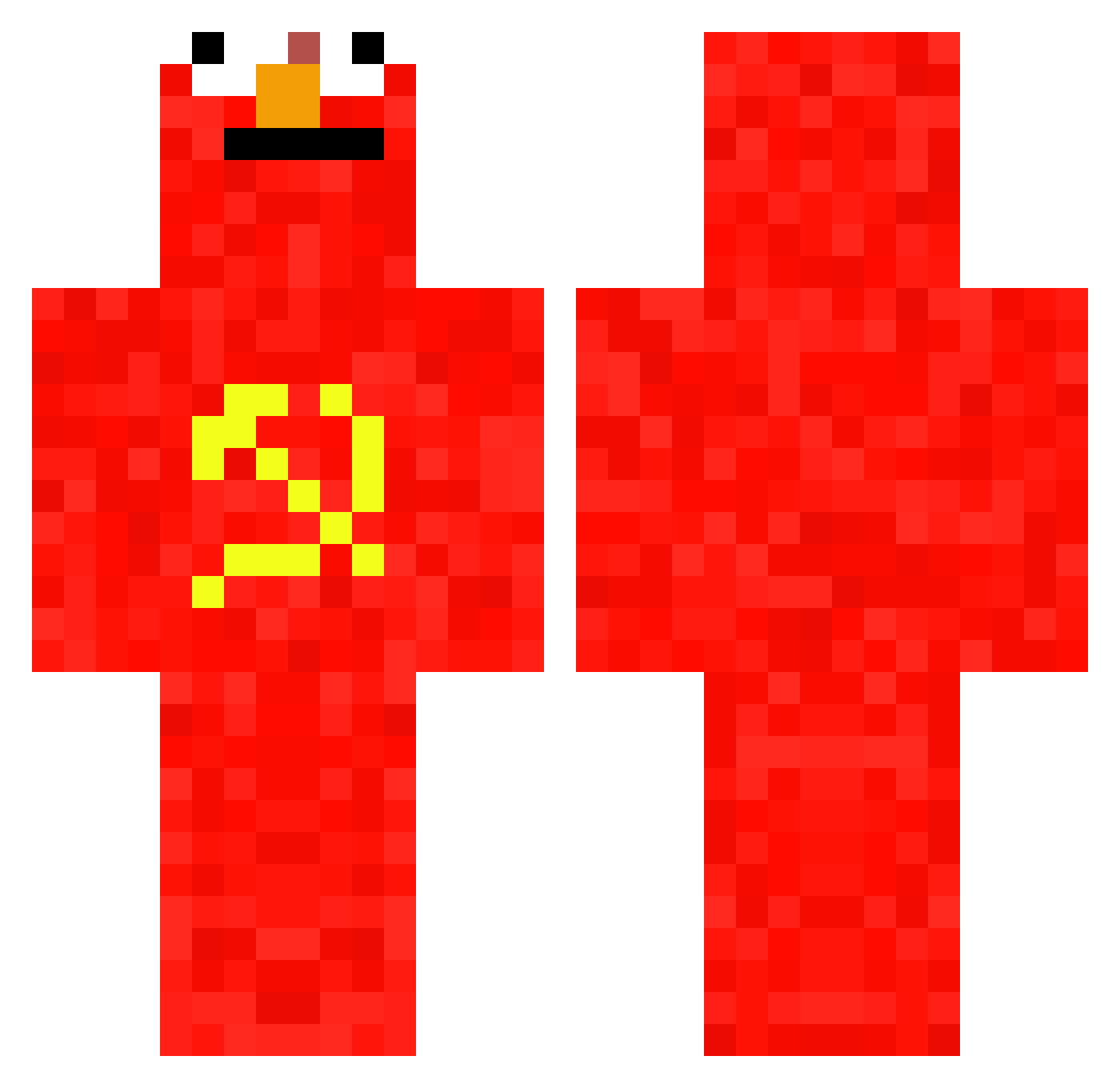
Current Minecraft skin of the player Droppinfbomz, loaded from the official Mojang API. Rotate the 3D model with your mouse or finger, then download the skin as a PNG file and use it in Minecraft: Bedrock Edition or Java Edition for free. When Droppinfbomz changes their skin, this page updates automatically and the old skin stays in the history below.
Other players with this skin (657)
Droppinfbomz was the 568th player we have seen with this skin, first spotted on 16.10.2026. The same skin was seen on these players. Open a nickname to see their current skin and skin history.
 Maginnn Swaxxy mintszzz Cener273 laverdartem CaptainTripoteur shiromu_325 Bierkoekjes Ugh11 edooble MinecraftElmo JohnFGH dantwarb_ coolicraft LIUYAJIE deivirack KapitanKox2013PL ReeGzzY prfyr13 NINJA722850 FableXebel MoonElaina CommunismCarl187 Pfeif3 CommunismElmo Bjorncc2 Dreamteamxd xuxxu1122 Boo5423 KutchyBr2010 Uzuth PiinkSapling bobakondo NeonDragonLox ArtemCot cviiiii foela PikPok28 Jimbo_Plimbo Humiii1005 SERPMOLOT oriol366 Santivelandia Overbugs K_A_R_I_M Ninoxzl Polar_06 LowTideR Deezylol Timpi1999 zac_Hip ImBobDuncan comunista66 Pilter9 Davis1903 Sheindru Nomusic SkyFlo_2 FredericBast1at Fermicula
More Communist Minecraft skins
How to install the Droppinfbomz skin
- Press the Download button above to save the skin as a PNG file.
- Minecraft: Bedrock Edition (PE): open the Dressing Room from the main menu (or tap your character → Edit Character), go to Classic Skins → Owned, press the + (new skin) button, choose the downloaded PNG and pick the Classic (Steve) model. Works on PC and mobile; consoles cannot import custom skins.
- Minecraft: Java Edition: open the Minecraft Launcher, go to the Skins tab, click New Skin, load the PNG, pick the Classic (Steve) model and press Save & Use. You can also upload it at minecraft.net → Profile → Change Skin.
The skin does not show up after import - what should I do?
Restart Minecraft and open the Dressing Room again - imported skins sometimes appear only after a restart. Also make sure you selected the imported skin and picked the Classic (Steve) model.
Which model should I choose, Classic or Slim?
This skin is designed for the Classic (Steve) model. If you pick the wrong model, the arms of the skin will look stretched or squeezed.
Is the skin of Droppinfbomz free to download?
Yes. Press Download, save the PNG file and use it in Minecraft: Bedrock Edition or Java Edition - no payment or registration needed. The skin also works on multiplayer servers and Realms.
More skins
Looking for more? Go back to all Minecraft skins and check the top skins of the week, month and all time, or find any player's skin by nickname.