
Dropeti - Minecraft Skins & Skin History
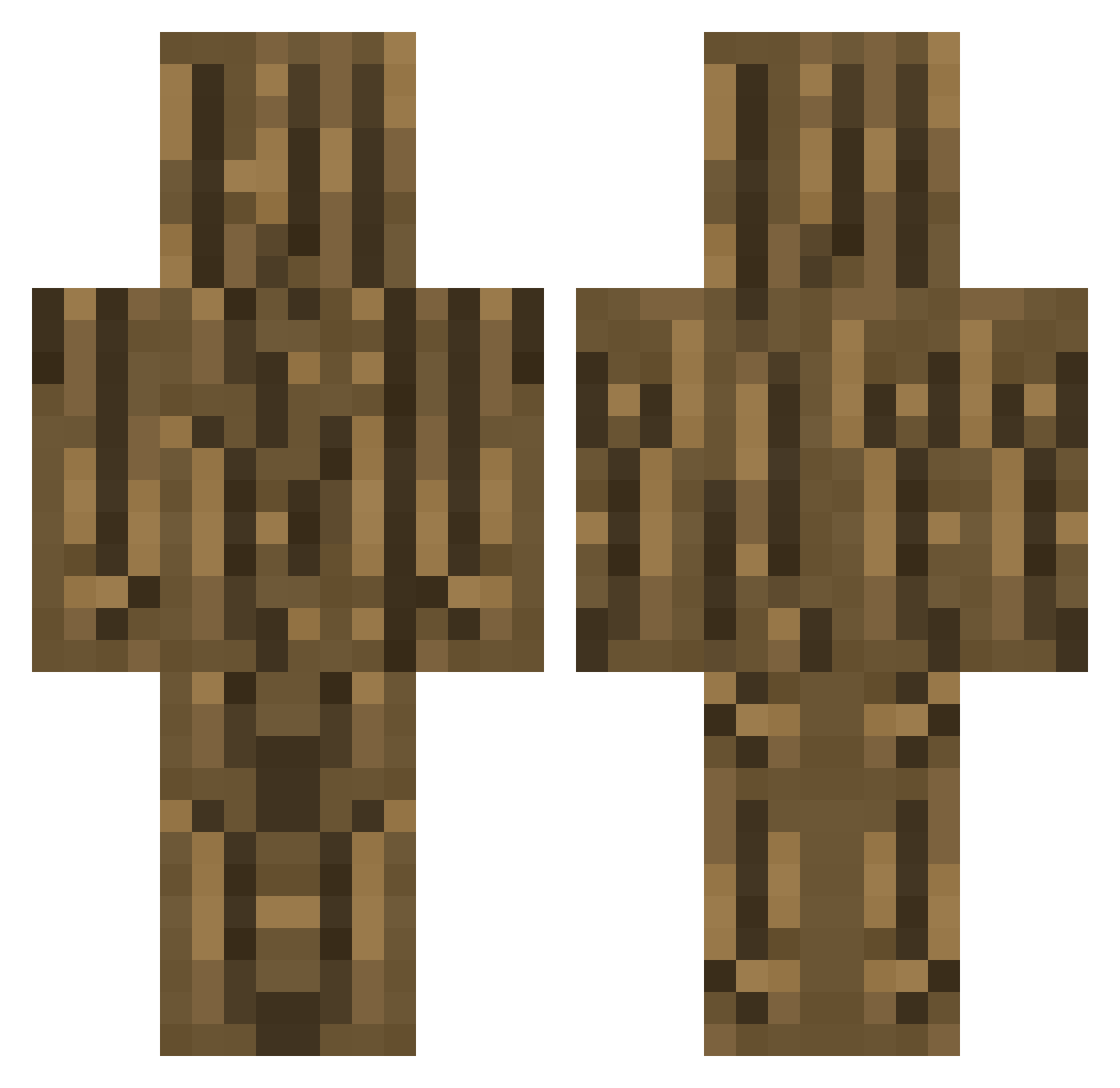
Current Minecraft skin of the player Dropeti, loaded from the official Mojang API. Rotate the 3D model with your mouse or finger, then download the skin as a PNG file and use it in Minecraft: Bedrock Edition or Java Edition for free. When Dropeti changes their skin, this page updates automatically and the old skin stays in the history below.
Other players with this skin (253)
Dropeti was the 148th player we have seen with this skin, first spotted on 19.09.2026. The same skin was seen on these players. Open a nickname to see their current skin and skin history.
 Jmanfitz1 Nico1814 Nellyraiji esapci Trorido Wolf2820 KON_DC CreRy NOTz__ JellyBean_DK StillVNoob vnsss7 psgentil jeffreywoods_ aaaa2470 haggis3987 pipsomi MARCIN1512 NaToz542 BakonSawce so8452 MagiSeb taba1105 Sprigigs MiguelBigas mthsouza awruk_bobber123 junwoo1678 Vincimusprime XxMeRcBzxX solitarygamer mehdiwarcraft patatnekje COntrOOleR LogNew pauli_10 Cool_Wolf_666 ViviiP totooria Vhanisch hatssete MaybeWill miningandcraf jamppa500 SappigeMen Roei1105 Hoanghuy7 Mauzki HellSinky5 whiteunicorn1 Roli_Ice jabalako MozarD33 Shlek Thibland TAK0B Aujinoo Max_Sp_ EkRoMaD PiaLovemaker
More Log Minecraft skins
How to install the Dropeti skin
- Press the Download button above to save the skin as a PNG file.
- Minecraft: Bedrock Edition (PE): open the Dressing Room from the main menu (or tap your character → Edit Character), go to Classic Skins → Owned, press the + (new skin) button, choose the downloaded PNG and pick the Classic (Steve) model. Works on PC and mobile; consoles cannot import custom skins.
- Minecraft: Java Edition: open the Minecraft Launcher, go to the Skins tab, click New Skin, load the PNG, pick the Classic (Steve) model and press Save & Use. You can also upload it at minecraft.net → Profile → Change Skin.
The skin does not show up after import - what should I do?
Restart Minecraft and open the Dressing Room again - imported skins sometimes appear only after a restart. Also make sure you selected the imported skin and picked the Classic (Steve) model.
Which model should I choose, Classic or Slim?
This skin is designed for the Classic (Steve) model. If you pick the wrong model, the arms of the skin will look stretched or squeezed.
Is the skin of Dropeti free to download?
Yes. Press Download, save the PNG file and use it in Minecraft: Bedrock Edition or Java Edition - no payment or registration needed. The skin also works on multiplayer servers and Realms.
More skins
Looking for more? Go back to all Minecraft skins and check the top skins of the week, month and all time, or find any player's skin by nickname.