
DrinkinBoyz - Minecraft Skins & Skin History
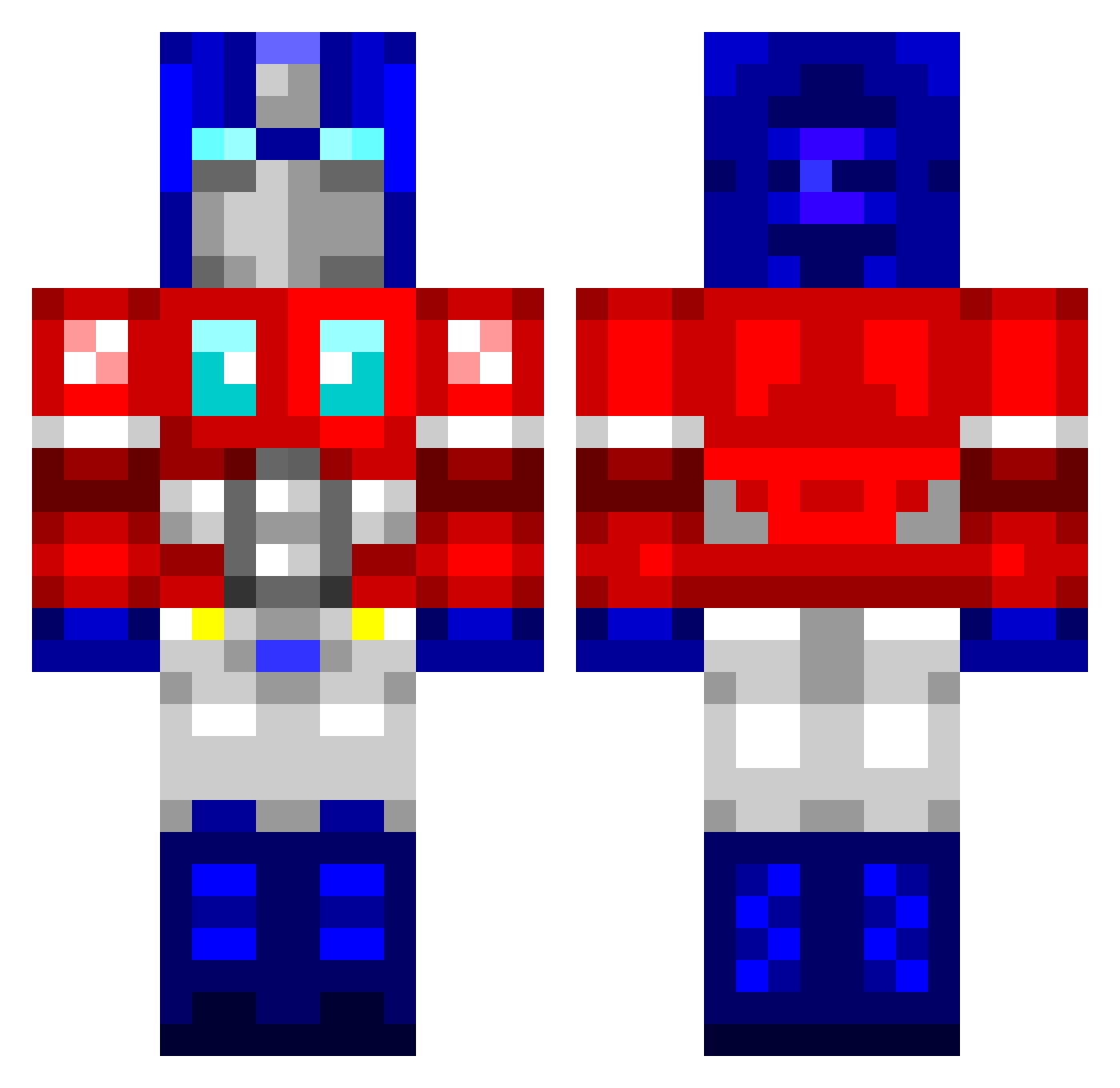
Current Minecraft skin of the player DrinkinBoyz, loaded from the official Mojang API. Rotate the 3D model with your mouse or finger, then download the skin as a PNG file and use it in Minecraft: Bedrock Edition or Java Edition for free. When DrinkinBoyz changes their skin, this page updates automatically and the old skin stays in the history below.
Other players with this skin (950)
DrinkinBoyz was the 810th player we have seen with this skin, first spotted on 06.11.2026. The same skin was seen on these players. Open a nickname to see their current skin and skin history.
 tenytron godwit wormfarmer IOptimusPrimeI majonaes bwitki5 Conan13 fuelprophet LordLojan svennoh Petano keyka propedo carolcard akdri henrikmp123 TopRide82 Dylavox andypiper calebscool samj04 Harikien yoshiki97 fortunato10 Naughtico cythrawll Menamister TheJohnWilliams Suboptimus_Prime captSweatpants mnomnomnom Casmir_the_Great Ximpanzee Thell01 Zenphas Elipson369 tslonaker felkster Stanton78 Paul1771 grubble05 zer0down x_Fatez RichardL002 DuranNighthawk mforce aaronsmooth Cwalters kokonane1 Praimus1 infinitepieman ck90 mr_r4ng4 ScreenPeeker99 W33b33 cruncher8 OptimusPrime05 DonnyMatthews vbgirl1102 RonBurgundy36
More Optimus Prime Minecraft skins
See all 102 Optimus Prime skins
How to install the DrinkinBoyz skin
- Press the Download button above to save the skin as a PNG file.
- Minecraft: Bedrock Edition (PE): open the Dressing Room from the main menu (or tap your character → Edit Character), go to Classic Skins → Owned, press the + (new skin) button, choose the downloaded PNG and pick the Classic (Steve) model. Works on PC and mobile; consoles cannot import custom skins.
- Minecraft: Java Edition: open the Minecraft Launcher, go to the Skins tab, click New Skin, load the PNG, pick the Classic (Steve) model and press Save & Use. You can also upload it at minecraft.net → Profile → Change Skin.
The skin does not show up after import - what should I do?
Restart Minecraft and open the Dressing Room again - imported skins sometimes appear only after a restart. Also make sure you selected the imported skin and picked the Classic (Steve) model.
Which model should I choose, Classic or Slim?
This skin is designed for the Classic (Steve) model. If you pick the wrong model, the arms of the skin will look stretched or squeezed.
Is the skin of DrinkinBoyz free to download?
Yes. Press Download, save the PNG file and use it in Minecraft: Bedrock Edition or Java Edition - no payment or registration needed. The skin also works on multiplayer servers and Realms.
More skins
Looking for more? Go back to all Minecraft skins and check the top skins of the week, month and all time, or find any player's skin by nickname.