
Dreamksjs - Minecraft Skins & Skin History
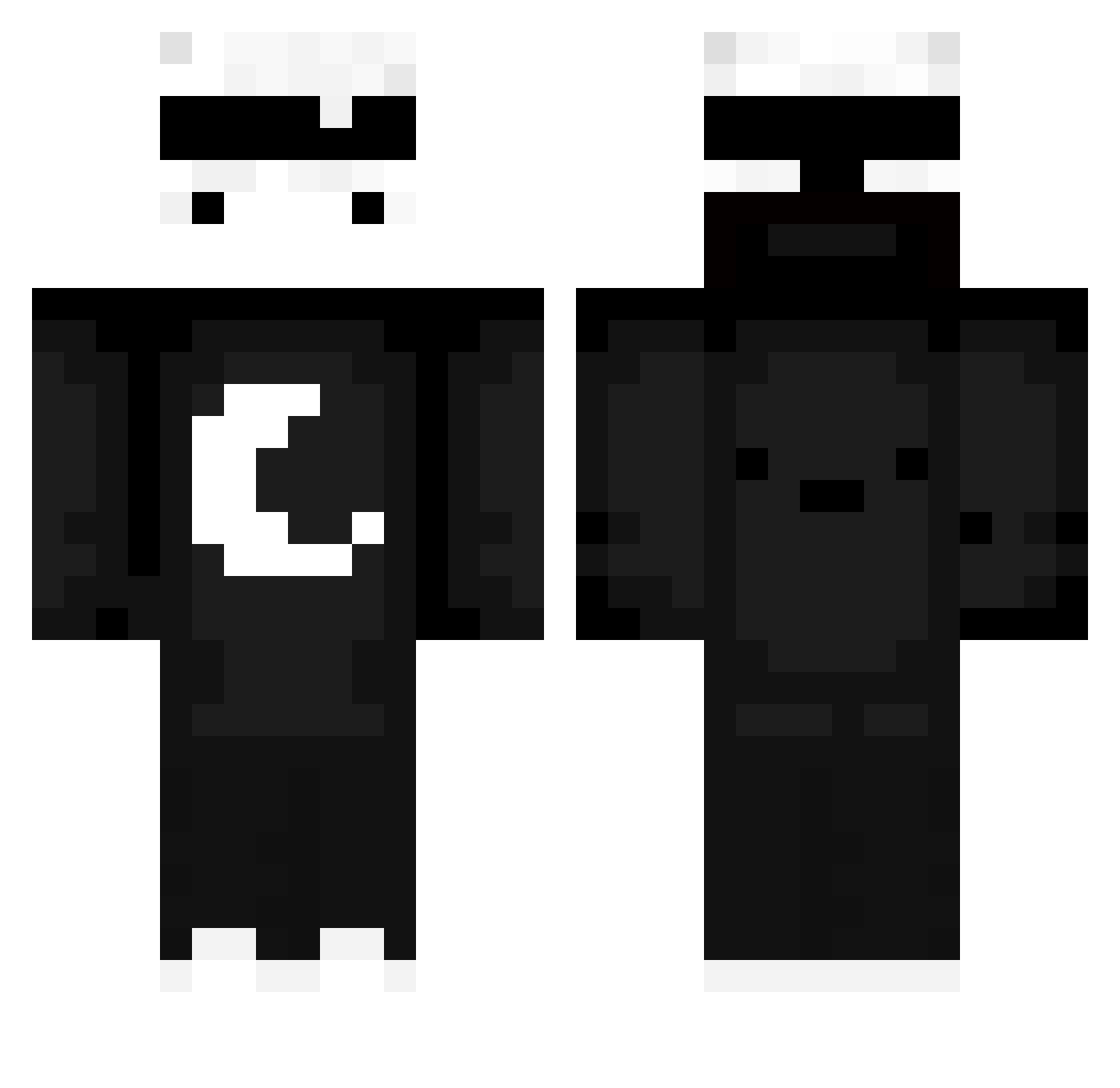
Current Minecraft skin of the player Dreamksjs, loaded from the official Mojang API. Rotate the 3D model with your mouse or finger, then download the skin as a PNG file and use it in Minecraft: Bedrock Edition or Java Edition for free. When Dreamksjs changes their skin, this page updates automatically and the old skin stays in the history below.
Other players with this skin (654)
Dreamksjs was the 603rd player we have seen with this skin, first spotted on 26.10.2026. The same skin was seen on these players. Open a nickname to see their current skin and skin history.
 Ribbie2 Miya_F24 Gavinbots1 totopoko Jord22 monkey7521 SacRoquette1285 BazingaBW AzureBench70520 Zynxter AbdulAbrahim98 Quirozz04 kyest VurzYT T1ewLY itzdimo IronGolemNoodle9 Deoxys1_ RainZenKun HIM6355 Qded Nathanthemagpie Gxuse Henry_Bob swoo__ Scaline L1AM5 TaroMC_VN ism4_11 Alsooo_ BrettyBoi14 Kaj_Slender Flyy0 marek7421 Buch_MC m4t3u8z3k Thomgeek Cosmic_Winter_YT SeungWOO0919 Coolman009 nawrinhoooo_ anddls05 supergamerboy123 23rw invincible232323 FLUFFY_1NC super_k147 yeah__YEAH ToFuDesu_ erkanalgan nilver7 TronBeckett TheSnowyZorua GingerSoap JossyLOL Murdock_0220 thRomantic wanwan2 Dorec LUU22
More Moon Minecraft skins
How to install the Dreamksjs skin
- Press the Download button above to save the skin as a PNG file.
- Minecraft: Bedrock Edition (PE): open the Dressing Room from the main menu (or tap your character → Edit Character), go to Classic Skins → Owned, press the + (new skin) button, choose the downloaded PNG and pick the Classic (Steve) model. Works on PC and mobile; consoles cannot import custom skins.
- Minecraft: Java Edition: open the Minecraft Launcher, go to the Skins tab, click New Skin, load the PNG, pick the Classic (Steve) model and press Save & Use. You can also upload it at minecraft.net → Profile → Change Skin.
The skin does not show up after import - what should I do?
Restart Minecraft and open the Dressing Room again - imported skins sometimes appear only after a restart. Also make sure you selected the imported skin and picked the Classic (Steve) model.
Which model should I choose, Classic or Slim?
This skin is designed for the Classic (Steve) model. If you pick the wrong model, the arms of the skin will look stretched or squeezed.
Is the skin of Dreamksjs free to download?
Yes. Press Download, save the PNG file and use it in Minecraft: Bedrock Edition or Java Edition - no payment or registration needed. The skin also works on multiplayer servers and Realms.
More skins
Looking for more? Go back to all Minecraft skins and check the top skins of the week, month and all time, or find any player's skin by nickname.