
DreaMzRxy - Minecraft Skins & Skin History
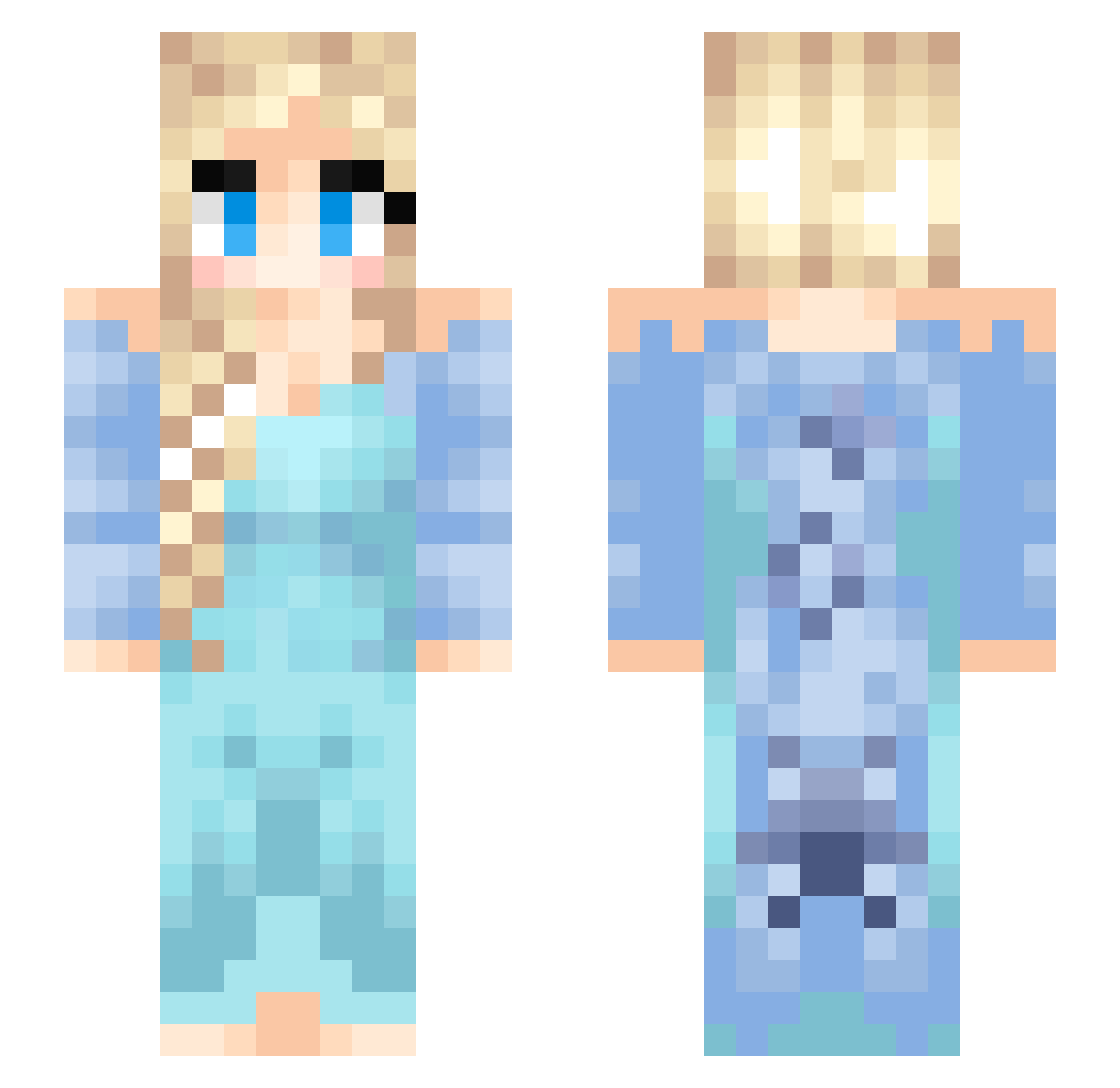
Current Minecraft skin of the player DreaMzRxy, loaded from the official Mojang API. Rotate the 3D model with your mouse or finger, then download the skin as a PNG file and use it in Minecraft: Bedrock Edition or Java Edition for free. When DreaMzRxy changes their skin, this page updates automatically and the old skin stays in the history below.
Other players with this skin (153)
DreaMzRxy was the 86th player we have seen with this skin, first spotted on 19.09.2026. The same skin was seen on these players. Open a nickname to see their current skin and skin history.
 PowerLari CutiePie2137 Fang_qc Passafishy Bonzy1983 Mus1caln0tes Tilapi zhangyongpeng MelleEmma LilLock yun_S2 aRdoslav Nevaeh0724 Lulu55454 Prof_Violet fleurmitchell BonnyBon23 0neTwo Rauhul Sanctuary77777 epic_cool_guy19 nerdtroll ViPHC ih4tey0ufatlizz0 hyperT123 Captain_Crunch27 LylahGrace girlypops2 Jasmin0524 PinkRosiePosie rikey23 sepiano MamaTeaRex waxibi Juliane1990 Rhythm_Master StarFish4560 TheJoeBeaner bvschcamper MingYang0414 StiineBiene98 fastigial huiwennning LeonaMJ Dadaodon HeyJini notanymore_ Wayneli4ni schugar mayaapapaya Palsch Arniepie1990 Elsanna2013 sabanajung YeNaRii JenniferSuh wwer216 ooogydog handsomeguy155m Cdigglesworth
More Elsa Minecraft skins
How to install the DreaMzRxy skin
- Press the Download button above to save the skin as a PNG file.
- Minecraft: Bedrock Edition (PE): open the Dressing Room from the main menu (or tap your character → Edit Character), go to Classic Skins → Owned, press the + (new skin) button, choose the downloaded PNG and pick the Slim (Alex) model. Works on PC and mobile; consoles cannot import custom skins.
- Minecraft: Java Edition: open the Minecraft Launcher, go to the Skins tab, click New Skin, load the PNG, pick the Slim (Alex) model and press Save & Use. You can also upload it at minecraft.net → Profile → Change Skin.
The skin does not show up after import - what should I do?
Restart Minecraft and open the Dressing Room again - imported skins sometimes appear only after a restart. Also make sure you selected the imported skin and picked the Slim (Alex) model.
Which model should I choose, Classic or Slim?
This skin is designed for the Slim (Alex) model. If you pick the wrong model, the arms of the skin will look stretched or squeezed.
Is the skin of DreaMzRxy free to download?
Yes. Press Download, save the PNG file and use it in Minecraft: Bedrock Edition or Java Edition - no payment or registration needed. The skin also works on multiplayer servers and Realms.
More skins
Looking for more? Go back to all Minecraft skins and check the top skins of the week, month and all time, or find any player's skin by nickname.