
Draykster - Minecraft Skins & Skin History
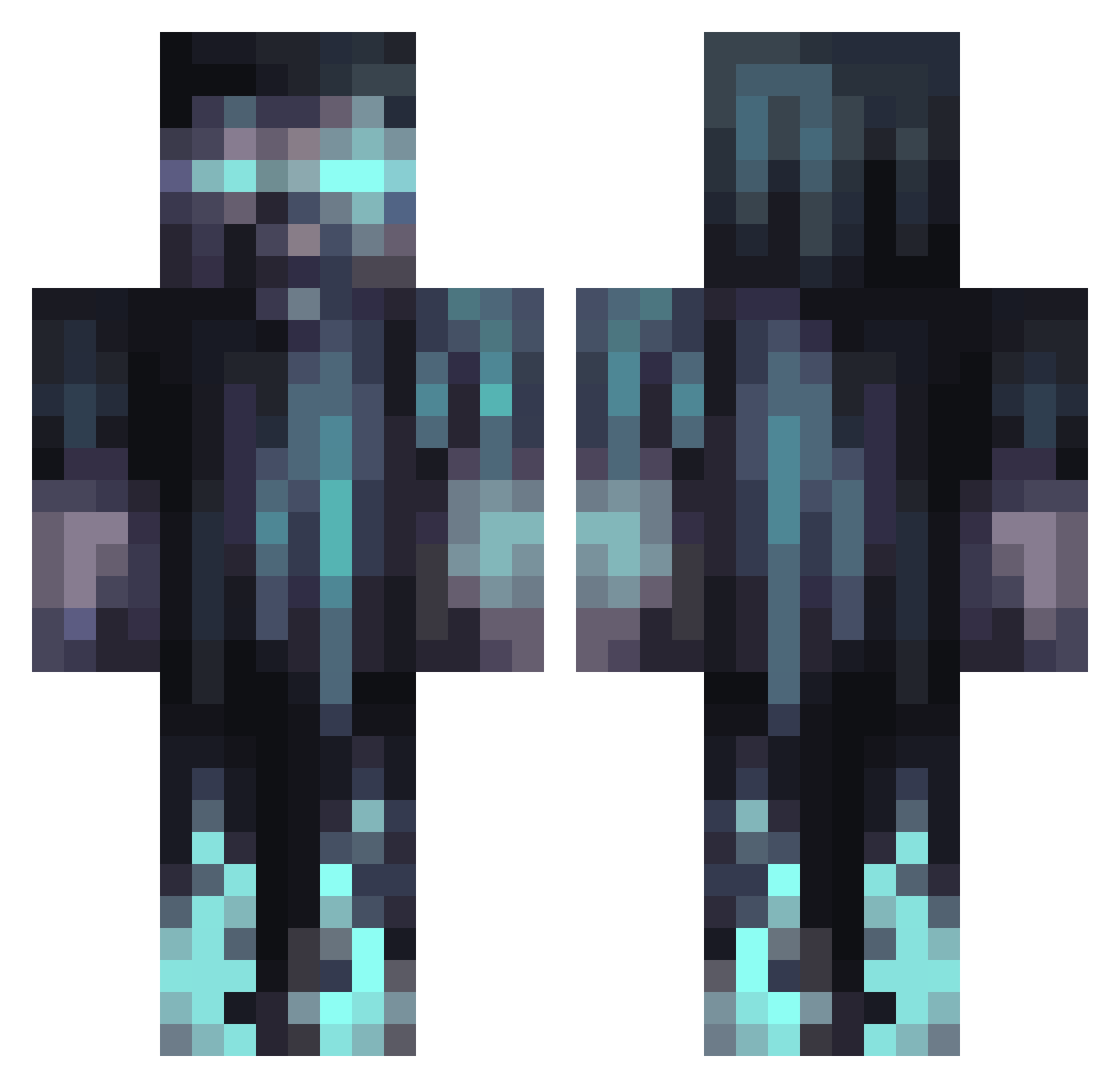
Current Minecraft skin of the player Draykster, loaded from the official Mojang API. Rotate the 3D model with your mouse or finger, then download the skin as a PNG file and use it in Minecraft: Bedrock Edition or Java Edition for free. When Draykster changes their skin, this page updates automatically and the old skin stays in the history below.
Other players with this skin (1070)
Draykster was the 457th player we have seen with this skin, first spotted on 10.09.2026. The same skin was seen on these players. Open a nickname to see their current skin and skin history.
 SkyFraGGs mr_pillowtape pasutapadi CY663 Bigjuan420 TKing20 MWienike Noverix MrSherlocked ShayChayPlayzYT NENE_WIWA MasTer_UWUgway Flitz111 Joel_Keller DennisK0912 Pollosskiz KG_Hydra JohnPaulJR79 R3incarnati0n copernicium2911 Izzyfizzy319 BaNaNch1k xJaidanx _ShadowShark_ Rpk44 JroseGamess RPChar kaleed109 desimeower SigurdJS04 _Shaadz V_ZeuS17 Killharry1 GarbiecT KaiMF TheCrewSquad PolakPlLp Leon10107 Mr_ke1 sasiminan KingJulienHD NAX2002 d7fn Rain_man01 BenDeyLosTrancos Fase_DE Zebvy JonnyCage1 porterwills Quinsch90 Hades5_ Rafaytheonlyking VirtuosoSpider Gasolean999 domry c0n_x_tr011 Big_Ghost104 EpicGamer396 MorpheusWolf edgyeddy
More Warden Minecraft skins
How to install the Draykster skin
- Press the Download button above to save the skin as a PNG file.
- Minecraft: Bedrock Edition (PE): open the Dressing Room from the main menu (or tap your character → Edit Character), go to Classic Skins → Owned, press the + (new skin) button, choose the downloaded PNG and pick the Classic (Steve) model. Works on PC and mobile; consoles cannot import custom skins.
- Minecraft: Java Edition: open the Minecraft Launcher, go to the Skins tab, click New Skin, load the PNG, pick the Classic (Steve) model and press Save & Use. You can also upload it at minecraft.net → Profile → Change Skin.
The skin does not show up after import - what should I do?
Restart Minecraft and open the Dressing Room again - imported skins sometimes appear only after a restart. Also make sure you selected the imported skin and picked the Classic (Steve) model.
Which model should I choose, Classic or Slim?
This skin is designed for the Classic (Steve) model. If you pick the wrong model, the arms of the skin will look stretched or squeezed.
Is the skin of Draykster free to download?
Yes. Press Download, save the PNG file and use it in Minecraft: Bedrock Edition or Java Edition - no payment or registration needed. The skin also works on multiplayer servers and Realms.
More skins
Looking for more? Go back to all Minecraft skins and check the top skins of the week, month and all time, or find any player's skin by nickname.