
Drami6 - Minecraft Skins & Skin History
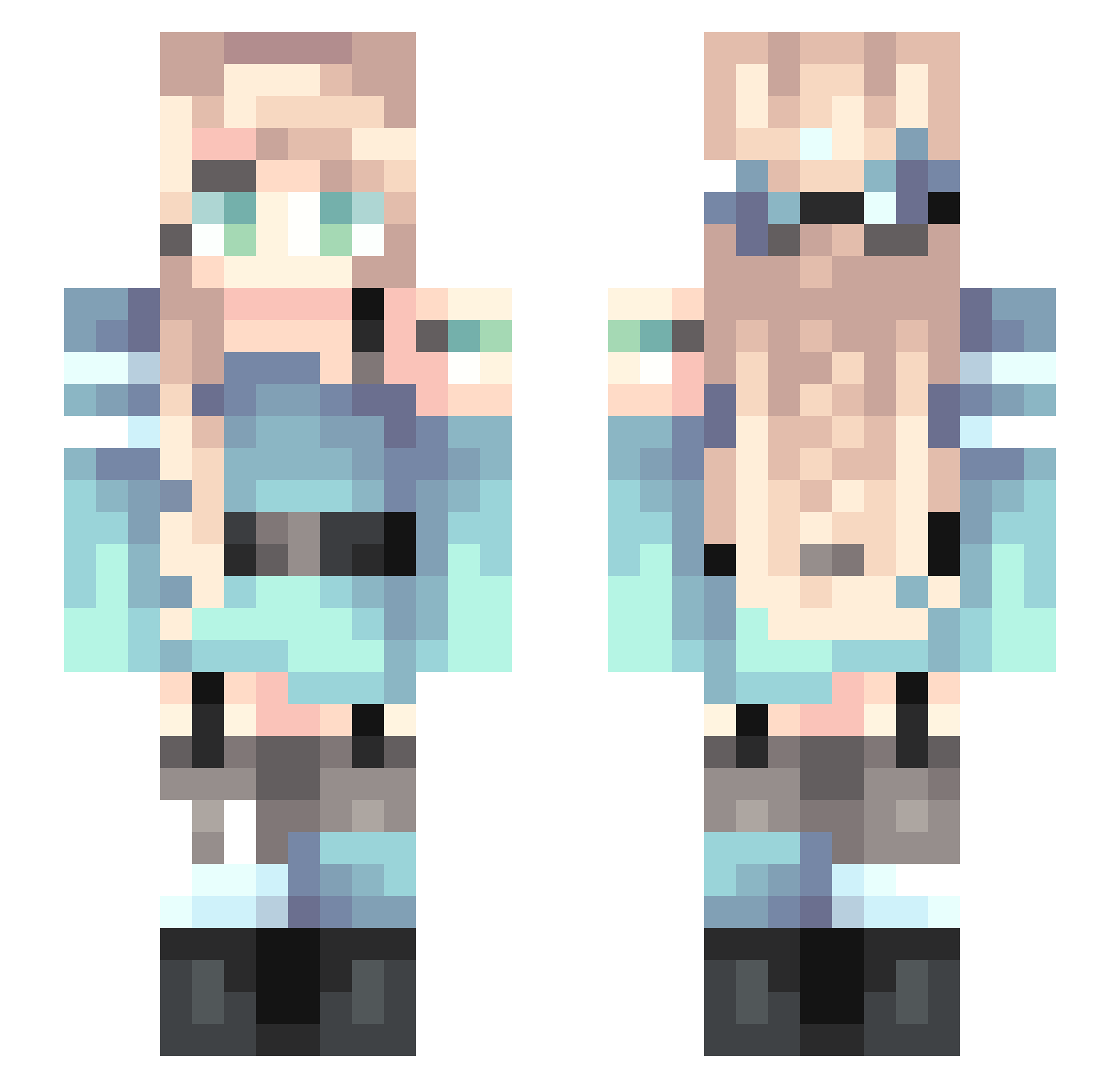
Current Minecraft skin of the player Drami6, loaded from the official Mojang API. Rotate the 3D model with your mouse or finger, then download the skin as a PNG file and use it in Minecraft: Bedrock Edition or Java Edition for free. When Drami6 changes their skin, this page updates automatically and the old skin stays in the history below.
Other players with this skin (144)
Drami6 was the 119th player we have seen with this skin, first spotted on 05.11.2026. The same skin was seen on these players. Open a nickname to see their current skin and skin history.
 Happy_Flying XxFizzyxX Isobelchan SpicyCream banananasu Kureha_ Irongolem5214 FMBeachGirl Gamergirl0910 Lava_Girl_ AlexiKane901 belle5605 R2D2_4 WOWmama Highlandy Melonz4Dayz Ploxxee SaltyMikan pastelplains DatorOld ponyo379 ThexMuffinxGirl Daisyduck1018 KL_zuanxiaoshi Raisonlam Esokyoshi alexescapedfate EdmundFaiz DreamingDragon79 brooklyn_ AliceCross Alamarana Space_Knight7007 High_rabbit_ AllyNoir_ booknook27 Kawaii_Taco37 InverseEntropy XP_Rar GumballYT xXx_Tsunami_xXx annipenny777 Fastjack1 SAT_Supernova prof1vy archery_leopard Mollsterz Ethereal_Shadow arasan01 Chuchu_0731 Loz_4 missloiselle d_Rabbit_b SinfulSeal AnotherAngel ZehraNur_TR Zipzapm maisypuffball Revy CimanonBun
More Braid Minecraft skins
How to install the Drami6 skin
- Press the Download button above to save the skin as a PNG file.
- Minecraft: Bedrock Edition (PE): open the Dressing Room from the main menu (or tap your character → Edit Character), go to Classic Skins → Owned, press the + (new skin) button, choose the downloaded PNG and pick the Slim (Alex) model. Works on PC and mobile; consoles cannot import custom skins.
- Minecraft: Java Edition: open the Minecraft Launcher, go to the Skins tab, click New Skin, load the PNG, pick the Slim (Alex) model and press Save & Use. You can also upload it at minecraft.net → Profile → Change Skin.
The skin does not show up after import - what should I do?
Restart Minecraft and open the Dressing Room again - imported skins sometimes appear only after a restart. Also make sure you selected the imported skin and picked the Slim (Alex) model.
Which model should I choose, Classic or Slim?
This skin is designed for the Slim (Alex) model. If you pick the wrong model, the arms of the skin will look stretched or squeezed.
Is the skin of Drami6 free to download?
Yes. Press Download, save the PNG file and use it in Minecraft: Bedrock Edition or Java Edition - no payment or registration needed. The skin also works on multiplayer servers and Realms.
More skins
Looking for more? Go back to all Minecraft skins and check the top skins of the week, month and all time, or find any player's skin by nickname.