
Draken0822 - Minecraft Skins & Skin History
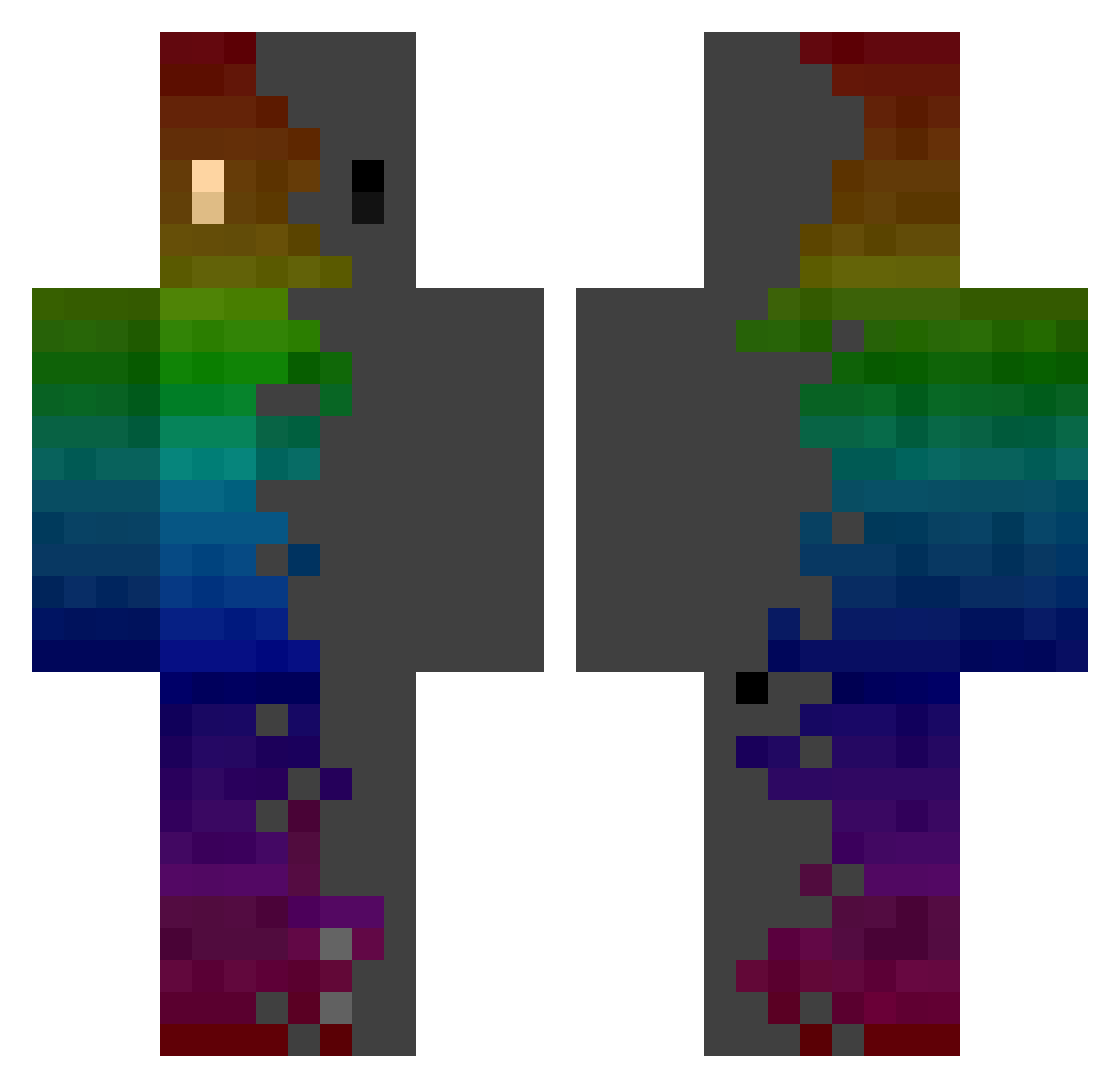
Current Minecraft skin of the player Draken0822, loaded from the official Mojang API. Rotate the 3D model with your mouse or finger, then download the skin as a PNG file and use it in Minecraft: Bedrock Edition or Java Edition for free. When Draken0822 changes their skin, this page updates automatically and the old skin stays in the history below.
Other players with this skin (1063)
Draken0822 was the 934th player we have seen with this skin, first spotted on 06.11.2026. The same skin was seen on these players. Open a nickname to see their current skin and skin history.
 DzRuina EthanChangTW evantis_ firebatt15 Ugooo Nikolakisnet Dragonfly1802 YourMom_Hehehe itsgreyson IdeF09 LegoMyBlock Denjol_ 9braeden_ Stupid_DB UrraBurra1 yousef76__ Prankeur NuclearTomato Elhansolo Blingo030 whyeok vANDYv DawnSeeker1015 AncientSunlight GoldPepper38108 Tgoges Andi1812 MiniKooZz AARRBYS syc1218 S_U_P_A Ginesio96 BadgerMan135619 ICY_Jedi IonTichy trixxar AdrianXZ9 jolimete _Gramuk_ MC_FROST_22 Injig Jin_IBIS ImFlajp_ Teboii Minato1997 ItsMario125 Haerining HunterPewPew Khaiillu Kan3kiTheBest Reqlityy Rama2019 Zoryazz kappalot22 AK_Grizz yoyoyong123 PedritoYisus P3trr_ Wesley0723 Catnoi01
How to install the Draken0822 skin
- Press the Download button above to save the skin as a PNG file.
- Minecraft: Bedrock Edition (PE): open the Dressing Room from the main menu (or tap your character → Edit Character), go to Classic Skins → Owned, press the + (new skin) button, choose the downloaded PNG and pick the Classic (Steve) model. Works on PC and mobile; consoles cannot import custom skins.
- Minecraft: Java Edition: open the Minecraft Launcher, go to the Skins tab, click New Skin, load the PNG, pick the Classic (Steve) model and press Save & Use. You can also upload it at minecraft.net → Profile → Change Skin.
The skin does not show up after import - what should I do?
Restart Minecraft and open the Dressing Room again - imported skins sometimes appear only after a restart. Also make sure you selected the imported skin and picked the Classic (Steve) model.
Which model should I choose, Classic or Slim?
This skin is designed for the Classic (Steve) model. If you pick the wrong model, the arms of the skin will look stretched or squeezed.
Is the skin of Draken0822 free to download?
Yes. Press Download, save the PNG file and use it in Minecraft: Bedrock Edition or Java Edition - no payment or registration needed. The skin also works on multiplayer servers and Realms.
More skins
Looking for more? Go back to all Minecraft skins and check the top skins of the week, month and all time, or find any player's skin by nickname.