
Dragr0s - Minecraft Skins & Skin History
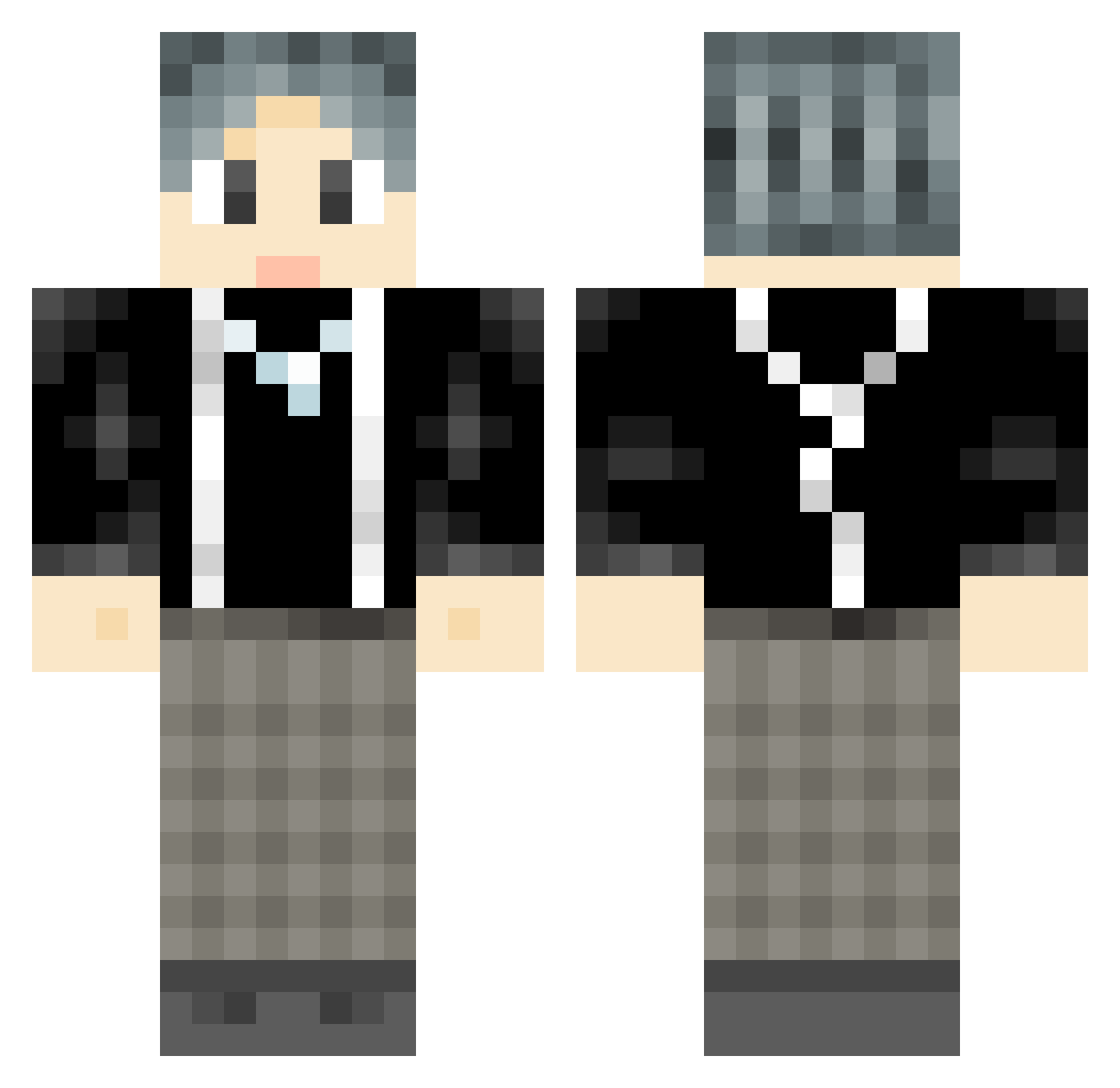
Current Minecraft skin of the player Dragr0s, loaded from the official Mojang API. Rotate the 3D model with your mouse or finger, then download the skin as a PNG file and use it in Minecraft: Bedrock Edition or Java Edition for free. When Dragr0s changes their skin, this page updates automatically and the old skin stays in the history below.
Other players with this skin (737)
Dragr0s was the 37th player we have seen with this skin, first spotted on 28.07.2026. The same skin was seen on these players. Open a nickname to see their current skin and skin history.
 SupXuank Qiao_dou Forwua Zzzzz_T Rasame Memories12580 DJpony4 MiOIOiI Deep_Dark_1213 WinterYao aa622 assboy233 ZXPXQH ___Gojo__Satoru_ Dxchao YoursKUN NEwBiG114 Zhang_Guilty Nono32555 StovetopBacon57 _Karelu yeaoC ChickenMannnnnn rq11111 yujianxi rainbow0196 piXiu4 Jayboo_07 honeylay oceanGHY Gnaye WeiXingChen dbblk fkppch anhjcy SILENT263 CYCMAGA Terry1314 lzg123 Geezer946 GERKUN NanKeYM wudi_jushen Cheneyofficer Qg7s_ shan_wen sgz800 Jay_Killer zouagui666 Oldwon dp_dd MKaiii DuanHR GCPD117 TankALT1 PinkMaples xukaidrs M1kER1 Your_darling_dad Exoticmoon1
How to install the Dragr0s skin
- Press the Download button above to save the skin as a PNG file.
- Minecraft: Bedrock Edition (PE): open the Dressing Room from the main menu (or tap your character → Edit Character), go to Classic Skins → Owned, press the + (new skin) button, choose the downloaded PNG and pick the Classic (Steve) model. Works on PC and mobile; consoles cannot import custom skins.
- Minecraft: Java Edition: open the Minecraft Launcher, go to the Skins tab, click New Skin, load the PNG, pick the Classic (Steve) model and press Save & Use. You can also upload it at minecraft.net → Profile → Change Skin.
The skin does not show up after import - what should I do?
Restart Minecraft and open the Dressing Room again - imported skins sometimes appear only after a restart. Also make sure you selected the imported skin and picked the Classic (Steve) model.
Which model should I choose, Classic or Slim?
This skin is designed for the Classic (Steve) model. If you pick the wrong model, the arms of the skin will look stretched or squeezed.
Is the skin of Dragr0s free to download?
Yes. Press Download, save the PNG file and use it in Minecraft: Bedrock Edition or Java Edition - no payment or registration needed. The skin also works on multiplayer servers and Realms.
More skins
Looking for more? Go back to all Minecraft skins and check the top skins of the week, month and all time, or find any player's skin by nickname.