
Dragonslayer7173 - Minecraft Skins & Skin History
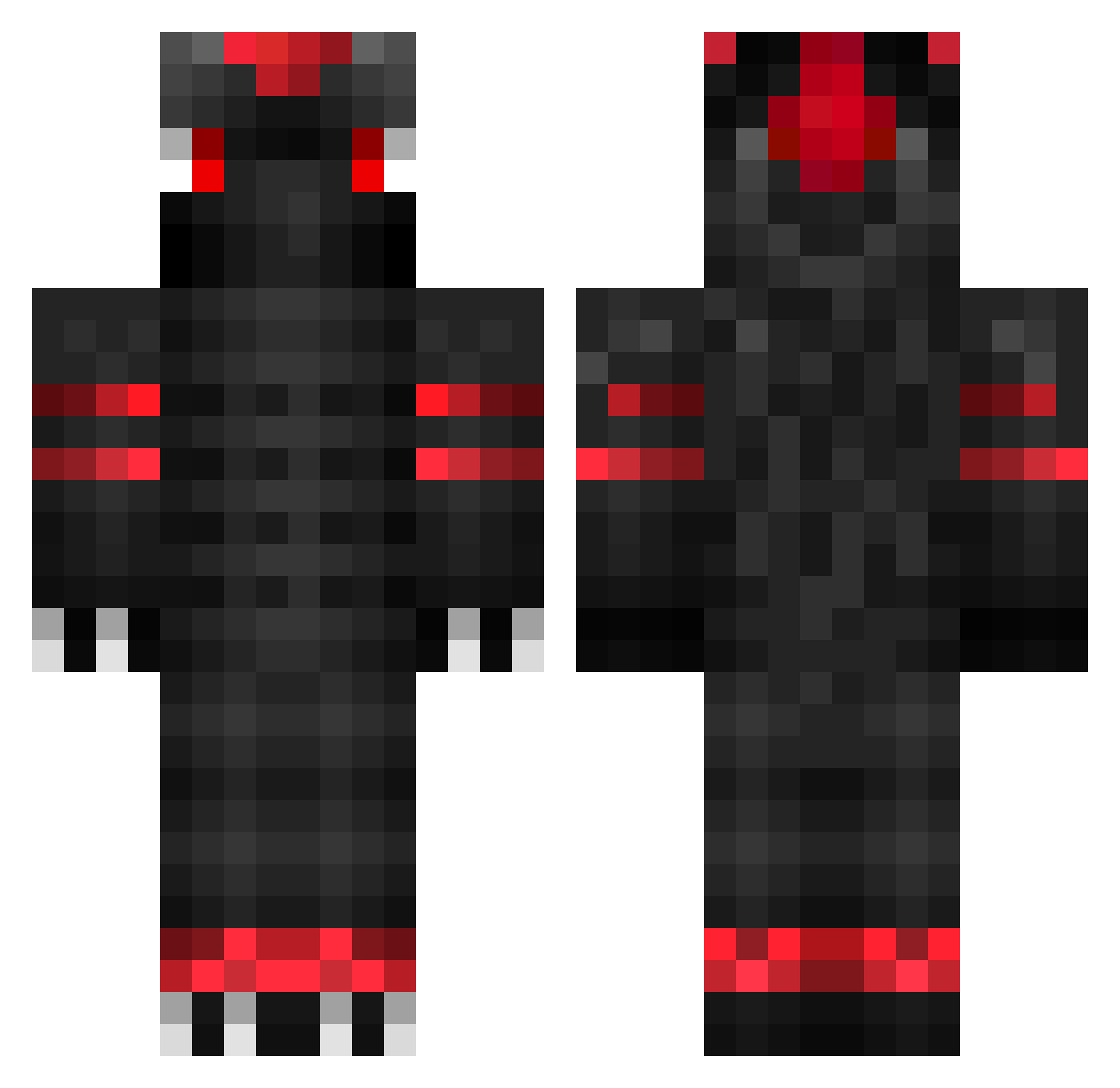
Current Minecraft skin of the player Dragonslayer7173, loaded from the official Mojang API. Rotate the 3D model with your mouse or finger, then download the skin as a PNG file and use it in Minecraft: Bedrock Edition or Java Edition for free. When Dragonslayer7173 changes their skin, this page updates automatically and the old skin stays in the history below.
Other players with this skin (117)
Dragonslayer7173 was the 116th player we have seen with this skin, first spotted on 21.10.2026. The same skin was seen on these players. Open a nickname to see their current skin and skin history.
 YoUgAtAgA27 storesund98 MalaLaval23 blackcatt7 EaQle34 G0dstro memoFNBR BadDragonTM Rachaitpro201 ShadowLugia7 kejmilekk NeXteee Halb15 Dkforest _xDerpyDragonx_ StormCat_ chrisiboy78 Drippyhero9 CK_DE Maimu01 Kitsunice luis_glsr Etthan Canstatt UwU_Jonsen BossRy77 Dadlex232 7zth pexn_ Dommoss FireyTheDragon Rioda1 Monster_Irox sigghh Keruj1 dogfire2013 TechNewsTest LensYSC Max_Han_ DraegenSweetTail ElDrogue Badgy CheezyDonut pyrausore Entrei_ Danchou6 existgod SenseyBOSS TanYu_G Toxic_Ban xxRubicon SuchSpeedSimp69 pipeben Sinnohcal xISimon truecreeper2000 Nolikemefels JoeyBingel EnzZziio yaqiva42
More Shadow The Hedgehog Minecraft skins
See all 98 Shadow The Hedgehog skins
How to install the Dragonslayer7173 skin
- Press the Download button above to save the skin as a PNG file.
- Minecraft: Bedrock Edition (PE): open the Dressing Room from the main menu (or tap your character → Edit Character), go to Classic Skins → Owned, press the + (new skin) button, choose the downloaded PNG and pick the Classic (Steve) model. Works on PC and mobile; consoles cannot import custom skins.
- Minecraft: Java Edition: open the Minecraft Launcher, go to the Skins tab, click New Skin, load the PNG, pick the Classic (Steve) model and press Save & Use. You can also upload it at minecraft.net → Profile → Change Skin.
The skin does not show up after import - what should I do?
Restart Minecraft and open the Dressing Room again - imported skins sometimes appear only after a restart. Also make sure you selected the imported skin and picked the Classic (Steve) model.
Which model should I choose, Classic or Slim?
This skin is designed for the Classic (Steve) model. If you pick the wrong model, the arms of the skin will look stretched or squeezed.
Is the skin of Dragonslayer7173 free to download?
Yes. Press Download, save the PNG file and use it in Minecraft: Bedrock Edition or Java Edition - no payment or registration needed. The skin also works on multiplayer servers and Realms.
More skins
Looking for more? Go back to all Minecraft skins and check the top skins of the week, month and all time, or find any player's skin by nickname.