
Dragonjay215 - Minecraft Skins & Skin History
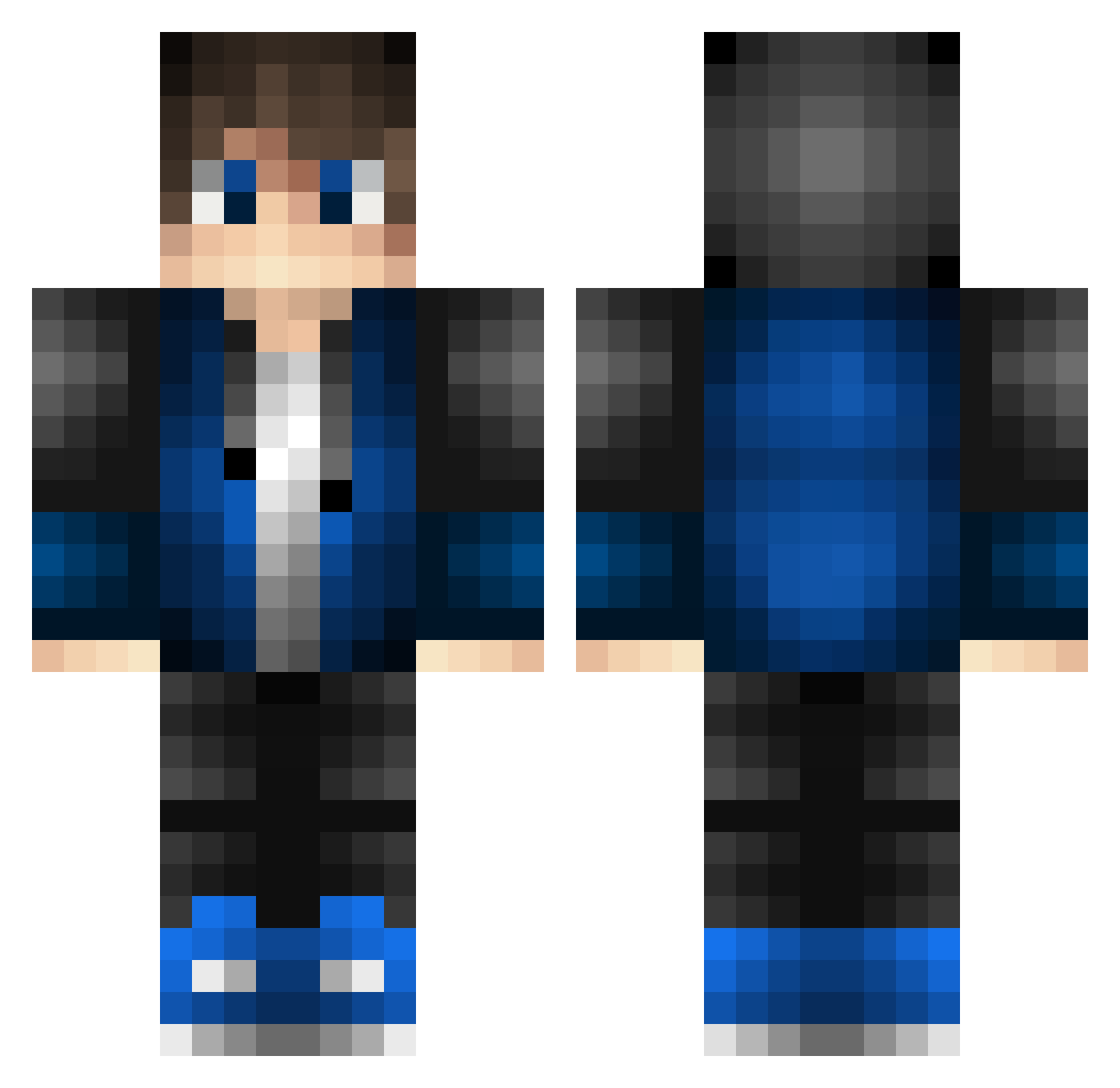
Current Minecraft skin of the player Dragonjay215, loaded from the official Mojang API. Rotate the 3D model with your mouse or finger, then download the skin as a PNG file and use it in Minecraft: Bedrock Edition or Java Edition for free. When Dragonjay215 changes their skin, this page updates automatically and the old skin stays in the history below.
Other players with this skin (530)
Dragonjay215 was the 259th player we have seen with this skin, first spotted on 21.09.2026. The same skin was seen on these players. Open a nickname to see their current skin and skin history.
 MasterHugger StepTR JODOL0203 Edpool_Elite iKqzu Britney1112 PrimusT Haper_ KevinYang123 jun1terRR echter_patrick Enoraly pipizhangzhichua Matfino OscarGD0310 NickVeldenisOP Yeetabrix serious2 Forceindi richPN Sphinx3142 ONTHEPUMPKIN Bioflash GuilermeXP God1314520 lceMark EDYMANreiz staring520 KenetixPH Zova02 GamerKing2911 JACKI135 FiK0 Ventiqzz_ghg CPC402 lorenzocucitore whatzizname HowdyChris BlueEasy unlonelyOo pichonario1 percytroll BentoDH 0m_t3l0l3T CaptainKevin01 chenyixing1 Lox2855 KaRuShiOAO Gaminggenius_1 Akipabo Clown__Shoes Gabryx_1012 ArhainMinaith resurre thom621234 Ayslias al3xmxy Chrra yu_ya_ya Andogi05
How to install the Dragonjay215 skin
- Press the Download button above to save the skin as a PNG file.
- Minecraft: Bedrock Edition (PE): open the Dressing Room from the main menu (or tap your character → Edit Character), go to Classic Skins → Owned, press the + (new skin) button, choose the downloaded PNG and pick the Classic (Steve) model. Works on PC and mobile; consoles cannot import custom skins.
- Minecraft: Java Edition: open the Minecraft Launcher, go to the Skins tab, click New Skin, load the PNG, pick the Classic (Steve) model and press Save & Use. You can also upload it at minecraft.net → Profile → Change Skin.
The skin does not show up after import - what should I do?
Restart Minecraft and open the Dressing Room again - imported skins sometimes appear only after a restart. Also make sure you selected the imported skin and picked the Classic (Steve) model.
Which model should I choose, Classic or Slim?
This skin is designed for the Classic (Steve) model. If you pick the wrong model, the arms of the skin will look stretched or squeezed.
Is the skin of Dragonjay215 free to download?
Yes. Press Download, save the PNG file and use it in Minecraft: Bedrock Edition or Java Edition - no payment or registration needed. The skin also works on multiplayer servers and Realms.
More skins
Looking for more? Go back to all Minecraft skins and check the top skins of the week, month and all time, or find any player's skin by nickname.