
Dragonfirekid09 - Minecraft Skins & Skin History
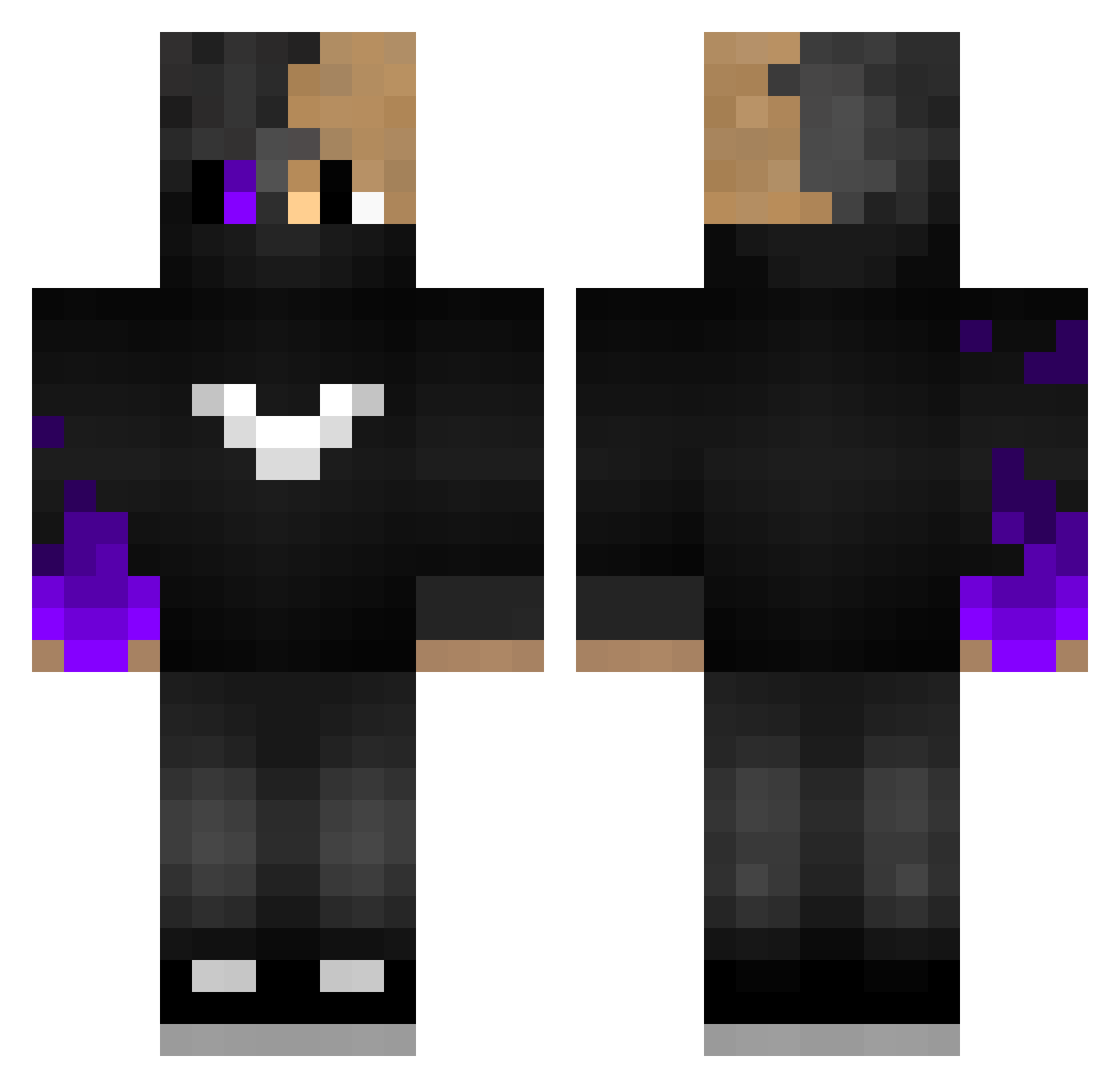
Current Minecraft skin of the player Dragonfirekid09, loaded from the official Mojang API. Rotate the 3D model with your mouse or finger, then download the skin as a PNG file and use it in Minecraft: Bedrock Edition or Java Edition for free. When Dragonfirekid09 changes their skin, this page updates automatically and the old skin stays in the history below.
Other players with this skin (117)
Dragonfirekid09 was the 93rd player we have seen with this skin, first spotted on 21.10.2026. The same skin was seen on these players. Open a nickname to see their current skin and skin history.
 leitopruum Mufitor Frexaa NichLukas EmirGulers _DarkTalk_ Kaka1 Toxic7025 Zqiang123 Nabarhun dxb2k Mylxbeth DamaKKS Kerem123LP Caio_BR1212 DezertPunk MeteKhanX TrueMallory_ Mrkm00 runawaypancake15 jakertanker ReedOnz ActualNub oode002 Mist_Dragon Fi9_ Afy10Lu XDRusty GGmagen Yesshor KwstasGaitatzis SlgYT nukeRRR konrakoii Pokaiden 18PG Garrettzlayer sukmepp8465 augustbirch11 itznitrox55 geeeeeeeez Mujcin AgentGuardian539 SubbyP AquaticDr0p TheGameCoaster Hoathinator BerKINGx SooyyEddy LinhYOmsd0115 Soldom DURGUNUM Equalirum TheMysticTimes YouTube_Dark_ Asspounder1337 EntityEtTr_PBUF FixPlayYT150 Luca29_ clopor0
How to install the Dragonfirekid09 skin
- Press the Download button above to save the skin as a PNG file.
- Minecraft: Bedrock Edition (PE): open the Dressing Room from the main menu (or tap your character → Edit Character), go to Classic Skins → Owned, press the + (new skin) button, choose the downloaded PNG and pick the Classic (Steve) model. Works on PC and mobile; consoles cannot import custom skins.
- Minecraft: Java Edition: open the Minecraft Launcher, go to the Skins tab, click New Skin, load the PNG, pick the Classic (Steve) model and press Save & Use. You can also upload it at minecraft.net → Profile → Change Skin.
The skin does not show up after import - what should I do?
Restart Minecraft and open the Dressing Room again - imported skins sometimes appear only after a restart. Also make sure you selected the imported skin and picked the Classic (Steve) model.
Which model should I choose, Classic or Slim?
This skin is designed for the Classic (Steve) model. If you pick the wrong model, the arms of the skin will look stretched or squeezed.
Is the skin of Dragonfirekid09 free to download?
Yes. Press Download, save the PNG file and use it in Minecraft: Bedrock Edition or Java Edition - no payment or registration needed. The skin also works on multiplayer servers and Realms.
More skins
Looking for more? Go back to all Minecraft skins and check the top skins of the week, month and all time, or find any player's skin by nickname.