
DragonSlayer_790 - Minecraft Skins & Skin History
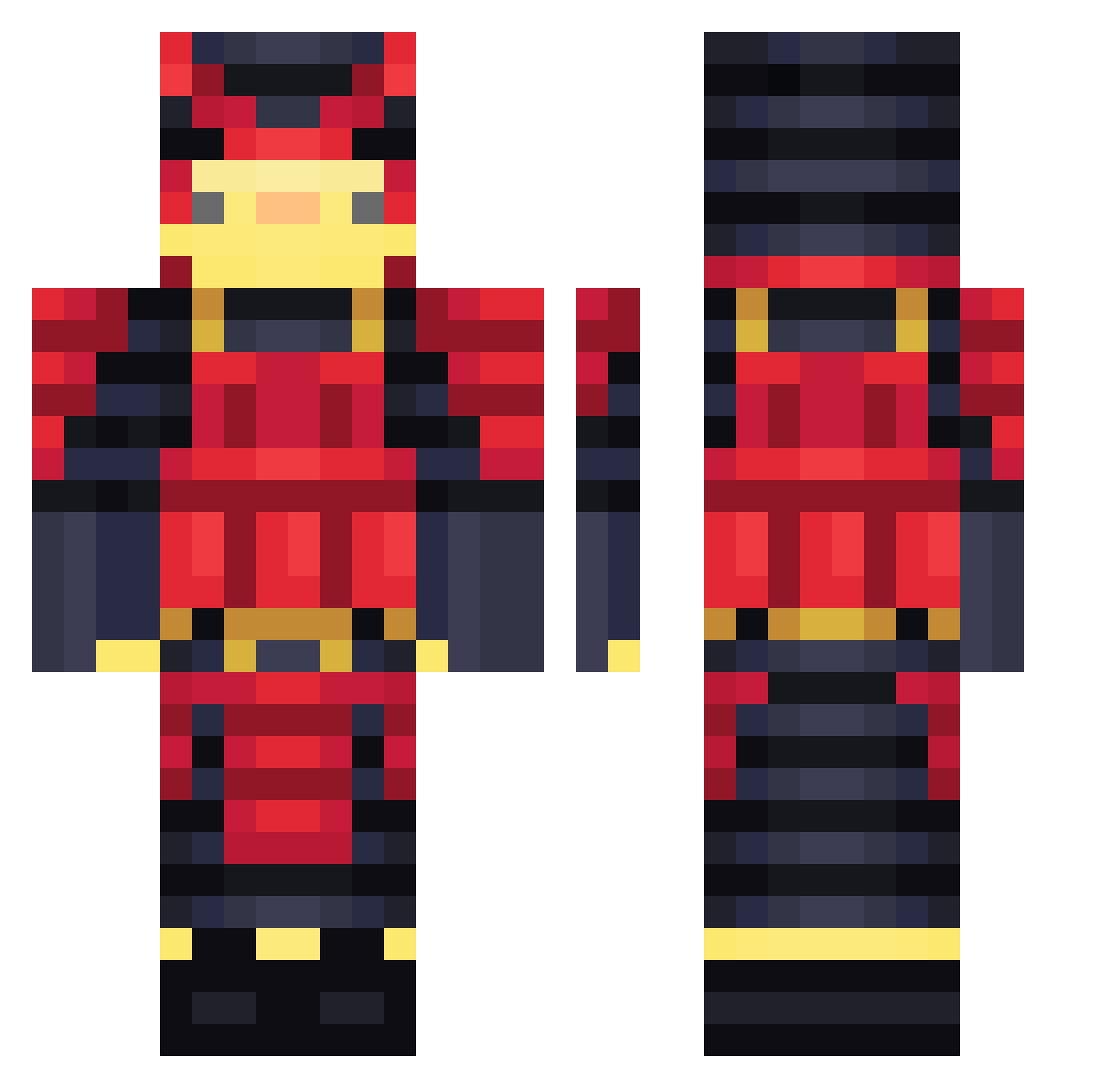
Current Minecraft skin of the player DragonSlayer_790, loaded from the official Mojang API. Rotate the 3D model with your mouse or finger, then download the skin as a PNG file and use it in Minecraft: Bedrock Edition or Java Edition for free. When DragonSlayer_790 changes their skin, this page updates automatically and the old skin stays in the history below.
Other players with this skin (513)
DragonSlayer_790 was the 466th player we have seen with this skin, first spotted on 02.11.2026. The same skin was seen on these players. Open a nickname to see their current skin and skin history.
 Okashimaru_Okina Legendazq GATOZEROO nu_gu_sui_yo Zerophinc Anamolie RichjiPT magnus3rd J_Hood_03 rlaakfdl Lohaker_ Khe0ps_ DoggyKingPVP Nova_o0 Shikota cobra0001 Black_plasmaa dkwkaks0202 Brainoi Elagusx Geralt1917 Vr_gamer SenseiSok Huka_hu 3endje YuzoNaka Dexfix Provoked72 OSSITNT Drnkk Moosh2024 RMStyle choquito5 Lalisala Quezada1307 SLAYER2604 Th3Dank KizzaKahvi zTuku superiordragons Voazy TheOGCumDumpster PhantomPayne1 FantomSniper000 Usa1n_B0lt lipcas Tessame 2updee ItzUniqu3 XDragequit6271 GYNA2525 Deivy002 NamBeDe_VN Xx_Sarounette_xX banane_rocher thedaksoul3 JUMPMAN0525 SGFK_ Clumsy432 jojeee16
More Samurai Minecraft skins
How to install the DragonSlayer_790 skin
- Press the Download button above to save the skin as a PNG file.
- Minecraft: Bedrock Edition (PE): open the Dressing Room from the main menu (or tap your character → Edit Character), go to Classic Skins → Owned, press the + (new skin) button, choose the downloaded PNG and pick the Classic (Steve) model. Works on PC and mobile; consoles cannot import custom skins.
- Minecraft: Java Edition: open the Minecraft Launcher, go to the Skins tab, click New Skin, load the PNG, pick the Classic (Steve) model and press Save & Use. You can also upload it at minecraft.net → Profile → Change Skin.
The skin does not show up after import - what should I do?
Restart Minecraft and open the Dressing Room again - imported skins sometimes appear only after a restart. Also make sure you selected the imported skin and picked the Classic (Steve) model.
Which model should I choose, Classic or Slim?
This skin is designed for the Classic (Steve) model. If you pick the wrong model, the arms of the skin will look stretched or squeezed.
Is the skin of DragonSlayer_790 free to download?
Yes. Press Download, save the PNG file and use it in Minecraft: Bedrock Edition or Java Edition - no payment or registration needed. The skin also works on multiplayer servers and Realms.
More skins
Looking for more? Go back to all Minecraft skins and check the top skins of the week, month and all time, or find any player's skin by nickname.