
DragonK - Minecraft Skins & Skin History
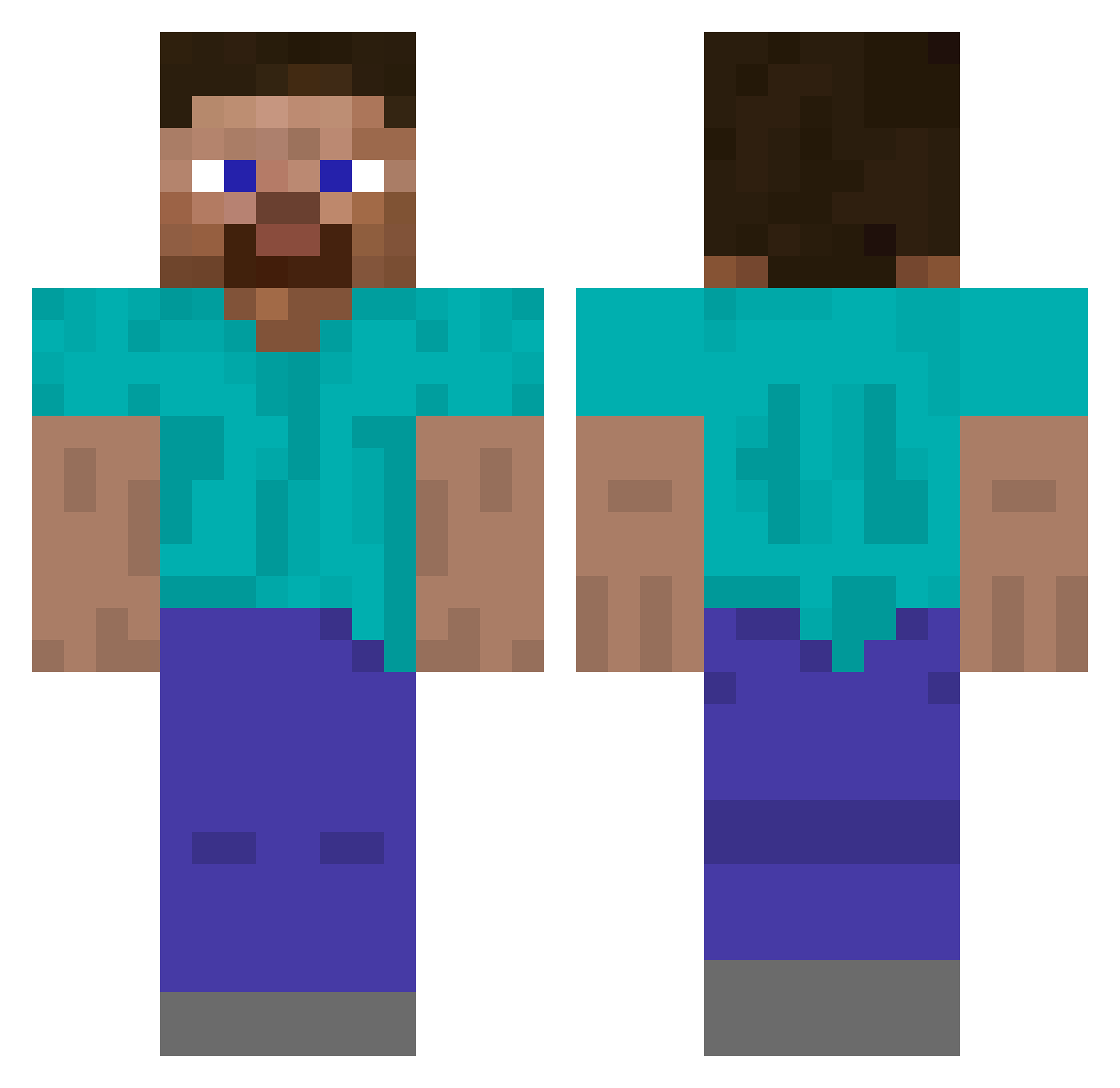
Current Minecraft skin of the player DragonK, loaded from the official Mojang API. Rotate the 3D model with your mouse or finger, then download the skin as a PNG file and use it in Minecraft: Bedrock Edition or Java Edition for free. When DragonK changes their skin, this page updates automatically and the old skin stays in the history below.
Other players with this skin (488)
DragonK was the 320th player we have seen with this skin, first spotted on 02.10.2026. The same skin was seen on these players. Open a nickname to see their current skin and skin history.
 OhGeeMCPlayer hershelu xdenshirenjix NicoTheBear EJ_Blake FaintestOne4298 DarkCat100 Beauki characterlimit16 Fireking_1000 Bospilt BechtelMcMiggins ExistingExpert v57_ lolibordd Veke_10 guywithnonuts Benismobil Steve217777 Locodoxian R1993R cowdoy_ Caestus DominicPachinski Fubeck Henry0557 steve404x ToastyBunz05 Woliwort_05 _Googolplex DalMac15 McHarbleBarf ArdaDolen Anonim74 SOUGHTCOBRA CrtVn craneeeee zmjw_16 rY2sVxmxPZn Freakbeatzz MysecretMCguy kulesh hood_cat Masa818 Nimeji Ghetaris XAdlendy0 Steve_Minecraft_ GeoNavi _lisp_ Armandin12 supermesterd Zhangtu DefensiveDogeee ThoughtlessSauce AwsomeNoah BTfroese Guinbang mebessea berk345698
How to install the DragonK skin
- Press the Download button above to save the skin as a PNG file.
- Minecraft: Bedrock Edition (PE): open the Dressing Room from the main menu (or tap your character → Edit Character), go to Classic Skins → Owned, press the + (new skin) button, choose the downloaded PNG and pick the Classic (Steve) model. Works on PC and mobile; consoles cannot import custom skins.
- Minecraft: Java Edition: open the Minecraft Launcher, go to the Skins tab, click New Skin, load the PNG, pick the Classic (Steve) model and press Save & Use. You can also upload it at minecraft.net → Profile → Change Skin.
The skin does not show up after import - what should I do?
Restart Minecraft and open the Dressing Room again - imported skins sometimes appear only after a restart. Also make sure you selected the imported skin and picked the Classic (Steve) model.
Which model should I choose, Classic or Slim?
This skin is designed for the Classic (Steve) model. If you pick the wrong model, the arms of the skin will look stretched or squeezed.
Is the skin of DragonK free to download?
Yes. Press Download, save the PNG file and use it in Minecraft: Bedrock Edition or Java Edition - no payment or registration needed. The skin also works on multiplayer servers and Realms.
More skins
Looking for more? Go back to all Minecraft skins and check the top skins of the week, month and all time, or find any player's skin by nickname.