
Drachenreiter82 - Minecraft Skins & Skin History
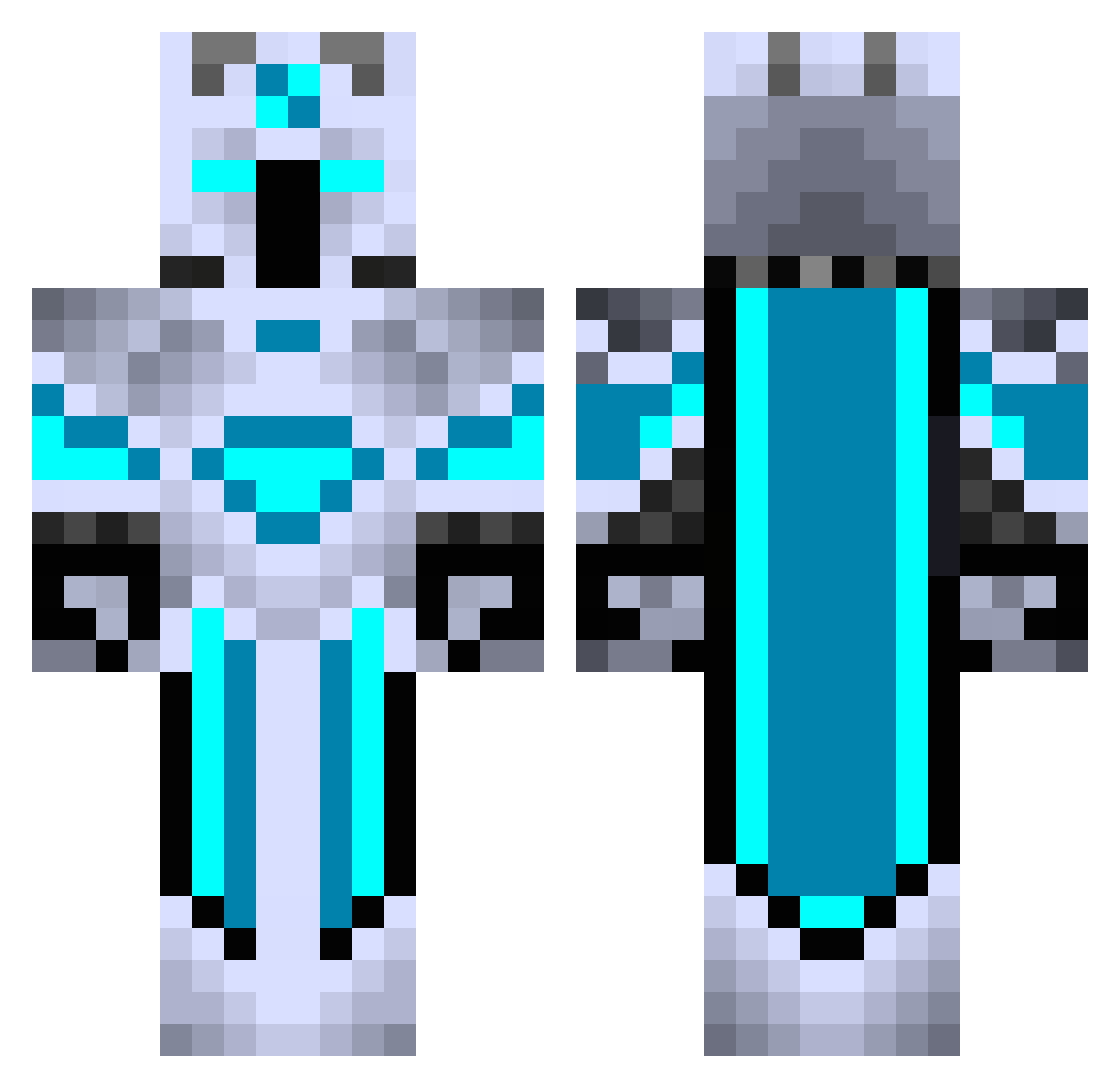
Current Minecraft skin of the player Drachenreiter82, loaded from the official Mojang API. Rotate the 3D model with your mouse or finger, then download the skin as a PNG file and use it in Minecraft: Bedrock Edition or Java Edition for free. When Drachenreiter82 changes their skin, this page updates automatically and the old skin stays in the history below.
Other players with this skin (440)
Drachenreiter82 was the 345th player we have seen with this skin, first spotted on 19.10.2026. The same skin was seen on these players. Open a nickname to see their current skin and skin history.
 __Slushi__ vicchab Lprd AxL_08 Reaper_Dilan JeiDi_ TheMaskedElk RockstarStanley DestroyerX251 Izicthanatos GamingRiox Dragonmastr87 WarTark Lucilliant warriorslayer29 Syeonide siKEMBUR IAmMark69 nohopeeee Mk12003 camlhc EduTeles zhybk RaspyLawyer brillemanz AzteqOP Noh54 DAMOSAURS romeotravi DOS_SANTOS_427 cutepuppy20 NightHawk132 Dopenger Pivot_Vortex Fijiwara Seventh_Code Michall1 ApxGhost4732 AmongusowyLudek C9_Truth OTX_Jose Wilgoat3 Tuckey_Gaming Gohu974 MrBoom2323 Night_VenomLXIX Markinho5k Cjet_ Dunkehell LennyPalitzsch MHY123 HellHoundHbs SonicRai DelayedMovie DarkDragy Chickeren429 pedrosla MasterGamer1012 Haybeh Destroyer200513
More Glowing Minecraft skins
How to install the Drachenreiter82 skin
- Press the Download button above to save the skin as a PNG file.
- Minecraft: Bedrock Edition (PE): open the Dressing Room from the main menu (or tap your character → Edit Character), go to Classic Skins → Owned, press the + (new skin) button, choose the downloaded PNG and pick the Classic (Steve) model. Works on PC and mobile; consoles cannot import custom skins.
- Minecraft: Java Edition: open the Minecraft Launcher, go to the Skins tab, click New Skin, load the PNG, pick the Classic (Steve) model and press Save & Use. You can also upload it at minecraft.net → Profile → Change Skin.
The skin does not show up after import - what should I do?
Restart Minecraft and open the Dressing Room again - imported skins sometimes appear only after a restart. Also make sure you selected the imported skin and picked the Classic (Steve) model.
Which model should I choose, Classic or Slim?
This skin is designed for the Classic (Steve) model. If you pick the wrong model, the arms of the skin will look stretched or squeezed.
Is the skin of Drachenreiter82 free to download?
Yes. Press Download, save the PNG file and use it in Minecraft: Bedrock Edition or Java Edition - no payment or registration needed. The skin also works on multiplayer servers and Realms.
More skins
Looking for more? Go back to all Minecraft skins and check the top skins of the week, month and all time, or find any player's skin by nickname.