
Drachenlord98 - Minecraft Skins & Skin History
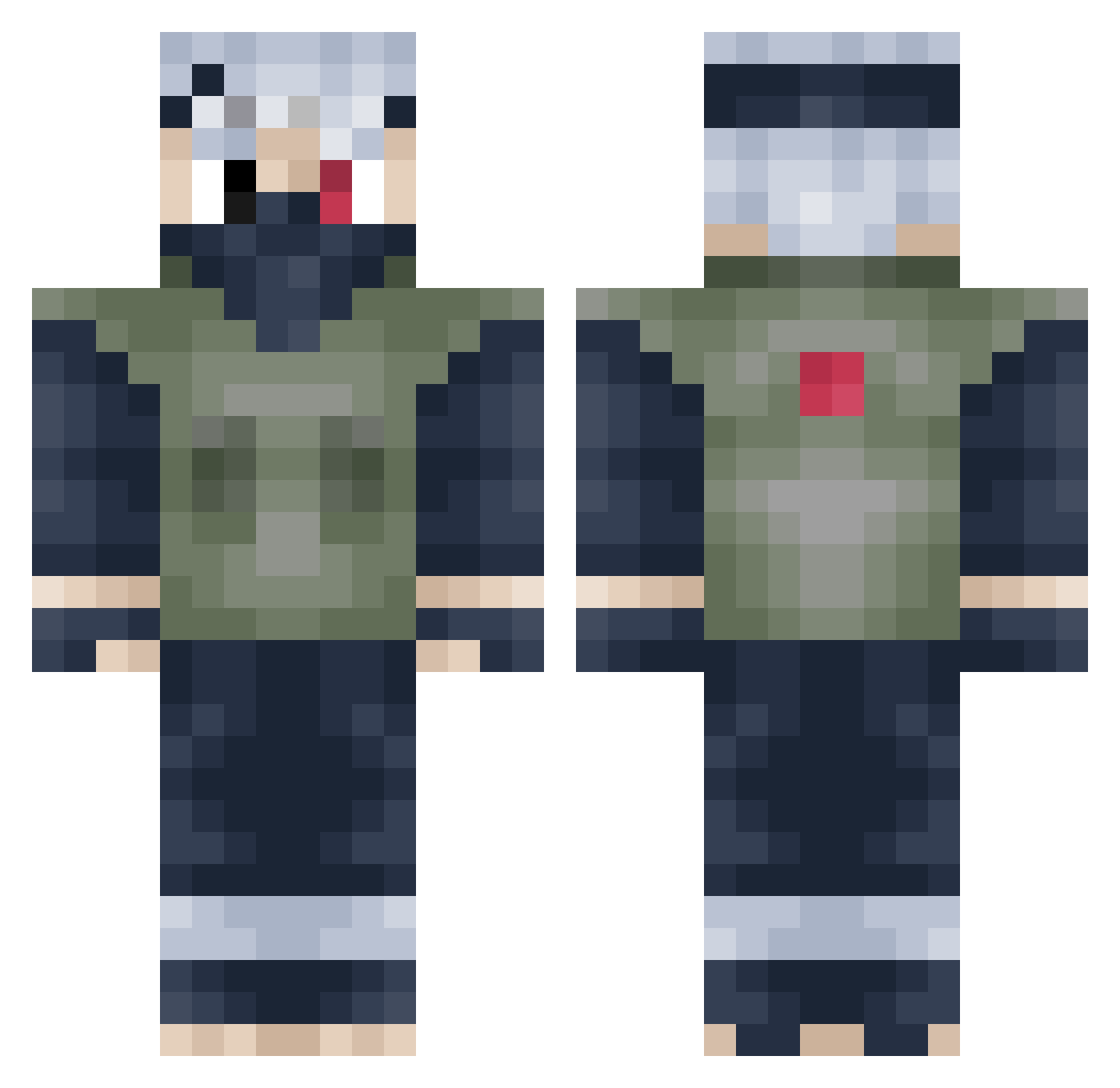
Current Minecraft skin of the player Drachenlord98, loaded from the official Mojang API. Rotate the 3D model with your mouse or finger, then download the skin as a PNG file and use it in Minecraft: Bedrock Edition or Java Edition for free. When Drachenlord98 changes their skin, this page updates automatically and the old skin stays in the history below.
Other players with this skin (273)
Drachenlord98 was the 194th player we have seen with this skin, first spotted on 09.10.2026. The same skin was seen on these players. Open a nickname to see their current skin and skin history.
 TooCrazzzzy JustinTruong 1Greg_ IslandTrouble MFZW tooopower SoG_ShadowNinja dabeast1000 Computermatt07 Smorre84 carver206 Naruto59281 forestfyres Demimetah Mr_peeding jaeyoon02 fabi80v Suppdog suckitbro FixStuffUp Ricrafter _Mato JacobisKing floatyyyy K_Hussxin JoeBear91 BackgroundCheck Nasa_X UphillSquirrel0 TheUnluckyBoy swag1234567xx MagicalTurk Alucardn117 Nutty7173 Rekarion akasumi123 RockRover DuckBot123 dasjones radixcy Feelinfinee Eric_Seary brilligkheldar Eyepatch32 Slhu95 ImSinisterHD CookieMon5ter79 MONKEYxDxLUFFY maseattack kalle2072 drrofl178 BlankGaming2016 timmylon Ryu12349 RegularPlays KevC AlexanderAGreat BoilingMatt cookiecrummz7 ThunderTuesday
More Kakashi Hatake Minecraft skins
See all 471 Kakashi Hatake skins
How to install the Drachenlord98 skin
- Press the Download button above to save the skin as a PNG file.
- Minecraft: Bedrock Edition (PE): open the Dressing Room from the main menu (or tap your character → Edit Character), go to Classic Skins → Owned, press the + (new skin) button, choose the downloaded PNG and pick the Classic (Steve) model. Works on PC and mobile; consoles cannot import custom skins.
- Minecraft: Java Edition: open the Minecraft Launcher, go to the Skins tab, click New Skin, load the PNG, pick the Classic (Steve) model and press Save & Use. You can also upload it at minecraft.net → Profile → Change Skin.
The skin does not show up after import - what should I do?
Restart Minecraft and open the Dressing Room again - imported skins sometimes appear only after a restart. Also make sure you selected the imported skin and picked the Classic (Steve) model.
Which model should I choose, Classic or Slim?
This skin is designed for the Classic (Steve) model. If you pick the wrong model, the arms of the skin will look stretched or squeezed.
Is the skin of Drachenlord98 free to download?
Yes. Press Download, save the PNG file and use it in Minecraft: Bedrock Edition or Java Edition - no payment or registration needed. The skin also works on multiplayer servers and Realms.
More skins
Looking for more? Go back to all Minecraft skins and check the top skins of the week, month and all time, or find any player's skin by nickname.