
DrPhazer - Minecraft Skins & Skin History
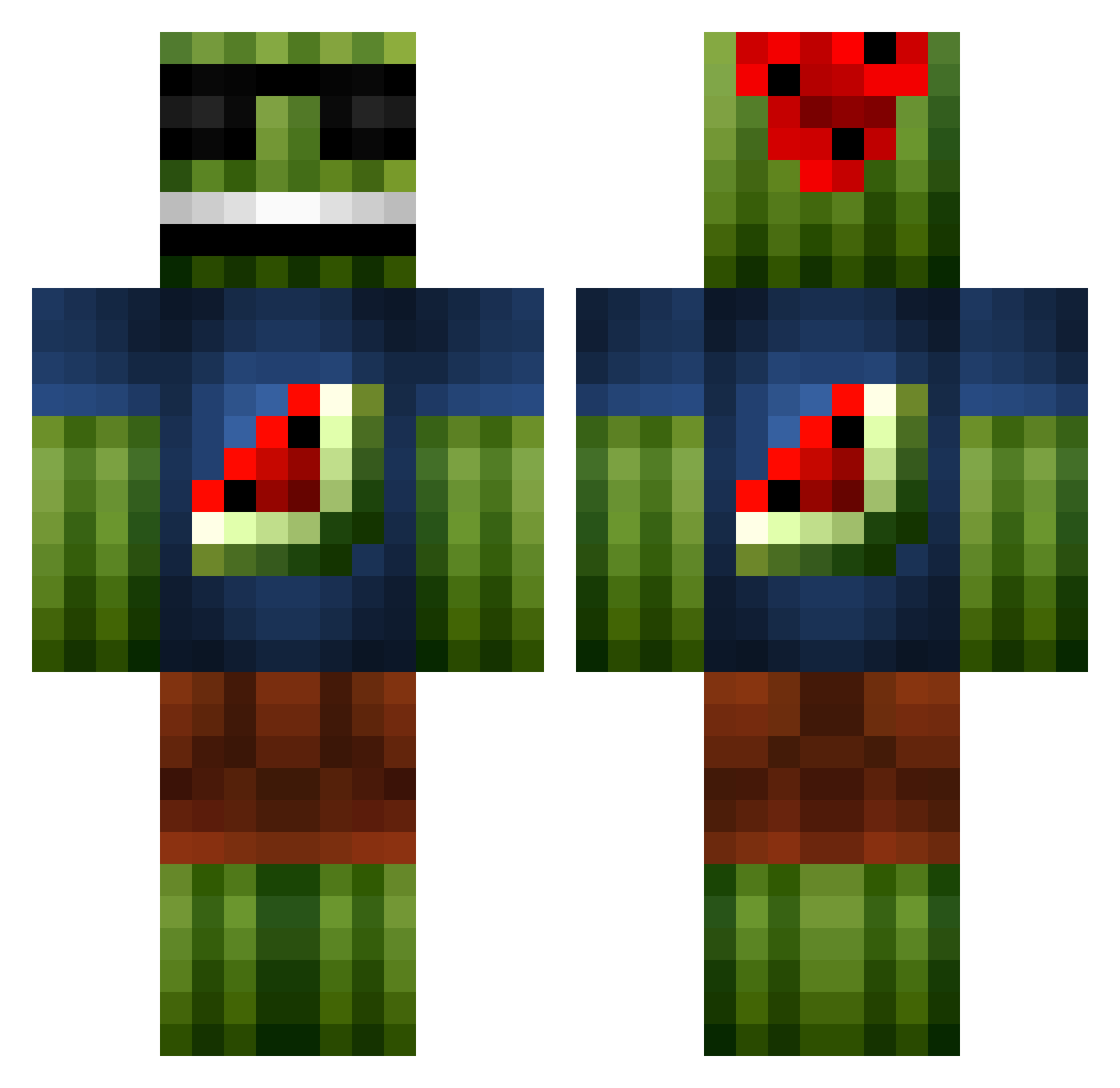
Current Minecraft skin of the player DrPhazer, loaded from the official Mojang API. Rotate the 3D model with your mouse or finger, then download the skin as a PNG file and use it in Minecraft: Bedrock Edition or Java Edition for free. When DrPhazer changes their skin, this page updates automatically and the old skin stays in the history below.
Other players with this skin (1096)
DrPhazer was the 968th player we have seen with this skin, first spotted on 25.10.2026. The same skin was seen on these players. Open a nickname to see their current skin and skin history.
 Gearspoof OrlandoClean Clemmon zippy54990 richard_pic HypeE_PVP salmoon07 StellaGanjaMafia ZuperEpicMan POISONistheCURE CondensedKiller speedqb15 KarateNinja117 BigBoyJeenkins benjadk10 tariktoplu AscensionBot7 Watermelon59487 litcheese Edvan_Husen zim449 Sisco397 thegreenllama Toasterino mybuttstinx ajes1992 Adu_ SaturnSyndrome candyman5052 filipnoel zLooToS_ KayP Froztstone PartyPear JMS_03 atraice Charlie_Chalk spursfan108 bfk221 Oldmancruz03 gilly2031 DKGamers1 Sanderman570 bennibje FlecX_ _ImStrax_ Pakeras EditorzRus CzM0117 FalconDownFall Kramroc TheDeath1994 witherskull1023 Jack_Kong Mew_Mew49 CDavey312 mariohern24 TJSW Schinuke MadMan1ne
More Watermelon Minecraft skins
How to install the DrPhazer skin
- Press the Download button above to save the skin as a PNG file.
- Minecraft: Bedrock Edition (PE): open the Dressing Room from the main menu (or tap your character → Edit Character), go to Classic Skins → Owned, press the + (new skin) button, choose the downloaded PNG and pick the Classic (Steve) model. Works on PC and mobile; consoles cannot import custom skins.
- Minecraft: Java Edition: open the Minecraft Launcher, go to the Skins tab, click New Skin, load the PNG, pick the Classic (Steve) model and press Save & Use. You can also upload it at minecraft.net → Profile → Change Skin.
The skin does not show up after import - what should I do?
Restart Minecraft and open the Dressing Room again - imported skins sometimes appear only after a restart. Also make sure you selected the imported skin and picked the Classic (Steve) model.
Which model should I choose, Classic or Slim?
This skin is designed for the Classic (Steve) model. If you pick the wrong model, the arms of the skin will look stretched or squeezed.
Is the skin of DrPhazer free to download?
Yes. Press Download, save the PNG file and use it in Minecraft: Bedrock Edition or Java Edition - no payment or registration needed. The skin also works on multiplayer servers and Realms.
More skins
Looking for more? Go back to all Minecraft skins and check the top skins of the week, month and all time, or find any player's skin by nickname.