
DrNarwhal4120 - Minecraft Skins & Skin History
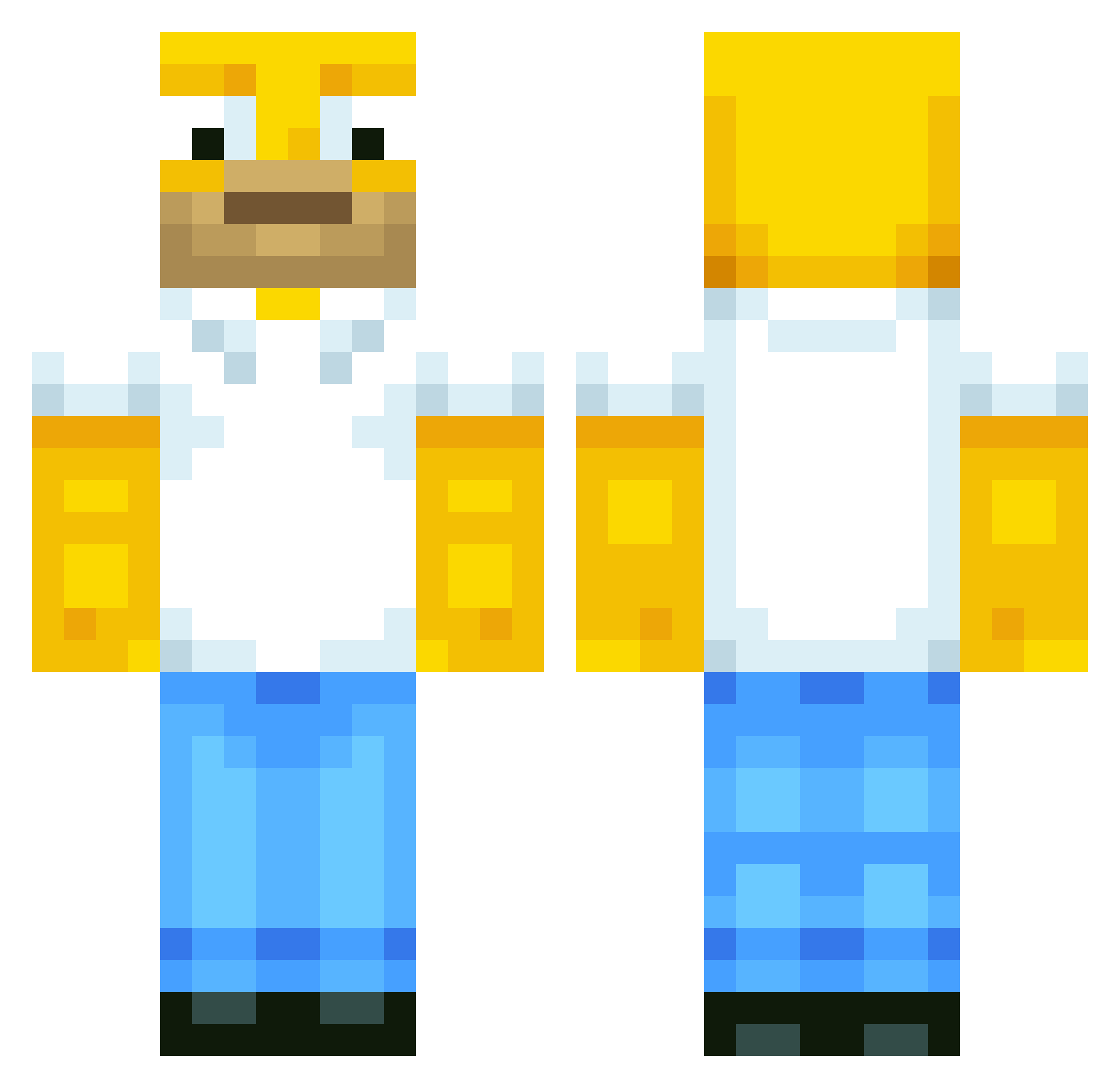
Current Minecraft skin of the player DrNarwhal4120, loaded from the official Mojang API. Rotate the 3D model with your mouse or finger, then download the skin as a PNG file and use it in Minecraft: Bedrock Edition or Java Edition for free. When DrNarwhal4120 changes their skin, this page updates automatically and the old skin stays in the history below.
Other players with this skin (568)
DrNarwhal4120 was the 434th player we have seen with this skin, first spotted on 04.10.2026. The same skin was seen on these players. Open a nickname to see their current skin and skin history.
 martinmario21 SweetT1 Epic_Gamer158 BANANABOY651 Fiizzyy_ MemoMtz29 ruocheng gyuburger BruhitsConnor Krashload halvorjakki Susssybaka69 stupiduser123 MTKHackleton croson321 AiChaves LiquidWiFiIsGone Lostboys123 Fefeww LilParra albpa57 Darahk7 vKazxa mortarinho Darksoulg kingcreeper718 Happy2M MaxLidman KapiW15 Furry_hunter Dnvrlol tortelini12 SIacker juste_non ben0601 kungen905 porstinko Ismael_44 DerHeino09 Kimgarden PapaAlejandro Megan77 Piiikes C8Xiang guzmes1 angelptorrado Jay_1109 Snrp__ RAZERLAU ChipMeister valmenpov btwboom marge1301 JaKe2sweaTy7 xRqyzer poengo Graasen Jdb2605 0fficixl_rae oSimpsons
More Homer Simpson Minecraft skins
See all 284 Homer Simpson skins
How to install the DrNarwhal4120 skin
- Press the Download button above to save the skin as a PNG file.
- Minecraft: Bedrock Edition (PE): open the Dressing Room from the main menu (or tap your character → Edit Character), go to Classic Skins → Owned, press the + (new skin) button, choose the downloaded PNG and pick the Classic (Steve) model. Works on PC and mobile; consoles cannot import custom skins.
- Minecraft: Java Edition: open the Minecraft Launcher, go to the Skins tab, click New Skin, load the PNG, pick the Classic (Steve) model and press Save & Use. You can also upload it at minecraft.net → Profile → Change Skin.
The skin does not show up after import - what should I do?
Restart Minecraft and open the Dressing Room again - imported skins sometimes appear only after a restart. Also make sure you selected the imported skin and picked the Classic (Steve) model.
Which model should I choose, Classic or Slim?
This skin is designed for the Classic (Steve) model. If you pick the wrong model, the arms of the skin will look stretched or squeezed.
Is the skin of DrNarwhal4120 free to download?
Yes. Press Download, save the PNG file and use it in Minecraft: Bedrock Edition or Java Edition - no payment or registration needed. The skin also works on multiplayer servers and Realms.
More skins
Looking for more? Go back to all Minecraft skins and check the top skins of the week, month and all time, or find any player's skin by nickname.