
DrDucki2 - Minecraft Skins & Skin History
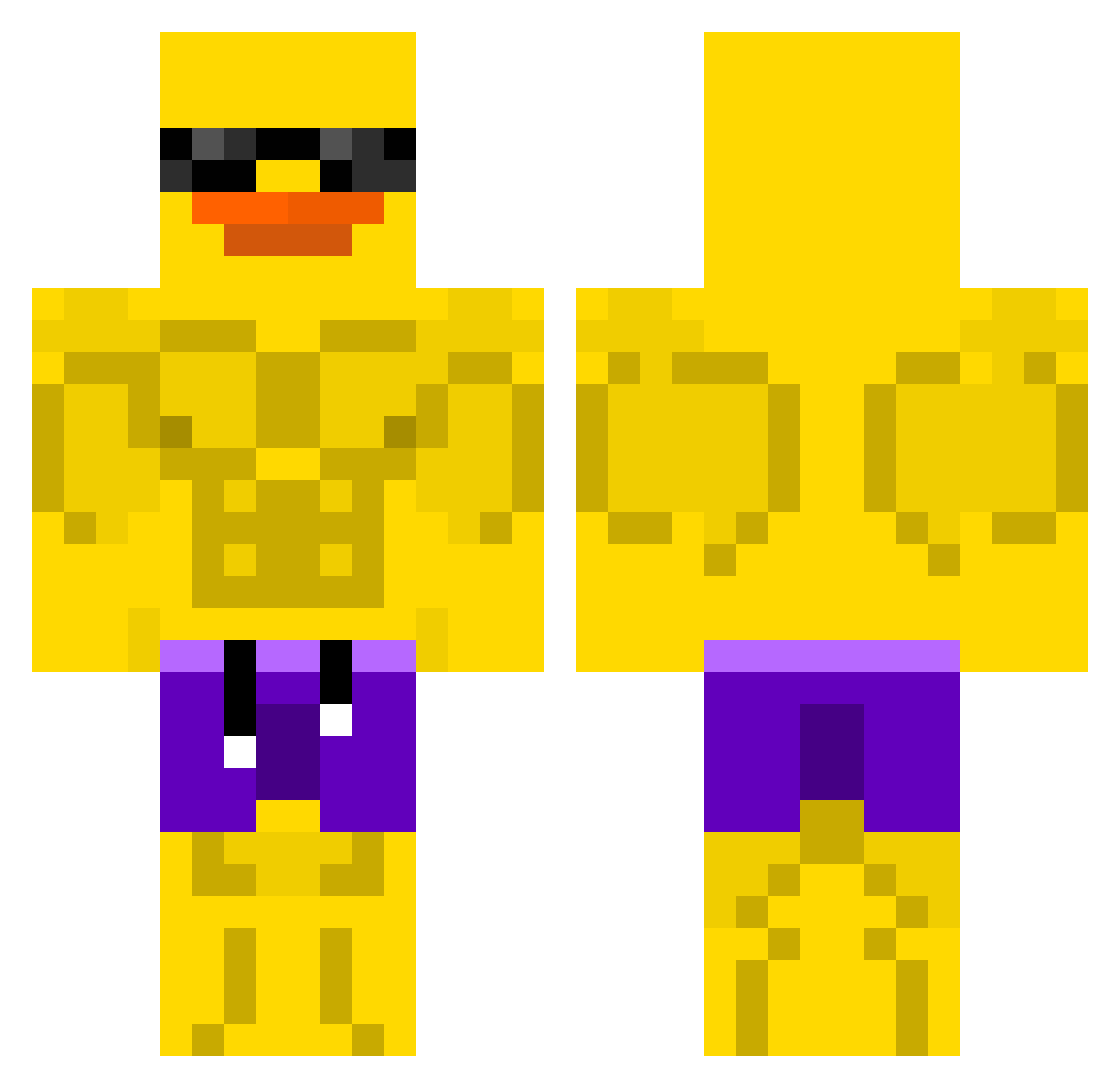
Current Minecraft skin of the player DrDucki2, loaded from the official Mojang API. Rotate the 3D model with your mouse or finger, then download the skin as a PNG file and use it in Minecraft: Bedrock Edition or Java Edition for free. When DrDucki2 changes their skin, this page updates automatically and the old skin stays in the history below.
Other players with this skin (639)
DrDucki2 was the 617th player we have seen with this skin, first spotted on 06.11.2026. The same skin was seen on these players. Open a nickname to see their current skin and skin history.
 KaroloPicolo12 DUCKhehehe PuzzleMaster76 ElterGLD enococuk lukegrog 0Aspect Fasafisos PTS1 Al3xJT K_KINGDOM eraphere treeholding zuiaicindy Deprovd Pakkoun brayden5577 Loveplayz Jxkiey cubob jrwolfy slegaris OmahaBillings Hajk0s OrphanCrippler_ AAA3940 alliomc gobindos Popokeks KingDragon91 MistaSpud0825 FZ_munja jamdrop7007 vntx09 AmGrill Alekszx Ksawcio_1 Jugghead223 Kamsat LC7_ thesniffer69 Yu3ko ra1dr Wytexx_ Amirmahdi_080 Livv_13 4huo AcuaCow12 Potatlus _Armored Ghostlvl1 GOKU_SSR KuRu319 Mausph JAMF22 coolmanhi10 leomirabamba marcovp9 peter43 soniash
More Swim Trunks Minecraft skins
How to install the DrDucki2 skin
- Press the Download button above to save the skin as a PNG file.
- Minecraft: Bedrock Edition (PE): open the Dressing Room from the main menu (or tap your character → Edit Character), go to Classic Skins → Owned, press the + (new skin) button, choose the downloaded PNG and pick the Classic (Steve) model. Works on PC and mobile; consoles cannot import custom skins.
- Minecraft: Java Edition: open the Minecraft Launcher, go to the Skins tab, click New Skin, load the PNG, pick the Classic (Steve) model and press Save & Use. You can also upload it at minecraft.net → Profile → Change Skin.
The skin does not show up after import - what should I do?
Restart Minecraft and open the Dressing Room again - imported skins sometimes appear only after a restart. Also make sure you selected the imported skin and picked the Classic (Steve) model.
Which model should I choose, Classic or Slim?
This skin is designed for the Classic (Steve) model. If you pick the wrong model, the arms of the skin will look stretched or squeezed.
Is the skin of DrDucki2 free to download?
Yes. Press Download, save the PNG file and use it in Minecraft: Bedrock Edition or Java Edition - no payment or registration needed. The skin also works on multiplayer servers and Realms.
More skins
Looking for more? Go back to all Minecraft skins and check the top skins of the week, month and all time, or find any player's skin by nickname.