
Dphoeses - Minecraft Skins & Skin History
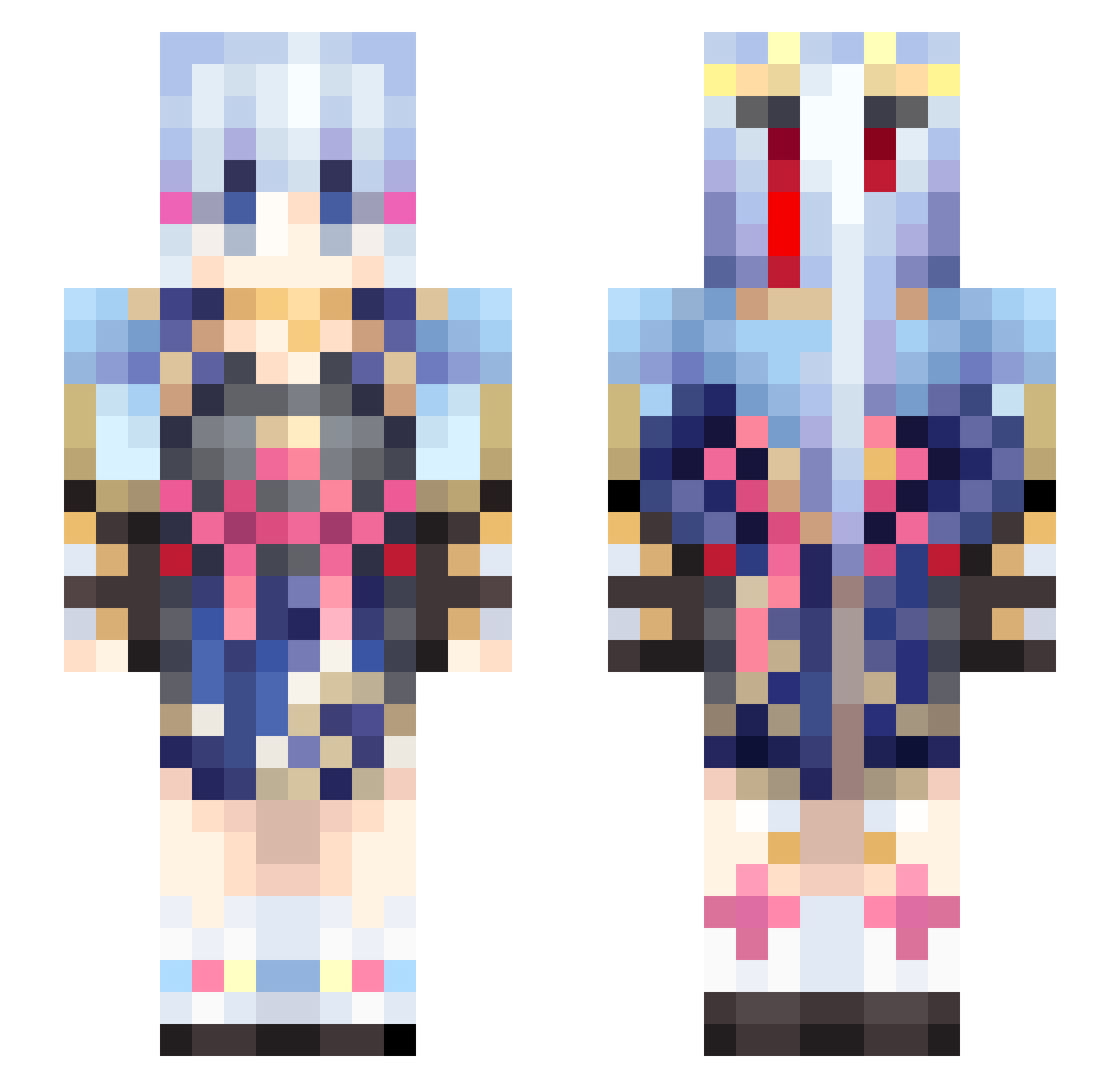
Current Minecraft skin of the player Dphoeses, loaded from the official Mojang API. Rotate the 3D model with your mouse or finger, then download the skin as a PNG file and use it in Minecraft: Bedrock Edition or Java Edition for free. When Dphoeses changes their skin, this page updates automatically and the old skin stays in the history below.
Other players with this skin (460)
Dphoeses was the 216th player we have seen with this skin, first spotted on 13.09.2026. The same skin was seen on these players. Open a nickname to see their current skin and skin history.
 KamisatoAyaka97 rebecca_cevraini SilverBlitzFTW anson_0407 Lilith94 KazuhaCantCode MostDepressedBoi hooo__ LianderRodriguez shijian_9 limit114514 nilcim qmt0z yuheluo yuluchenxi leio13 DaverSo vajdukitumoju TCYQWE DGHUJN Megawinhero NaNaNa_SaMa Xbi_nwpGR8_05_18 Moonlights isshaw AshChan1345 liuxingzhuyue chengxuan_china GenshinGaymer chenzy778 critical_point baitu520hanhan lokyin0418 JafarLan BANANA0224 1cEFR0sT KLEIN233 STARFAKY KOSEI1213 nb_dd owwshl yzfeixiang superBIAO No_Reason_Live zucrox MilkSake01 LiShangyinoi SupperBulb enderkat126 Shirasagiii Akuma_Keshin23 riesea Yourl0cal_weeb RangerCynthia Atheenas Lancxy Ayaga dddc233 Eiliannith Lalunaaaa
More Kimono Minecraft skins
How to install the Dphoeses skin
- Press the Download button above to save the skin as a PNG file.
- Minecraft: Bedrock Edition (PE): open the Dressing Room from the main menu (or tap your character → Edit Character), go to Classic Skins → Owned, press the + (new skin) button, choose the downloaded PNG and pick the Slim (Alex) model. Works on PC and mobile; consoles cannot import custom skins.
- Minecraft: Java Edition: open the Minecraft Launcher, go to the Skins tab, click New Skin, load the PNG, pick the Slim (Alex) model and press Save & Use. You can also upload it at minecraft.net → Profile → Change Skin.
The skin does not show up after import - what should I do?
Restart Minecraft and open the Dressing Room again - imported skins sometimes appear only after a restart. Also make sure you selected the imported skin and picked the Slim (Alex) model.
Which model should I choose, Classic or Slim?
This skin is designed for the Slim (Alex) model. If you pick the wrong model, the arms of the skin will look stretched or squeezed.
Is the skin of Dphoeses free to download?
Yes. Press Download, save the PNG file and use it in Minecraft: Bedrock Edition or Java Edition - no payment or registration needed. The skin also works on multiplayer servers and Realms.
More skins
Looking for more? Go back to all Minecraft skins and check the top skins of the week, month and all time, or find any player's skin by nickname.