
Dourado25 - Minecraft Skins & Skin History
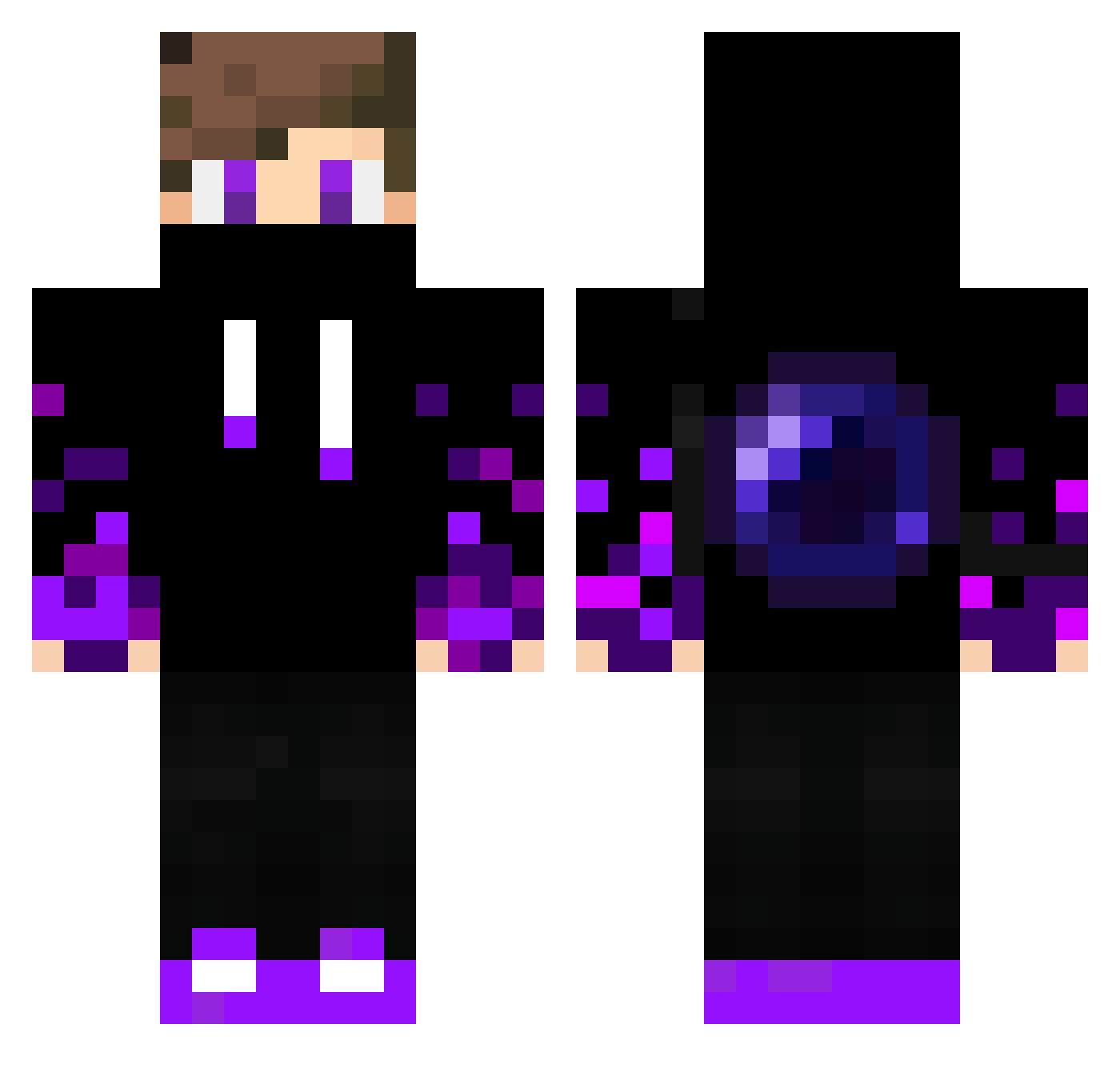
Current Minecraft skin of the player Dourado25, loaded from the official Mojang API. Rotate the 3D model with your mouse or finger, then download the skin as a PNG file and use it in Minecraft: Bedrock Edition or Java Edition for free. When Dourado25 changes their skin, this page updates automatically and the old skin stays in the history below.
Other players with this skin (332)
Dourado25 was the 142nd player we have seen with this skin, first spotted on 02.09.2026. The same skin was seen on these players. Open a nickname to see their current skin and skin history.
 NorbiOrbit AlmightyJean Fire_bird_13 Tomax0 TheUndead11 Alexamazing52 AppleJuice0501 Gustavo570 ebzombie Yanis17290 Prodiamond500 MalaraK churi1232 YeetYourFace NoahBadh icecuube_ MagicJ48 Emberfaux21 arthurlindo23 Louca12 nowtrybullingme FrontierDefender LOBO_GHOST Maxoucool Incaesporcuolan AlexMcPro99 aDauminable TidyRacer54 Ender_kcn dzFabio Zombiklaue oRafinha_10 _GIAMPYy_ tchen3676 Me_lene_xari guizinnzx NearKun Its_Ryzen Adamremixed MrCasper01 Sneaky_YT ERDOLAS159 misterteggy cacacacaca Universocraft Nicolas_13 HeMkAn RyZee97 1111117 cocodossi MRSATIG ItsRockboy ITZZ_Nubo Themighty_S leochuang Tyler_Whoelse Tony_YTx Czarus123 Stell06 polof88
More Ender Pearl Minecraft skins
How to install the Dourado25 skin
- Press the Download button above to save the skin as a PNG file.
- Minecraft: Bedrock Edition (PE): open the Dressing Room from the main menu (or tap your character → Edit Character), go to Classic Skins → Owned, press the + (new skin) button, choose the downloaded PNG and pick the Classic (Steve) model. Works on PC and mobile; consoles cannot import custom skins.
- Minecraft: Java Edition: open the Minecraft Launcher, go to the Skins tab, click New Skin, load the PNG, pick the Classic (Steve) model and press Save & Use. You can also upload it at minecraft.net → Profile → Change Skin.
The skin does not show up after import - what should I do?
Restart Minecraft and open the Dressing Room again - imported skins sometimes appear only after a restart. Also make sure you selected the imported skin and picked the Classic (Steve) model.
Which model should I choose, Classic or Slim?
This skin is designed for the Classic (Steve) model. If you pick the wrong model, the arms of the skin will look stretched or squeezed.
Is the skin of Dourado25 free to download?
Yes. Press Download, save the PNG file and use it in Minecraft: Bedrock Edition or Java Edition - no payment or registration needed. The skin also works on multiplayer servers and Realms.
More skins
Looking for more? Go back to all Minecraft skins and check the top skins of the week, month and all time, or find any player's skin by nickname.