
Door2478 - Minecraft Skins & Skin History
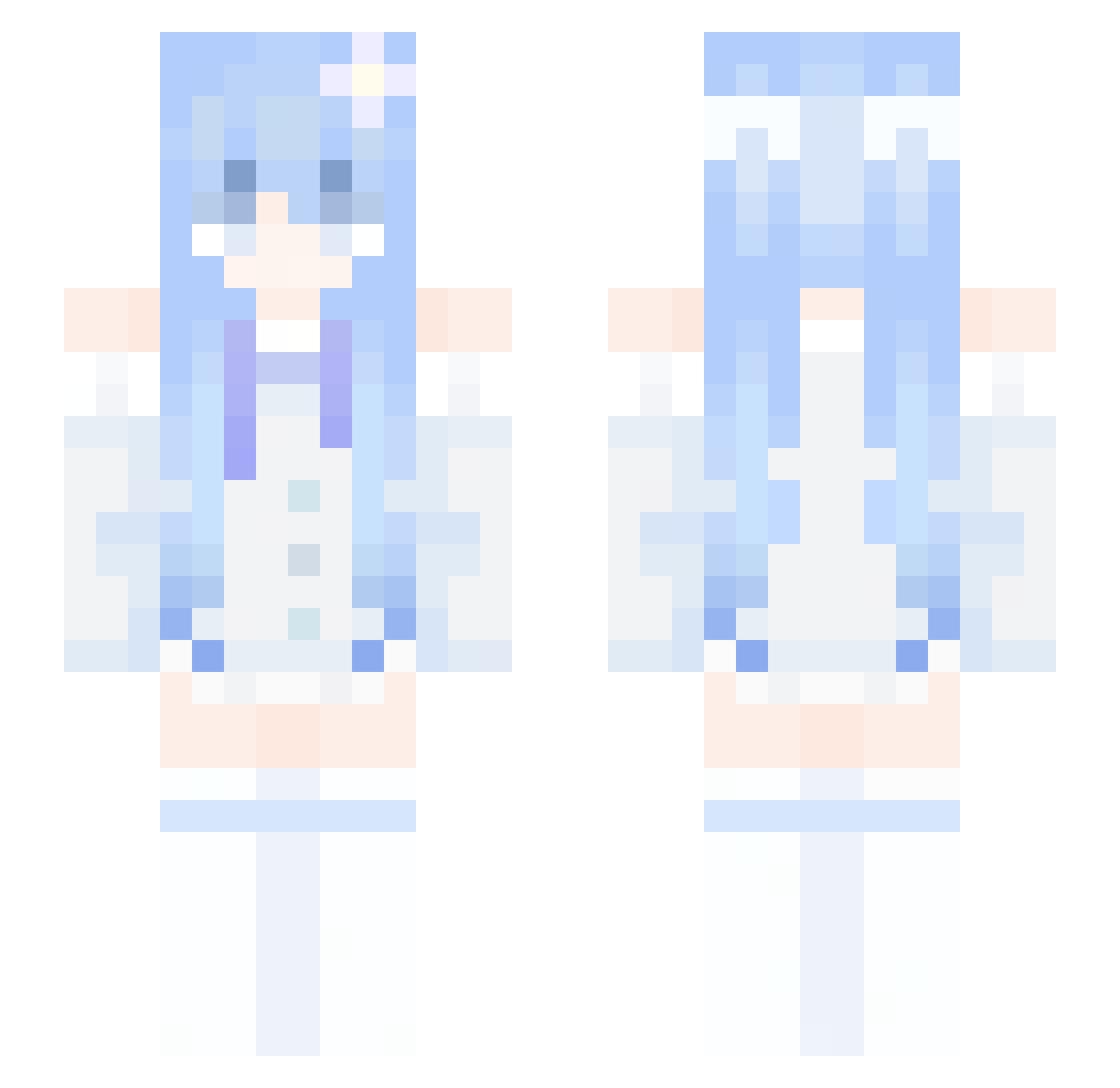
Current Minecraft skin of the player Door2478, loaded from the official Mojang API. Rotate the 3D model with your mouse or finger, then download the skin as a PNG file and use it in Minecraft: Bedrock Edition or Java Edition for free. When Door2478 changes their skin, this page updates automatically and the old skin stays in the history below.
Other players with this skin (340)
Door2478 was the 210th player we have seen with this skin, first spotted on 04.10.2026. The same skin was seen on these players. Open a nickname to see their current skin and skin history.
 Valen_1012 Doentasso DominikaJeff55 liting123 kongyei TitledFiber shenfa86 adwada1 zefeng111 DSM114514 xiaobei0611 xL4ura fggujh EmilyYang0703 NerdRabbit qikli WTDH Mumi_O3O snowylucky Triocendence Syoulate PLA003 onxlxl nmu10 Twolan yopeu Parannn baloeney XLegendzeroX Leekop_ jingl0 R5_5700X3D solevv VegaSangre Strong_Snowman tisregan wuwei_o acuesk Austin0519 Ren_GatorJr quetins Joyce776 kimgim deepgao nauseamour_3 Star_SCC Minasa001 CandySalt Hk1232 seekxnd lysrgic bedomen61 heroder_New Blunht goodstuff42 HanHan3044 Shuai_Jiang 506b zzdga PenRabbittt
More Flower Hair Clip Minecraft skins
See all 68 Flower Hair Clip skins
How to install the Door2478 skin
- Press the Download button above to save the skin as a PNG file.
- Minecraft: Bedrock Edition (PE): open the Dressing Room from the main menu (or tap your character → Edit Character), go to Classic Skins → Owned, press the + (new skin) button, choose the downloaded PNG and pick the Slim (Alex) model. Works on PC and mobile; consoles cannot import custom skins.
- Minecraft: Java Edition: open the Minecraft Launcher, go to the Skins tab, click New Skin, load the PNG, pick the Slim (Alex) model and press Save & Use. You can also upload it at minecraft.net → Profile → Change Skin.
The skin does not show up after import - what should I do?
Restart Minecraft and open the Dressing Room again - imported skins sometimes appear only after a restart. Also make sure you selected the imported skin and picked the Slim (Alex) model.
Which model should I choose, Classic or Slim?
This skin is designed for the Slim (Alex) model. If you pick the wrong model, the arms of the skin will look stretched or squeezed.
Is the skin of Door2478 free to download?
Yes. Press Download, save the PNG file and use it in Minecraft: Bedrock Edition or Java Edition - no payment or registration needed. The skin also works on multiplayer servers and Realms.
More skins
Looking for more? Go back to all Minecraft skins and check the top skins of the week, month and all time, or find any player's skin by nickname.