
Donny_B - Minecraft Skins & Skin History
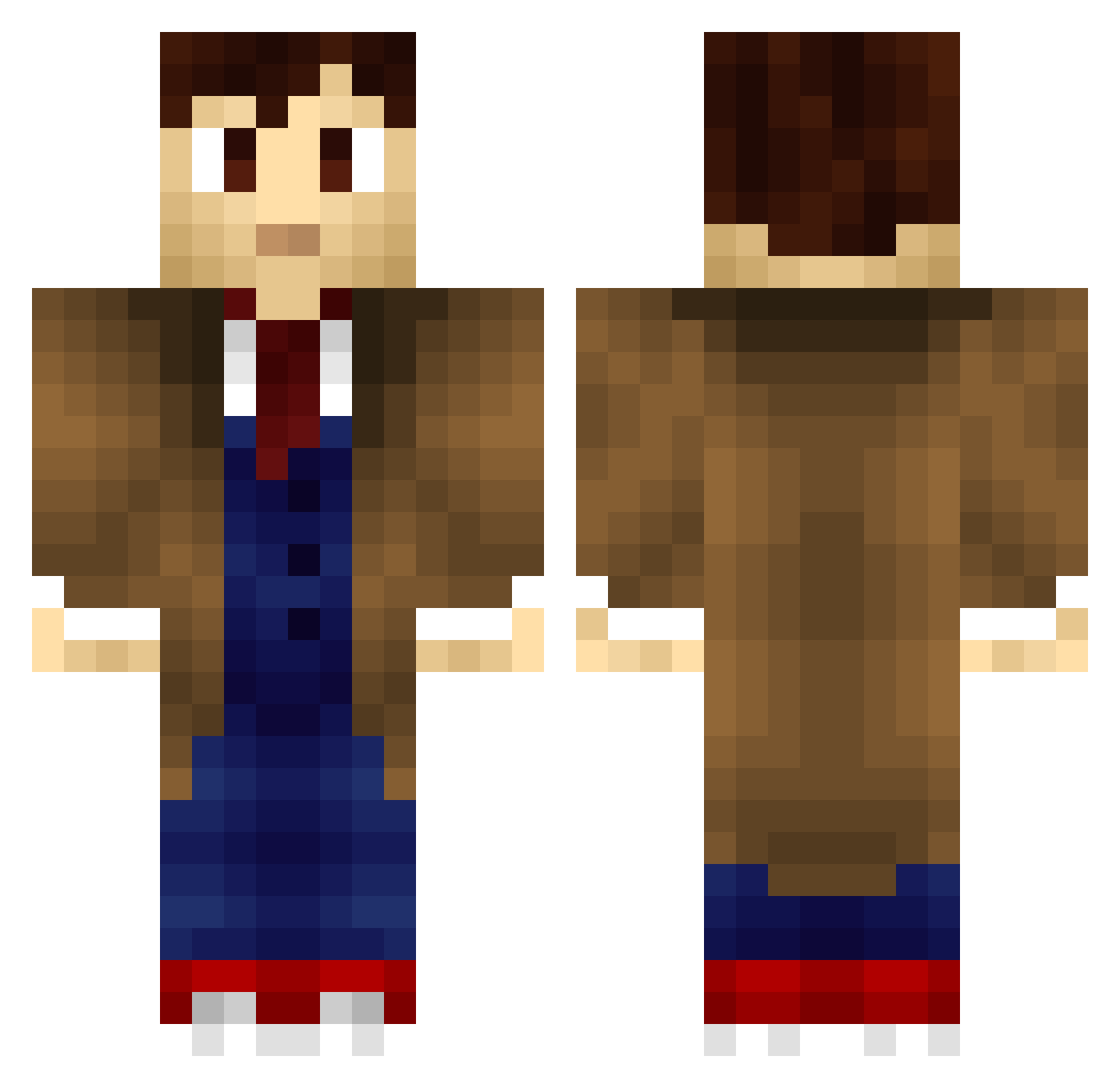
Current Minecraft skin of the player Donny_B, loaded from the official Mojang API. Rotate the 3D model with your mouse or finger, then download the skin as a PNG file and use it in Minecraft: Bedrock Edition or Java Edition for free. When Donny_B changes their skin, this page updates automatically and the old skin stays in the history below.
Other players with this skin (660)
Donny_B was the 453rd player we have seen with this skin, first spotted on 02.10.2026. The same skin was seen on these players. Open a nickname to see their current skin and skin history.
 LightningHaze zombieslayer316 Distinctionz kiwi_3333 texasnation LiteraryC rmicklit NatetheDoctor45 minerproblem404 devidevil888 CopyCapri codedude275 Naits_97 QuiltedDragon melver hipporear alexgehrlein Darkdarc AwkwardDrowning LiamGilles42 Joutz ArbieKing343 HM53 TheUnCola Pailio_10 mauricemau cptmorph Andy1112 Verdommeu elitewarrior199 antontetov DanielWalsh628 Aranth256 DarkestNight iSgBazinga Doctorhamish Akysten Hayley_grace Starxed zzaaqu ODedonlife ThoughtFoot jacknahm Nivee xAgressive Wreylert Prownerz Froggytimelord Cr0MAG YuKeLe SupaDuck Black_Eagle_One Dynamo360 Scratchcarr Super1337ist Acoriel PattyTheTechGuy TimelordH Dothaak Nicoeky
More Timelord Minecraft skins
How to install the Donny_B skin
- Press the Download button above to save the skin as a PNG file.
- Minecraft: Bedrock Edition (PE): open the Dressing Room from the main menu (or tap your character → Edit Character), go to Classic Skins → Owned, press the + (new skin) button, choose the downloaded PNG and pick the Classic (Steve) model. Works on PC and mobile; consoles cannot import custom skins.
- Minecraft: Java Edition: open the Minecraft Launcher, go to the Skins tab, click New Skin, load the PNG, pick the Classic (Steve) model and press Save & Use. You can also upload it at minecraft.net → Profile → Change Skin.
The skin does not show up after import - what should I do?
Restart Minecraft and open the Dressing Room again - imported skins sometimes appear only after a restart. Also make sure you selected the imported skin and picked the Classic (Steve) model.
Which model should I choose, Classic or Slim?
This skin is designed for the Classic (Steve) model. If you pick the wrong model, the arms of the skin will look stretched or squeezed.
Is the skin of Donny_B free to download?
Yes. Press Download, save the PNG file and use it in Minecraft: Bedrock Edition or Java Edition - no payment or registration needed. The skin also works on multiplayer servers and Realms.
More skins
Looking for more? Go back to all Minecraft skins and check the top skins of the week, month and all time, or find any player's skin by nickname.