
Doleraas - Minecraft Skins & Skin History
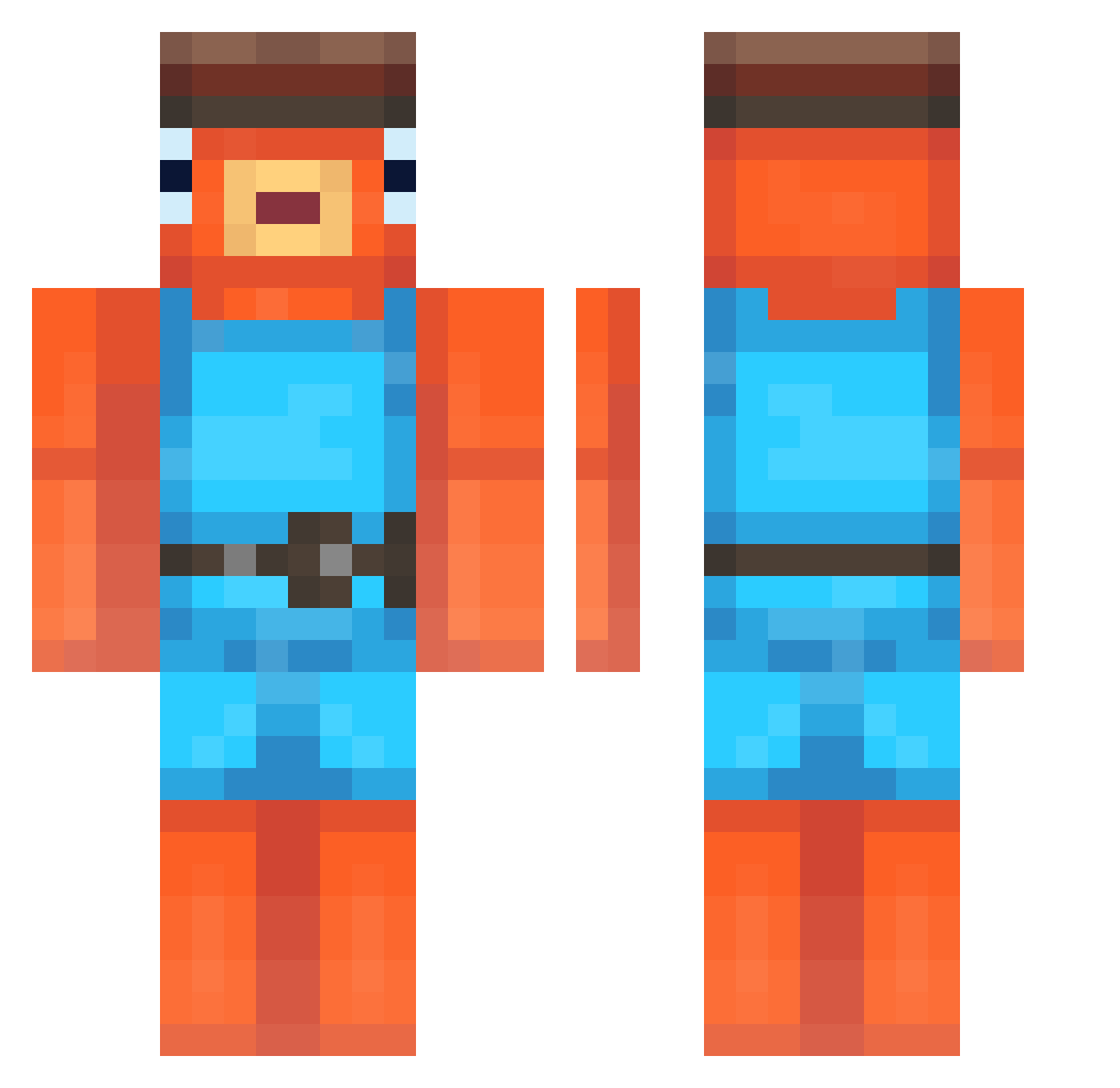
Current Minecraft skin of the player Doleraas, loaded from the official Mojang API. Rotate the 3D model with your mouse or finger, then download the skin as a PNG file and use it in Minecraft: Bedrock Edition or Java Edition for free. When Doleraas changes their skin, this page updates automatically and the old skin stays in the history below.
Other players with this skin (248)
Doleraas was the 115th player we have seen with this skin, first spotted on 19.09.2026. The same skin was seen on these players. Open a nickname to see their current skin and skin history.
 Fishstickx69420 huuuuhuh Crifty HoboArmy schmeebol PROxillller Frytka_2012_345 Lu1sF77 chojang_2 Brkx_DioSoap Erkiee Pabloska121 Squidsticks_ Yerba8788 JaBi007 CoinCurve956 finn46 Hamsamsibbey ISMAELE2008 Rodri2842 FangLeonn petuhha MajtyNaCzolo_ rodsrock Thielmann steeba StevenRzd Fernandez1 nuuku CR1SSTTo fedx_x JustinTheIdiot Luca9797 hpzo 67duzypolik67 dzbaneczQ Ellen_Degeneres Loouu57 Laver64 DKOL_69 DaReal_ZozoFishy chen2549 Finjshed zylerr GoochTaster F1shyu mooshidog6 TheLegend7036 KingApuusa ItsTishy totitocomunica CranksToggled EmotiveClaw4100 babinkuk niyaziii Pate_henaff dukiforce44 LaCapibara rxmane007 kisetoo
More Fishstick Minecraft skins
How to install the Doleraas skin
- Press the Download button above to save the skin as a PNG file.
- Minecraft: Bedrock Edition (PE): open the Dressing Room from the main menu (or tap your character → Edit Character), go to Classic Skins → Owned, press the + (new skin) button, choose the downloaded PNG and pick the Classic (Steve) model. Works on PC and mobile; consoles cannot import custom skins.
- Minecraft: Java Edition: open the Minecraft Launcher, go to the Skins tab, click New Skin, load the PNG, pick the Classic (Steve) model and press Save & Use. You can also upload it at minecraft.net → Profile → Change Skin.
The skin does not show up after import - what should I do?
Restart Minecraft and open the Dressing Room again - imported skins sometimes appear only after a restart. Also make sure you selected the imported skin and picked the Classic (Steve) model.
Which model should I choose, Classic or Slim?
This skin is designed for the Classic (Steve) model. If you pick the wrong model, the arms of the skin will look stretched or squeezed.
Is the skin of Doleraas free to download?
Yes. Press Download, save the PNG file and use it in Minecraft: Bedrock Edition or Java Edition - no payment or registration needed. The skin also works on multiplayer servers and Realms.
More skins
Looking for more? Go back to all Minecraft skins and check the top skins of the week, month and all time, or find any player's skin by nickname.