
Dohan07 - Minecraft Skins & Skin History
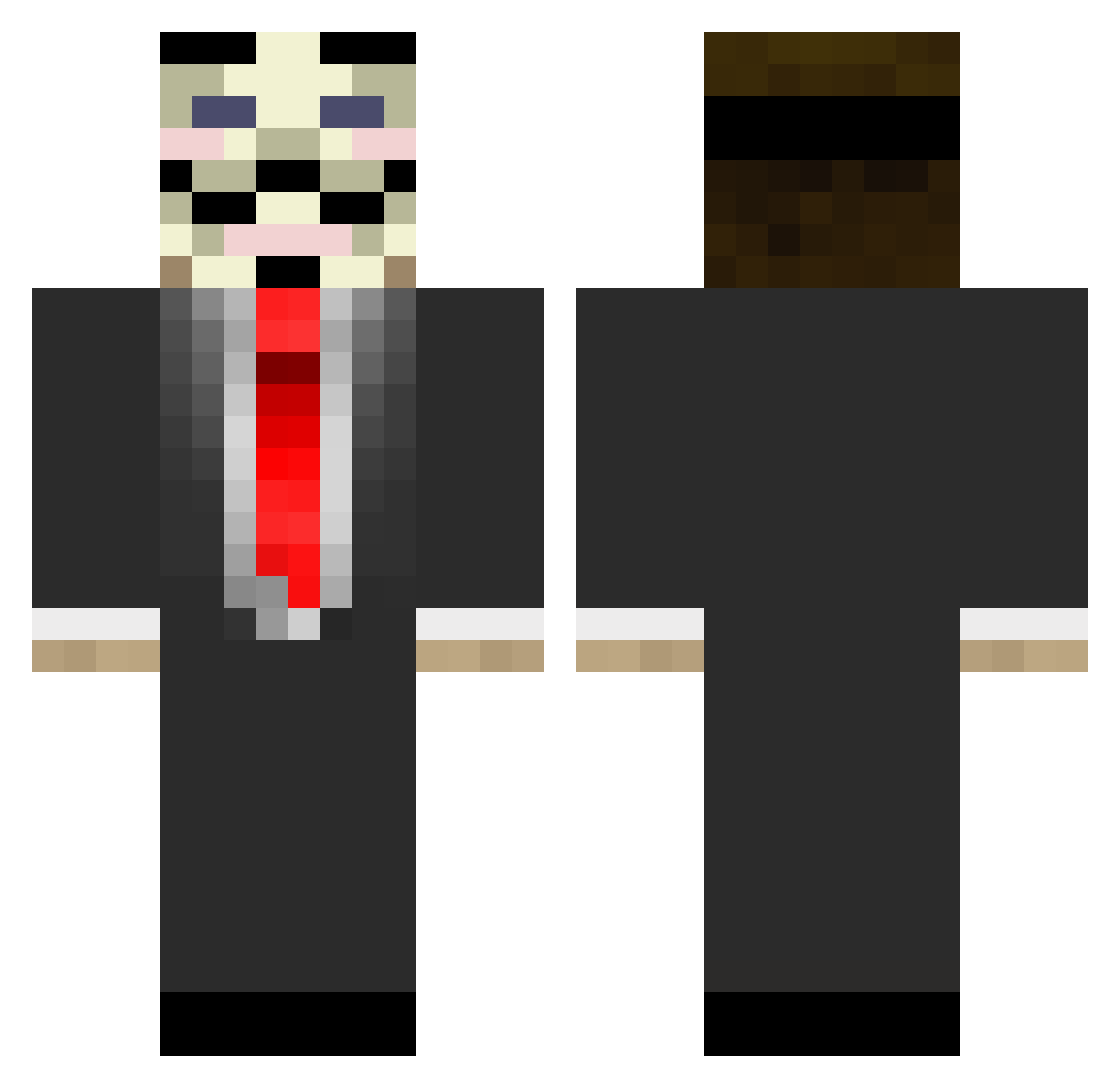
Current Minecraft skin of the player Dohan07, loaded from the official Mojang API. Rotate the 3D model with your mouse or finger, then download the skin as a PNG file and use it in Minecraft: Bedrock Edition or Java Edition for free. When Dohan07 changes their skin, this page updates automatically and the old skin stays in the history below.
Other players with this skin (103)
Dohan07 was the 7th player we have seen with this skin, first spotted on 01.08.2026. The same skin was seen on these players. Open a nickname to see their current skin and skin history.
 Stark1224 monoloco23 Bloudee Maximus2720 Not_Javii Mastiction ShenYu_3013 tonybenwhite Frizette XpoussintueurX Papi_Mitch JSanchez0 sarnum LunarPaladin115 ZE_DICtator Tukees Chand17 f_o_r_t Piddlingtor tukdices23 DasX1337 numbawon Narcos00 ZwieberDeVos013 Campinchris_ Automates Lil_ViB KinglKryptic pacmanics fffbj CubeBarista Guess_Who_Is HandsomeLeon IcarusTheSixth Santi11am AlexVzla26 PrincePanji
 Dreadcanuck_ HookahAwards Mckillagin685 yanjr tydaswift SIXLIES Arosy2333 YoungSeaMarble CarlitosInsano UnknownCHIGGA Nkidm2 XtationAndGames BigMarv666 QualmPalme professionalvb Eli0409 Pyjamma2 hellel01 sabo105 SwiftDesigns Avengerstakko Ograt Xajid
More V For Vendetta Minecraft skins
See all 286 V For Vendetta skins
How to install the Dohan07 skin
- Press the Download button above to save the skin as a PNG file.
- Minecraft: Bedrock Edition (PE): open the Dressing Room from the main menu (or tap your character → Edit Character), go to Classic Skins → Owned, press the + (new skin) button, choose the downloaded PNG and pick the Classic (Steve) model. Works on PC and mobile; consoles cannot import custom skins.
- Minecraft: Java Edition: open the Minecraft Launcher, go to the Skins tab, click New Skin, load the PNG, pick the Classic (Steve) model and press Save & Use. You can also upload it at minecraft.net → Profile → Change Skin.
The skin does not show up after import - what should I do?
Restart Minecraft and open the Dressing Room again - imported skins sometimes appear only after a restart. Also make sure you selected the imported skin and picked the Classic (Steve) model.
Which model should I choose, Classic or Slim?
This skin is designed for the Classic (Steve) model. If you pick the wrong model, the arms of the skin will look stretched or squeezed.
Is the skin of Dohan07 free to download?
Yes. Press Download, save the PNG file and use it in Minecraft: Bedrock Edition or Java Edition - no payment or registration needed. The skin also works on multiplayer servers and Realms.
More skins
Looking for more? Go back to all Minecraft skins and check the top skins of the week, month and all time, or find any player's skin by nickname.