
Dogdrivintank - Minecraft Skins & Skin History
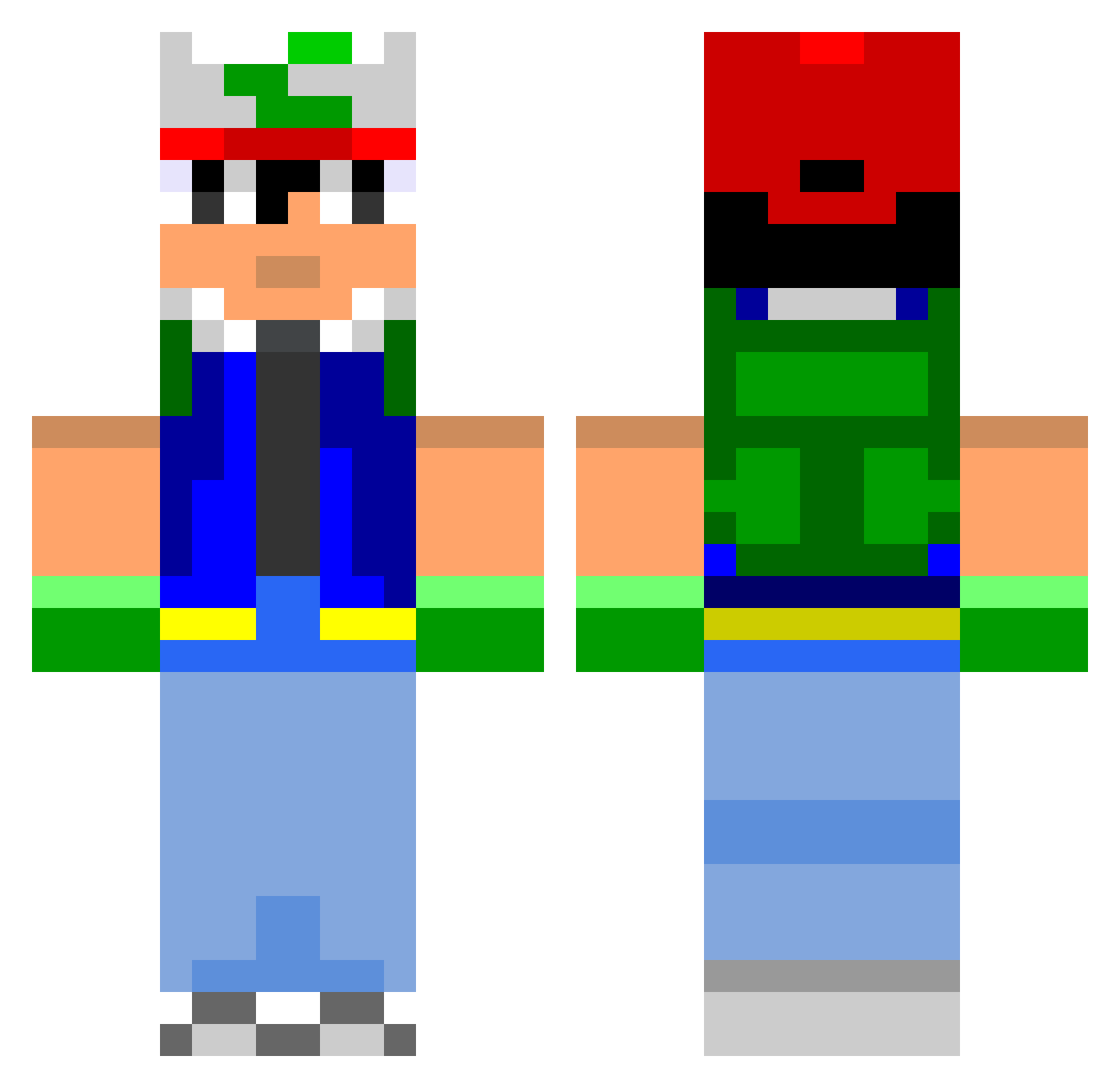
Current Minecraft skin of the player Dogdrivintank, loaded from the official Mojang API. Rotate the 3D model with your mouse or finger, then download the skin as a PNG file and use it in Minecraft: Bedrock Edition or Java Edition for free. When Dogdrivintank changes their skin, this page updates automatically and the old skin stays in the history below.
Other players with this skin (800)
Dogdrivintank was the 439th player we have seen with this skin, first spotted on 26.09.2026. The same skin was seen on these players. Open a nickname to see their current skin and skin history.
 angustoon Reetz14 wilzos2000 Ajiia mastermj555 n1njaro AlrightGamer Ashriogaia firebirdxvii mooseboy13 MinEekiLLeR Drewzz44_44 mr_happs GodLands jsteele2324 Lycraft OtaCatTV Klaesson97 MickVoorhees Eddiecoolkid JMyz62 kyenchan Itworks10 Julliez ReggaeHipHop3 nonoblanc Mr_Headbang jordan1494 Mr_Dii blockmonster590 Sebastienleroux Schneebley Thorfel91 MileyRayCyrus hateraid sammyboywilson archangel808 takedown50 ActualllyUnlucky Skaar Aliiiiiiii Thyllium Wolftuba Torm3nT Jacko_ iShockZ187 M_Redd catscatscats shamshell stuff_ftw Alexevs1 harvboy Shadronify accounter64 ragetan Neon_Medusa Paddy7001 xFlyingDeathx tyam cubicrafter
More Ash Ketchum Minecraft skins
How to install the Dogdrivintank skin
- Press the Download button above to save the skin as a PNG file.
- Minecraft: Bedrock Edition (PE): open the Dressing Room from the main menu (or tap your character → Edit Character), go to Classic Skins → Owned, press the + (new skin) button, choose the downloaded PNG and pick the Classic (Steve) model. Works on PC and mobile; consoles cannot import custom skins.
- Minecraft: Java Edition: open the Minecraft Launcher, go to the Skins tab, click New Skin, load the PNG, pick the Classic (Steve) model and press Save & Use. You can also upload it at minecraft.net → Profile → Change Skin.
The skin does not show up after import - what should I do?
Restart Minecraft and open the Dressing Room again - imported skins sometimes appear only after a restart. Also make sure you selected the imported skin and picked the Classic (Steve) model.
Which model should I choose, Classic or Slim?
This skin is designed for the Classic (Steve) model. If you pick the wrong model, the arms of the skin will look stretched or squeezed.
Is the skin of Dogdrivintank free to download?
Yes. Press Download, save the PNG file and use it in Minecraft: Bedrock Edition or Java Edition - no payment or registration needed. The skin also works on multiplayer servers and Realms.
More skins
Looking for more? Go back to all Minecraft skins and check the top skins of the week, month and all time, or find any player's skin by nickname.