
DoesP1 - Minecraft Skins & Skin History
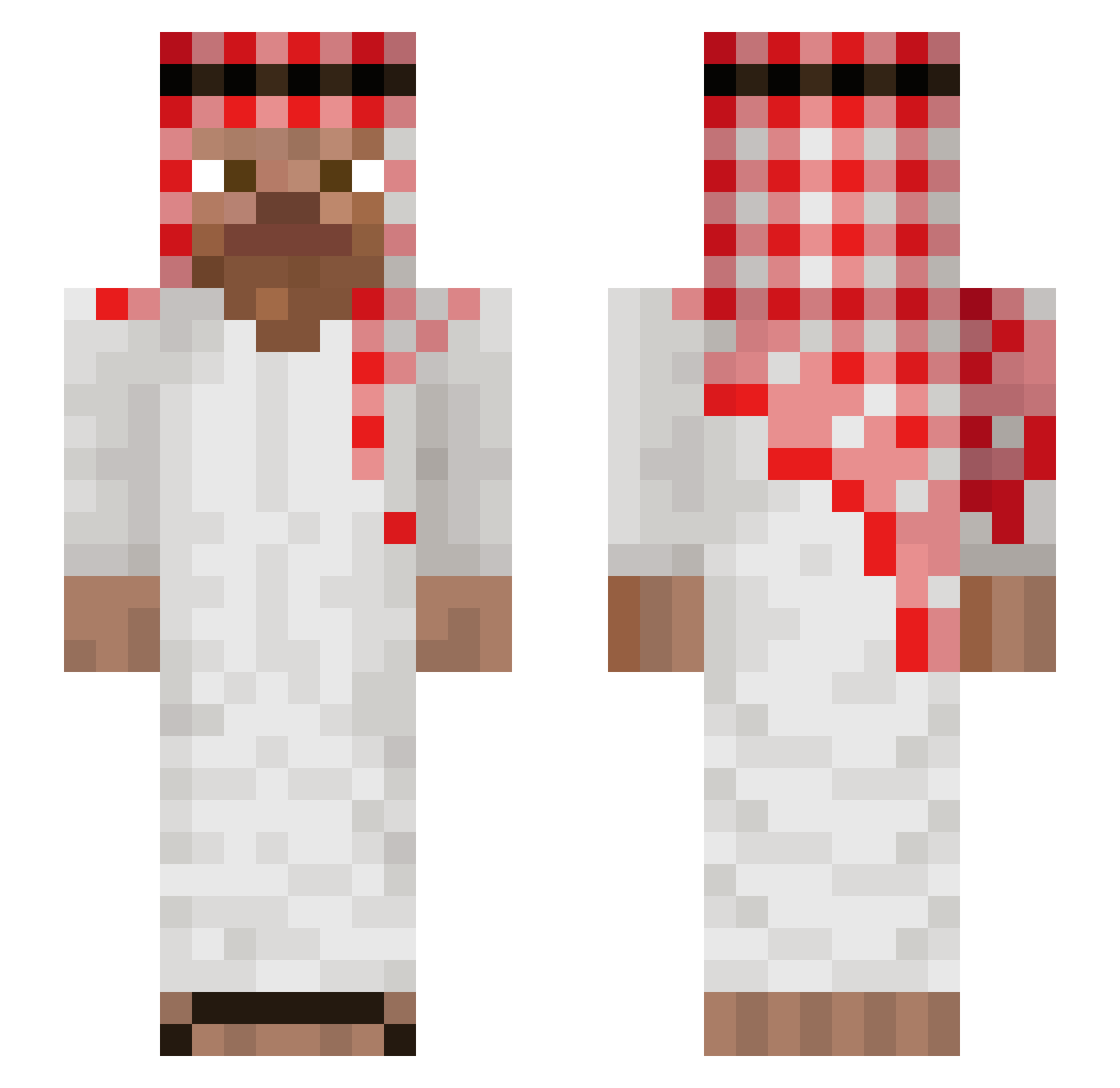
Current Minecraft skin of the player DoesP1, loaded from the official Mojang API. Rotate the 3D model with your mouse or finger, then download the skin as a PNG file and use it in Minecraft: Bedrock Edition or Java Edition for free. When DoesP1 changes their skin, this page updates automatically and the old skin stays in the history below.
Other players with this skin (949)
DoesP1 was the 217th player we have seen with this skin, first spotted on 15.08.2026. The same skin was seen on these players. Open a nickname to see their current skin and skin history.
 mario133243
 noahsmp summer_oil b_q8 MyMFe zyxiik JopehXx K4pple ZAZA_qwe Monkey_Hunter69 orzel0001 Zakk0011 antonin_05 ChqNom SuspiciousArab TheSpartanC4 koko_noi Xunnies2003 parko_2 janicki321 Mam0n07 TurbinalCrown90 MataBuelas04 kayz801 Supa_lobster Abanoz00
 Osers DoggFather0 meloncoton dragonsl82 LiamLimpa cukrzykomaniak1 BingChilln bomberondaloose2 Gabrimeme Ch1c0_1 uwuINERTIE 2016vibes Winston270300 ChickenSpray ZXT_Jupiter wafflez786 Moczarek Kukoy1204 kewlbreeze72 Roopkhom12 MiniFabricioo23 marianbmn7 WhiteIng Creamiegenie GeekIsMeE Winton_69 bouguisse94 N0Tor1ous Chumix06 Hercluz Devilishz tabaluga699 burrato69 anonomic
More Arabic Minecraft skins
How to install the DoesP1 skin
- Press the Download button above to save the skin as a PNG file.
- Minecraft: Bedrock Edition (PE): open the Dressing Room from the main menu (or tap your character → Edit Character), go to Classic Skins → Owned, press the + (new skin) button, choose the downloaded PNG and pick the Slim (Alex) model. Works on PC and mobile; consoles cannot import custom skins.
- Minecraft: Java Edition: open the Minecraft Launcher, go to the Skins tab, click New Skin, load the PNG, pick the Slim (Alex) model and press Save & Use. You can also upload it at minecraft.net → Profile → Change Skin.
The skin does not show up after import - what should I do?
Restart Minecraft and open the Dressing Room again - imported skins sometimes appear only after a restart. Also make sure you selected the imported skin and picked the Slim (Alex) model.
Which model should I choose, Classic or Slim?
This skin is designed for the Slim (Alex) model. If you pick the wrong model, the arms of the skin will look stretched or squeezed.
Is the skin of DoesP1 free to download?
Yes. Press Download, save the PNG file and use it in Minecraft: Bedrock Edition or Java Edition - no payment or registration needed. The skin also works on multiplayer servers and Realms.
More skins
Looking for more? Go back to all Minecraft skins and check the top skins of the week, month and all time, or find any player's skin by nickname.