
DocYak - Minecraft Skins & Skin History
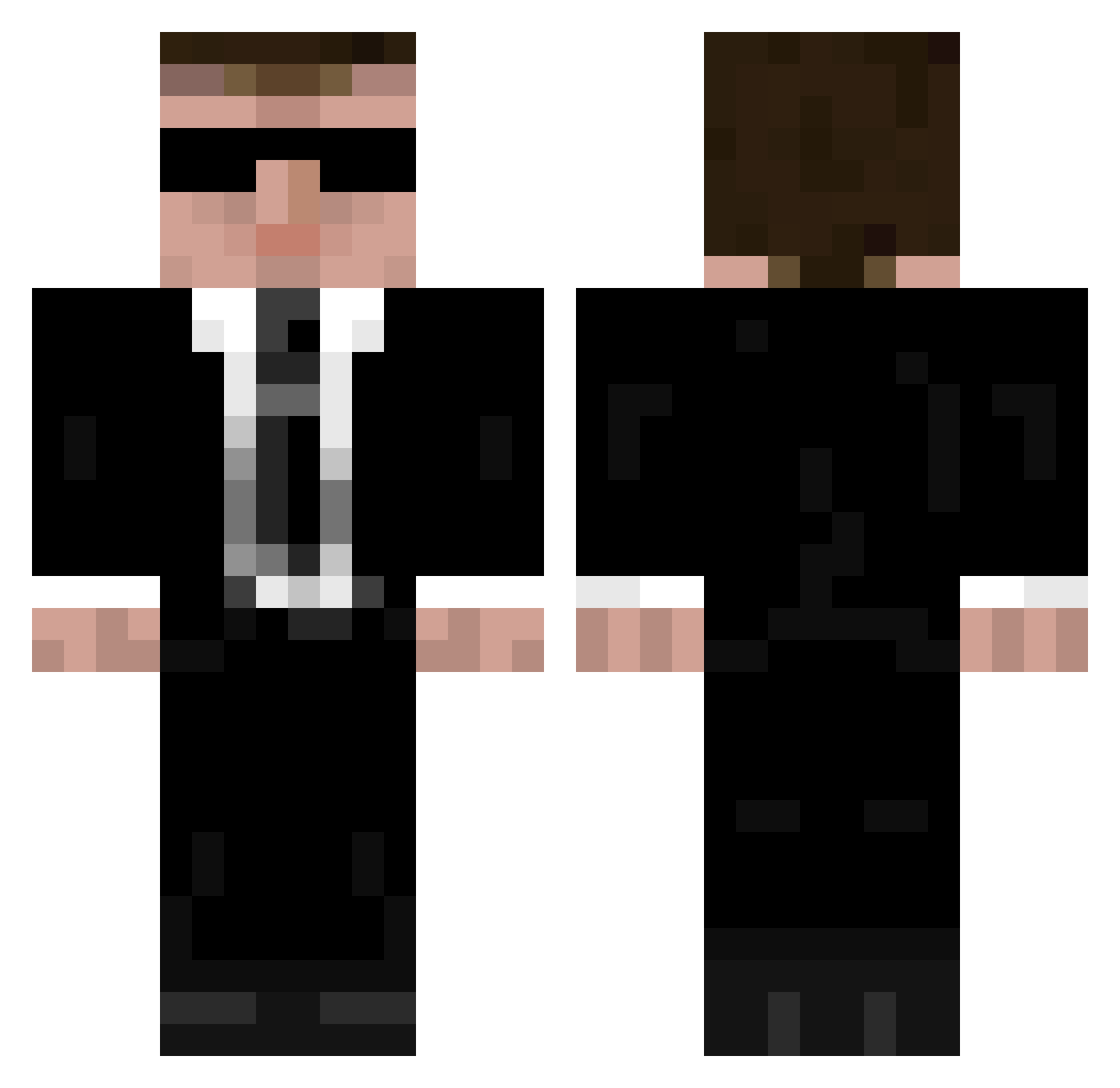
Current Minecraft skin of the player DocYak, loaded from the official Mojang API. Rotate the 3D model with your mouse or finger, then download the skin as a PNG file and use it in Minecraft: Bedrock Edition or Java Edition for free. When DocYak changes their skin, this page updates automatically and the old skin stays in the history below.
Other players with this skin (335)
DocYak was the 279th player we have seen with this skin, first spotted on 09.10.2026. The same skin was seen on these players. Open a nickname to see their current skin and skin history.
 HWANGJY kvlxv WOJTAS48 notsmith Pilotbaker96385 AlleleNotebook Tilman2005 N00IZ pielma Lucas59fr02 Hatebringer79 Mister_Rich BigSmall1 iTz_Proph3t Tim34556 Phantom_oO zachf217 Sentinel4008 AkyanTor GeneralZombie2 485 mikechou Mr_Rickets rowifull DiggyDugger TheTeamNL SolMagalhaes Addorf BuAmS Zeunade TontonViki Folz_1 dr1s zeditez narutosasuke0794 WinterNote KrzychuBuc Nelloz1 PapaPingouin PePeRuT luminchao JohnLee0618 SusBob187 TheJebinator johanikaj bohatier TheJoseMC0 BoxOfMeat Add97 3zOz_27 _Absolon_ Fredoo_22 LordVulpes112 vongruenkopf starli2333 steelcan Urkki14 RuiSTD SimonLePape v3h3
More Agent Minecraft skins
How to install the DocYak skin
- Press the Download button above to save the skin as a PNG file.
- Minecraft: Bedrock Edition (PE): open the Dressing Room from the main menu (or tap your character → Edit Character), go to Classic Skins → Owned, press the + (new skin) button, choose the downloaded PNG and pick the Classic (Steve) model. Works on PC and mobile; consoles cannot import custom skins.
- Minecraft: Java Edition: open the Minecraft Launcher, go to the Skins tab, click New Skin, load the PNG, pick the Classic (Steve) model and press Save & Use. You can also upload it at minecraft.net → Profile → Change Skin.
The skin does not show up after import - what should I do?
Restart Minecraft and open the Dressing Room again - imported skins sometimes appear only after a restart. Also make sure you selected the imported skin and picked the Classic (Steve) model.
Which model should I choose, Classic or Slim?
This skin is designed for the Classic (Steve) model. If you pick the wrong model, the arms of the skin will look stretched or squeezed.
Is the skin of DocYak free to download?
Yes. Press Download, save the PNG file and use it in Minecraft: Bedrock Edition or Java Edition - no payment or registration needed. The skin also works on multiplayer servers and Realms.
More skins
Looking for more? Go back to all Minecraft skins and check the top skins of the week, month and all time, or find any player's skin by nickname.