
DixonMymoth - Minecraft Skins & Skin History
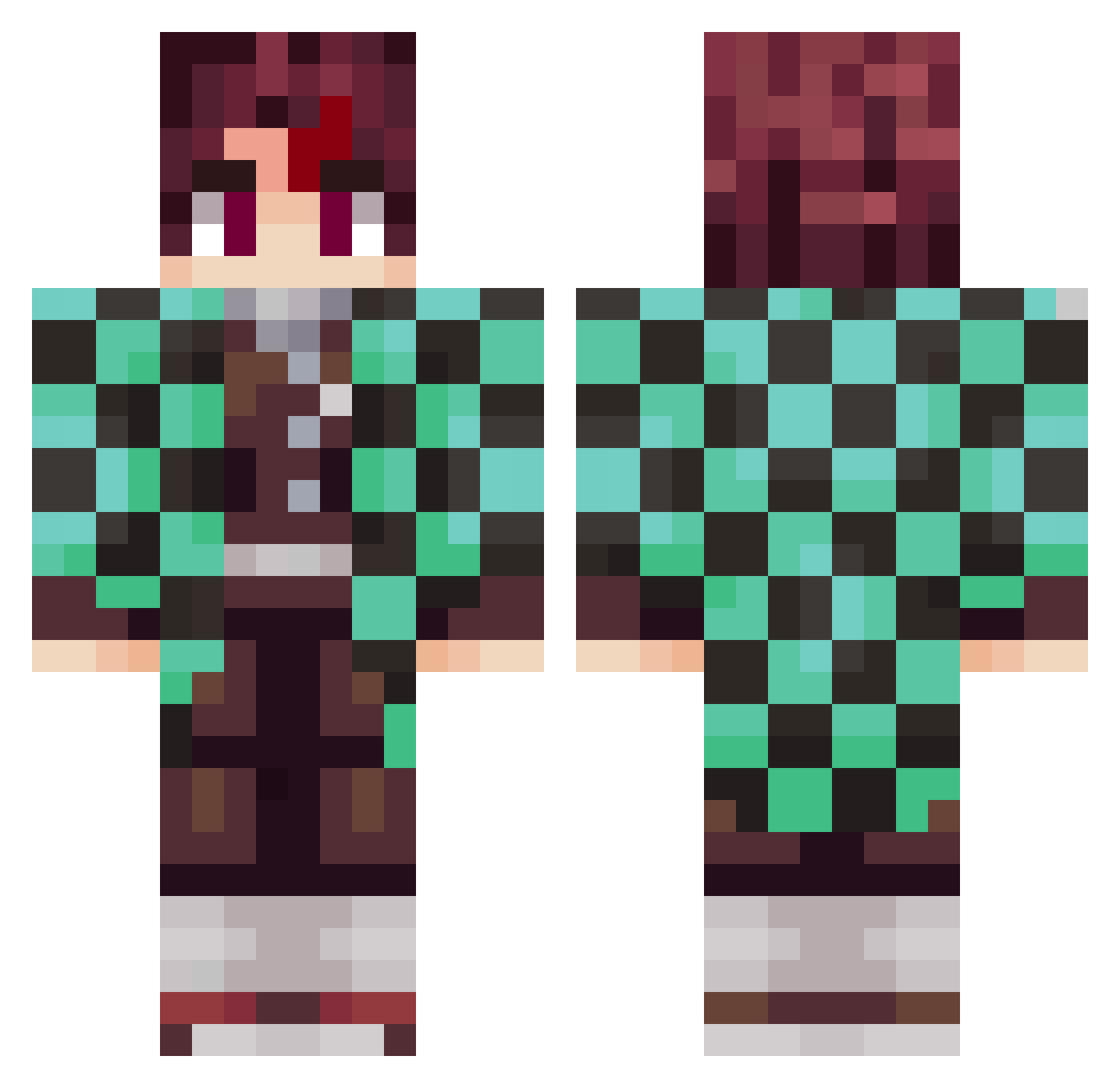
Current Minecraft skin of the player DixonMymoth, loaded from the official Mojang API. Rotate the 3D model with your mouse or finger, then download the skin as a PNG file and use it in Minecraft: Bedrock Edition or Java Edition for free. When DixonMymoth changes their skin, this page updates automatically and the old skin stays in the history below.
Other players with this skin (797)
DixonMymoth was the 90th player we have seen with this skin, first spotted on 04.08.2026. The same skin was seen on these players. Open a nickname to see their current skin and skin history.
 Alex44334 DODO140109 keiji5114 kardiazinnmaker kg_ragnar JrubWarrior Yare2Daze Kosukemushi ryu5454 rafa_ofc BetaOfficial QuantumCow Denzaah Komancini KilluaSZN Aurevoirhello Kamil73 misha02410 Sab1412 Miles1635 MoUnTaNDrEw1027 ricksvaldo wongtaisin14k Kaubojenzas Duskycarter kimmatang Rebjiro SonicSquid_ gabtrickster13 rmla xclavijo Jerecapox ELJODIDOCRACK KingOfCoinFlips Babybrawl El_Maxu Ramiro309 AnGeo39 Tongzoelim_can AltrogamerYT bluemoonyaka Arrokibe fan2zzi Deqquy CompaJoe DOORSTONE sasaken_0128 imomooo aditya12094 MeHungLow_ dhiuwed Sly_Anlex Merrildgaard MythicalMIke42 A12Alex Colinskit ROSergiu DanisNumberOne D3adpanda2258 Nirimris_
More Tanjiro Kamado Minecraft skins
See all 388 Tanjiro Kamado skins
How to install the DixonMymoth skin
- Press the Download button above to save the skin as a PNG file.
- Minecraft: Bedrock Edition (PE): open the Dressing Room from the main menu (or tap your character → Edit Character), go to Classic Skins → Owned, press the + (new skin) button, choose the downloaded PNG and pick the Classic (Steve) model. Works on PC and mobile; consoles cannot import custom skins.
- Minecraft: Java Edition: open the Minecraft Launcher, go to the Skins tab, click New Skin, load the PNG, pick the Classic (Steve) model and press Save & Use. You can also upload it at minecraft.net → Profile → Change Skin.
The skin does not show up after import - what should I do?
Restart Minecraft and open the Dressing Room again - imported skins sometimes appear only after a restart. Also make sure you selected the imported skin and picked the Classic (Steve) model.
Which model should I choose, Classic or Slim?
This skin is designed for the Classic (Steve) model. If you pick the wrong model, the arms of the skin will look stretched or squeezed.
Is the skin of DixonMymoth free to download?
Yes. Press Download, save the PNG file and use it in Minecraft: Bedrock Edition or Java Edition - no payment or registration needed. The skin also works on multiplayer servers and Realms.
More skins
Looking for more? Go back to all Minecraft skins and check the top skins of the week, month and all time, or find any player's skin by nickname.