
Diverse7u7 - Minecraft Skins & Skin History
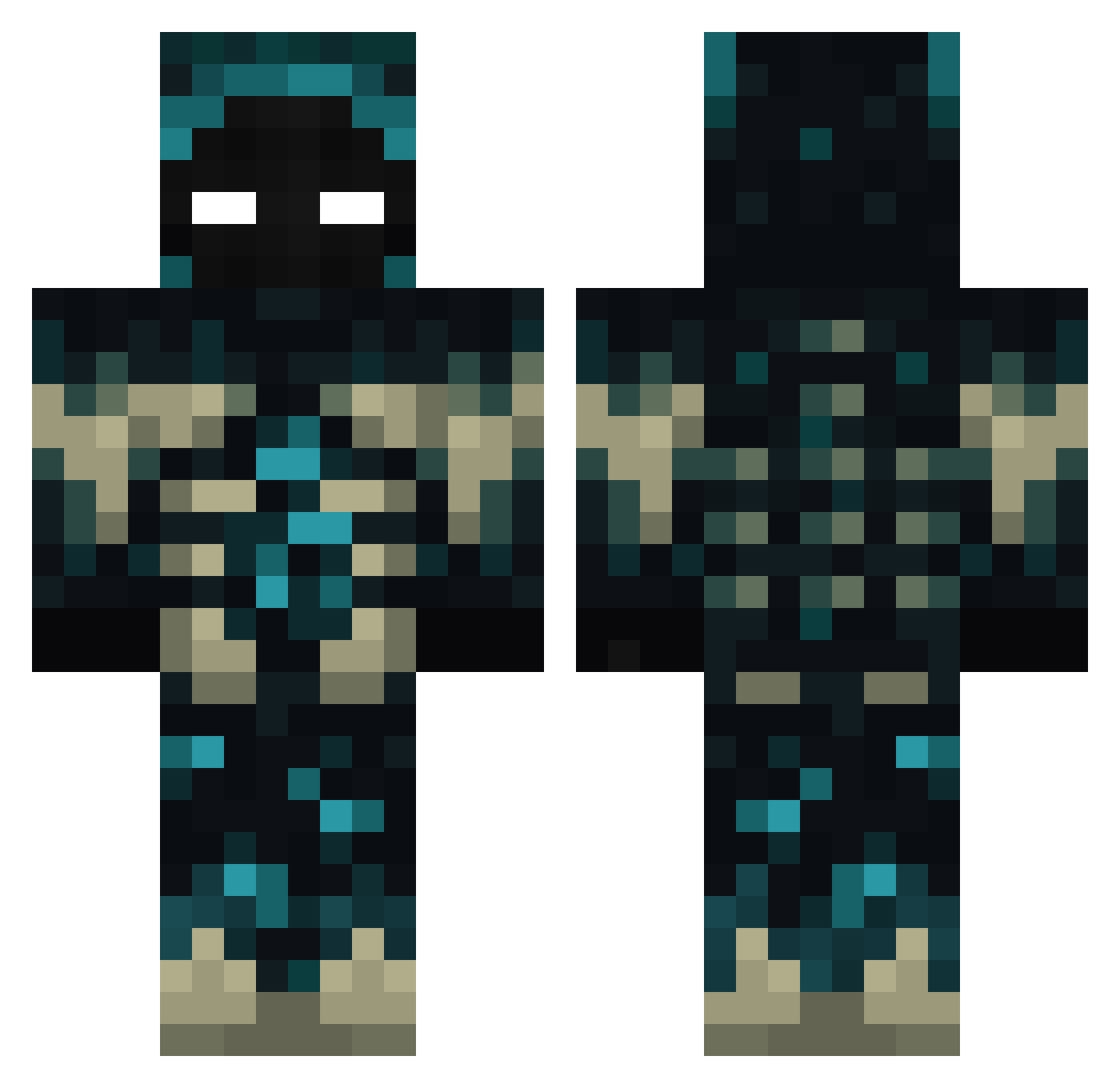
Current Minecraft skin of the player Diverse7u7, loaded from the official Mojang API. Rotate the 3D model with your mouse or finger, then download the skin as a PNG file and use it in Minecraft: Bedrock Edition or Java Edition for free. When Diverse7u7 changes their skin, this page updates automatically and the old skin stays in the history below.
Other players with this skin (387)
Diverse7u7 was the 314th player we have seen with this skin, first spotted on 17.10.2026. The same skin was seen on these players. Open a nickname to see their current skin and skin history.
 adpao06 ElGordi vault_zero bluebers cheesedisguise MOONTRIX121 ChilenitoXD onuragca52 stedebonnet0623 AC_PT Scarab826869 Xnight07 prowo xSaRt The_Bad_Juju Oskarinho124 BiamGi mStare itsYash12 CRAZYFUNNY9 mrTizio_yt RodrigoAragao13 Cliven_ford JunjinduaTV KeizalRevak SunlitHades5599 10kLuck LTKElminiman2 LaziBrix_ JORYS14 avis0907 DAcooomer Quicksilver1 gustavofbc20b RIPS_ pimvl08 SuzuOnIce29 Only_top HDK2424 Toxicnatra ___STRYEXZZ___ Laimiz schordinger9 driverpapayon iKooSz Largo788765 LordStabbyCat Warden10 SuperSmellyApple xxsuereme Mond3_ koro2221 BlueIce139 cpy12329 MushroomerCZ TonyTAZ95 Acryolost DerEckigste egordrochka2000 DecX420
More Sculk Minecraft skins
How to install the Diverse7u7 skin
- Press the Download button above to save the skin as a PNG file.
- Minecraft: Bedrock Edition (PE): open the Dressing Room from the main menu (or tap your character → Edit Character), go to Classic Skins → Owned, press the + (new skin) button, choose the downloaded PNG and pick the Classic (Steve) model. Works on PC and mobile; consoles cannot import custom skins.
- Minecraft: Java Edition: open the Minecraft Launcher, go to the Skins tab, click New Skin, load the PNG, pick the Classic (Steve) model and press Save & Use. You can also upload it at minecraft.net → Profile → Change Skin.
The skin does not show up after import - what should I do?
Restart Minecraft and open the Dressing Room again - imported skins sometimes appear only after a restart. Also make sure you selected the imported skin and picked the Classic (Steve) model.
Which model should I choose, Classic or Slim?
This skin is designed for the Classic (Steve) model. If you pick the wrong model, the arms of the skin will look stretched or squeezed.
Is the skin of Diverse7u7 free to download?
Yes. Press Download, save the PNG file and use it in Minecraft: Bedrock Edition or Java Edition - no payment or registration needed. The skin also works on multiplayer servers and Realms.
More skins
Looking for more? Go back to all Minecraft skins and check the top skins of the week, month and all time, or find any player's skin by nickname.