
Discomscrombulat - Minecraft Skins & Skin History
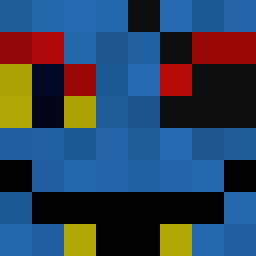
Current Minecraft skin of the player Discomscrombulat, loaded from the official Mojang API. Rotate the 3D model with your mouse or finger, then download the skin as a PNG file and use it in Minecraft: Bedrock Edition or Java Edition for free. When Discomscrombulat changes their skin, this page updates automatically and the old skin stays in the history below.

Other players with this skin (11595)
Discomscrombulat was the 5467th player we have seen with this skin, first spotted on 09.09.2026. The same skin was seen on these players. Open a nickname to see their current skin and skin history.
 BerthaThicc Proctor Wandingaa Quenthalas Matteu_ SIPLE beanjelly56 ImGonnaSh00tYou KingKarma rockstarin blackacre vovski Mafts BibiM3 elyse00 NoqNyan37 MrAaritChopra savatar14 BankJustPing CraftKingMC The_OG_god Raynokal vyosan phemtoe Shelve hybrqd wog890 seloneb FanDTO WOLLKER SleepyBlock ecrd09 kacgru2012 Seiou hewobrine nowski_internal9 Lordleo99 petson10 Wayne3len WyattJ95 rtlabs Gunjura AMMARKIZ2
 Stoncoldstonian SirTonks klops148 White__099 AhoyNatey13 Tavshin nicovaldessch Ice_W1zard _3os Reverse__s XENgmr stiivthetoe
 Brothergus1 mudlark
 Shunlurk YOA0902 natte_visstick21
How to install the Discomscrombulat skin
- Press the Download button above to save the skin as a PNG file.
- Minecraft: Bedrock Edition (PE): open the Dressing Room from the main menu (or tap your character → Edit Character), go to Classic Skins → Owned, press the + (new skin) button, choose the downloaded PNG and pick the Classic (Steve) model. Works on PC and mobile; consoles cannot import custom skins.
- Minecraft: Java Edition: open the Minecraft Launcher, go to the Skins tab, click New Skin, load the PNG, pick the Classic (Steve) model and press Save & Use. You can also upload it at minecraft.net → Profile → Change Skin.
The skin does not show up after import - what should I do?
Restart Minecraft and open the Dressing Room again - imported skins sometimes appear only after a restart. Also make sure you selected the imported skin and picked the Classic (Steve) model.
Which model should I choose, Classic or Slim?
This skin is designed for the Classic (Steve) model. If you pick the wrong model, the arms of the skin will look stretched or squeezed.
Is the skin of Discomscrombulat free to download?
Yes. Press Download, save the PNG file and use it in Minecraft: Bedrock Edition or Java Edition - no payment or registration needed. The skin also works on multiplayer servers and Realms.
More skins
Looking for more? Go back to all Minecraft skins and check the top skins of the week, month and all time, or find any player's skin by nickname.