
DirtySausage1999 - Minecraft Skins & Skin History
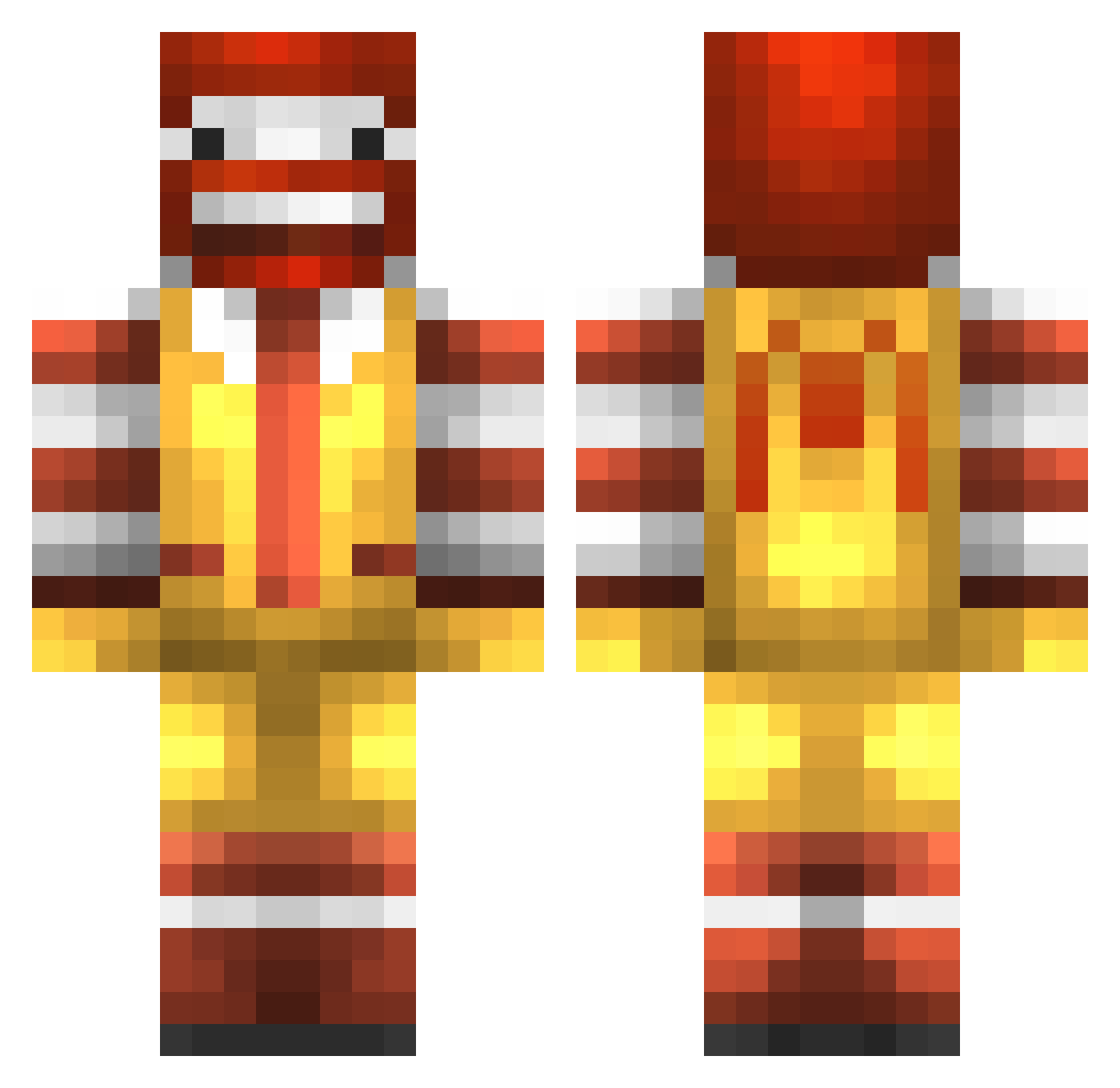
Current Minecraft skin of the player DirtySausage1999, loaded from the official Mojang API. Rotate the 3D model with your mouse or finger, then download the skin as a PNG file and use it in Minecraft: Bedrock Edition or Java Edition for free. When DirtySausage1999 changes their skin, this page updates automatically and the old skin stays in the history below.
Other players with this skin (989)
DirtySausage1999 was the 781st player we have seen with this skin, first spotted on 21.10.2026. The same skin was seen on these players. Open a nickname to see their current skin and skin history.
 SPENJU1999 Flexas xXGoNwIvDaWiNdXx barbiedude 1arkaon1 stueypoo TheSummonedBeast Nicheee pinoychill AnDrEw_Mm MrMinecraft1187 jelmer_gek HypnoClown Ya_mum16 backlash1003 phenix1239 CRAFTERR1111 Project_Josh pustunchik NumbWinter231 tizza99 7645jp FlippinSwitchez epicgloves27 epicwimpykid01 KucukEmad patrickmoo123 ExtraLarge Fearless2011 ElMatthew231 z0mbiie13 optimus_ninja313 Mitchy250 LiLJetLe Apokavirus Happie13 Vyssea DBTeam MAX1833 mathieu06500 nvj26 morrt1992 iNinjaNick sharrdawg McNutters konurr 3idvet alexlebous PutMeDown wettest_boy Jeremy1318 marine1981 godlikewilson OllyBaggott rollinst0ned18 Muffler_swe StealtyNinja44 damien19legrand SuNam2 zcsund1234
More Ronald Mcdonald Minecraft skins
See all 139 Ronald Mcdonald skins
How to install the DirtySausage1999 skin
- Press the Download button above to save the skin as a PNG file.
- Minecraft: Bedrock Edition (PE): open the Dressing Room from the main menu (or tap your character → Edit Character), go to Classic Skins → Owned, press the + (new skin) button, choose the downloaded PNG and pick the Classic (Steve) model. Works on PC and mobile; consoles cannot import custom skins.
- Minecraft: Java Edition: open the Minecraft Launcher, go to the Skins tab, click New Skin, load the PNG, pick the Classic (Steve) model and press Save & Use. You can also upload it at minecraft.net → Profile → Change Skin.
The skin does not show up after import - what should I do?
Restart Minecraft and open the Dressing Room again - imported skins sometimes appear only after a restart. Also make sure you selected the imported skin and picked the Classic (Steve) model.
Which model should I choose, Classic or Slim?
This skin is designed for the Classic (Steve) model. If you pick the wrong model, the arms of the skin will look stretched or squeezed.
Is the skin of DirtySausage1999 free to download?
Yes. Press Download, save the PNG file and use it in Minecraft: Bedrock Edition or Java Edition - no payment or registration needed. The skin also works on multiplayer servers and Realms.
More skins
Looking for more? Go back to all Minecraft skins and check the top skins of the week, month and all time, or find any player's skin by nickname.